
COLUMN
04/10/2026
Self-Hosted Next.js Needs TLS and Ingress: Here's How to Set Them Up
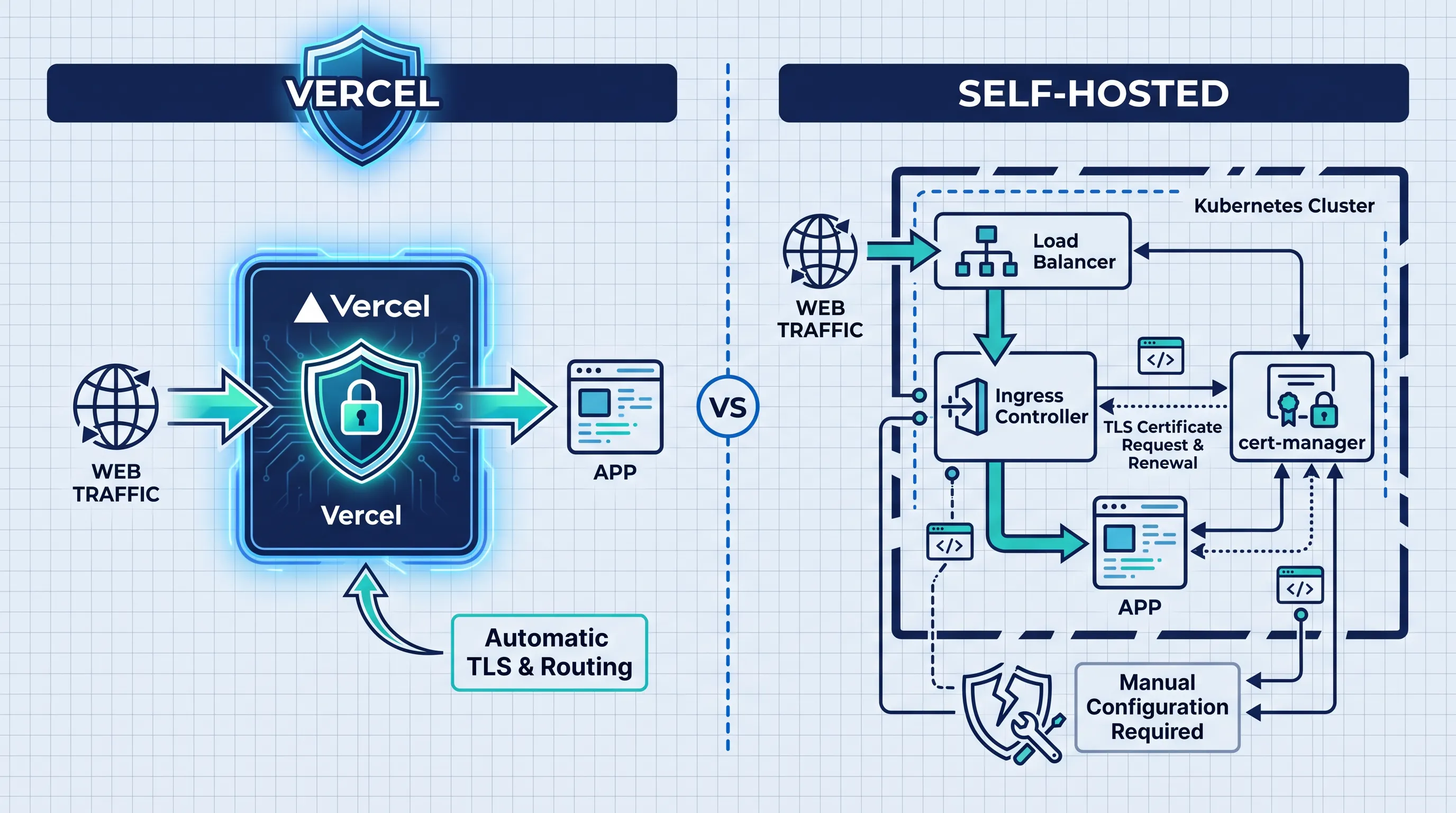
The Part of Vercel You Stop Noticing
Deploy to Vercel and a few things just happen: every deployment gets HTTPS, every custom domain gets a certificate, and traffic gets routed to the right build without you writing a single line of configuration. It's easy to forget this is infrastructure at all, because nobody on the team ever has to touch it.
Move the same Next.js app to your own Kubernetes cluster and all three of those things become your job. Nothing in next build or next start issues a certificate or terminates TLS — that was never Next.js's responsibility, it was the platform wrapped around it. Self-hosting means you now own that wrapper.
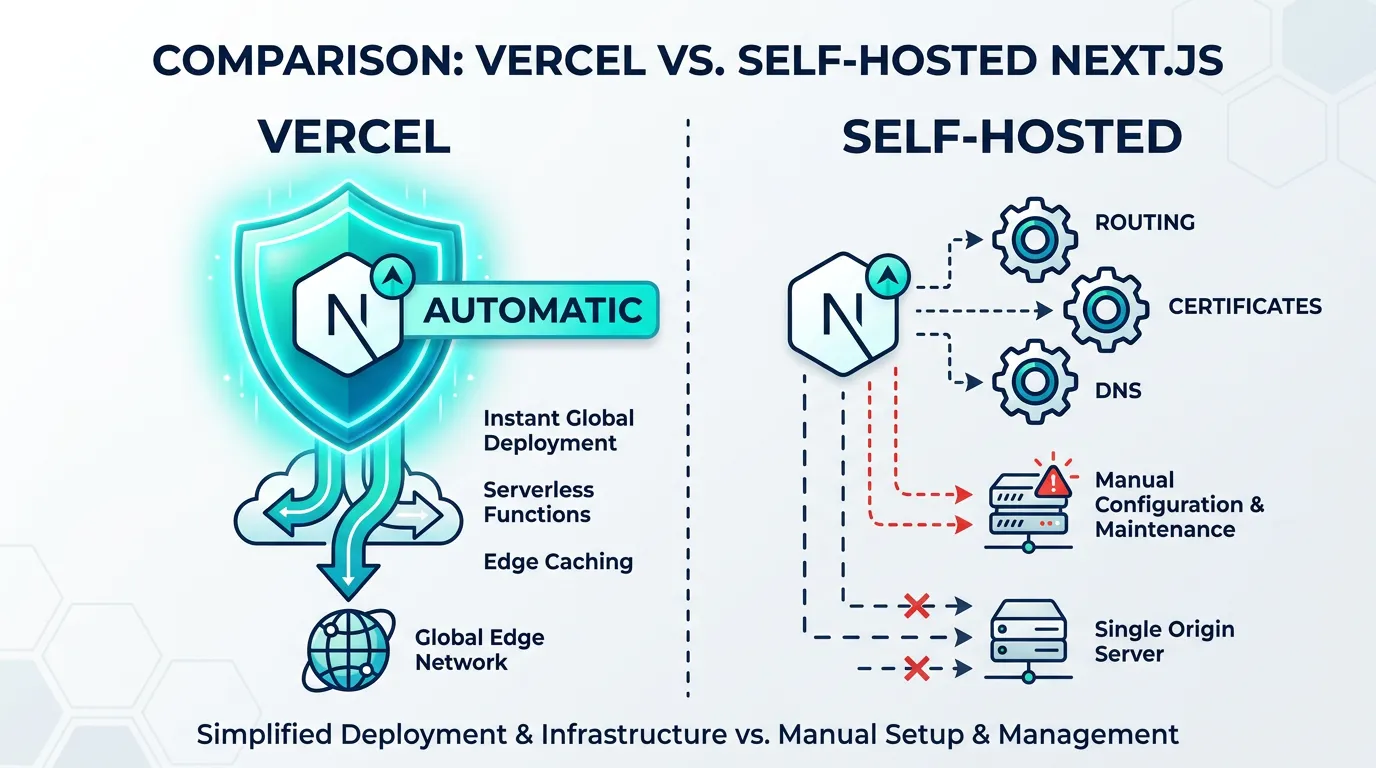
This isn't a reason to avoid self-hosting — plenty of teams do it successfully once they know what to wire up. It's a reason to plan for ingress and certificates before the migration, not discover the gap during an incident.
What Ingress Actually Does
In Kubernetes, a Service gives your Next.js pods a stable internal address, but it doesn't speak HTTP routing or TLS on its own. An Ingress resource is what maps external hostnames and paths to that Service, and an ingress controller is the piece that actually reads those rules and runs the reverse proxy.
The two most common controllers are ingress-nginx (a packaging of NGINX as a Kubernetes-native controller) and Traefik, which can also watch Ingress resources directly. Either works for a standard Next.js deployment; the practical difference shows up in annotation syntax and how much you need for things like WebSocket upgrades (needed if you use Next.js's dev overlay or any real-time feature) or body size limits for file uploads.
A minimal Ingress for a Next.js Service looks like this:
apiVersion: networking.k8s.io/v1
kind: Ingress
metadata:
  name: web
  annotations:
    nginx.ingress.kubernetes.io/proxy-body-size: "10m"
spec:
  ingressClassName: nginx
  rules:
    - host: app.example.com
      http:
        paths:
          - path: /
            pathType: Prefix
            backend:
              service:
                name: web
                port:
                  number: 3000
Without ingressClassName set correctly, requests either 404 at the controller or never reach it at all — this is the single most common first failure teams hit, usually because two controllers are installed side by side (one from a cluster add-on, one installed manually) and the Ingress matches the wrong one.
Automating TLS With cert-manager
Vercel issues and renews certificates per-domain without you asking. The closest equivalent inside Kubernetes is cert-manager, which watches Ingress resources (or its own Certificate objects) and requests certificates from an issuer — typically Let's Encrypt via the ACME protocol.
Setup has three real pieces:
- Install cert-manager (Helm chart or static manifests from the project's releases)
- Create a
ClusterIssuerpointing at Let's Encrypt's production or staging ACME endpoint - Annotate the Ingress so cert-manager knows which issuer to use and where to store the resulting secret
apiVersion: cert-manager.io/v1
kind: ClusterIssuer
metadata:
  name: letsencrypt-prod
spec:
  acme:
    server: https://acme-v02.api.letsencrypt.org/directory
    email: ops@example.com
    privateKeySecretRef:
      name: letsencrypt-prod-key
    solvers:
      - http01:
          ingress:
            ingressClassName: nginx
Then the Ingress from above gains two more lines:
  annotations:
    cert-manager.io/cluster-issuer: letsencrypt-prod
spec:
  tls:
    - hosts: ["app.example.com"]
      secretName: app-example-com-tls
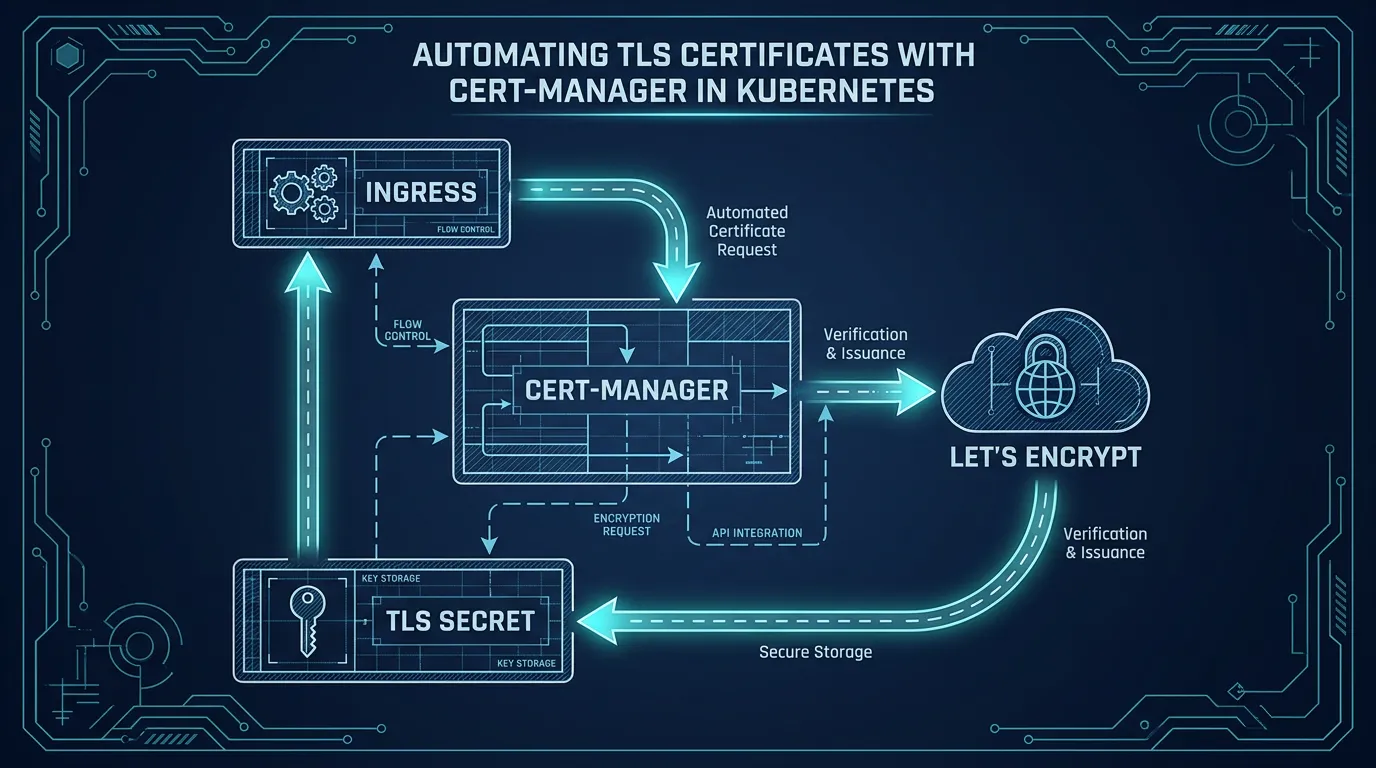
Two details catch teams out in practice. First, Let's Encrypt's production endpoint has rate limits per domain (currently 50 certificates per registered domain per week) — test against the staging endpoint first, since staging failures don't burn your production quota. Second, HTTP-01 validation requires port 80 to be reachable from the internet at request time, so firewall rules or a load balancer that only forwards 443 will cause silent renewal failures a few weeks later, when the first certificate expires.
DNS and the Load Balancer in Front of It All
Ingress and cert-manager assume something is already routing traffic from the internet to your cluster's nodes. On a managed cluster that's usually a cloud load balancer, provisioned automatically when the ingress controller's Service is of type LoadBalancer. On a bare-metal or self-managed setup, you need something like MetalLB to hand out a real external IP, or you're fronting the cluster with your own reverse proxy.
Either way, DNS has to point at that IP (or the load balancer's hostname) before ACME validation can succeed — cert-manager's HTTP-01 challenge fails if app.example.com doesn't yet resolve to the controller. This ordering trips up migrations more than the Kubernetes YAML does: DNS propagation delay, not cert-manager, is usually the reason a first deploy sits in Pending for twenty minutes.
Why This Adds Up Faster Than It Looks
None of these pieces are exotic — ingress-nginx, cert-manager, and MetalLB are each well-documented and widely used. The friction is that Vercel bundled routing, TLS, and DNS integration into one product decision, and self-hosting unbundles them into three separate systems that have to agree with each other, plus the network policies that decide what's allowed to reach your Next.js pods in the first place and the cluster networking model underneath the Ingress layer. Get one piece wrong — a missing ingressClassName, a DNS record that hasn't propagated, a firewall blocking port 80 — and the failure shows up as "the site is down," not as a clearly labeled error.
Kubo exists for teams who want standard Kubernetes — not a proprietary abstraction — without assembling the ingress controller, cert-manager, and load balancer wiring from scratch for every cluster. It's the same APIs and YAML shown above, pre-wired, plus the monitoring stack to see which of the three layers failed when something does break.
Monitoring the Layer You Just Built
Once TLS and ingress are live, they become one more thing that can fail quietly: a certificate renewal that silently stops working, an ingress controller pod that gets OOM-killed under load, a backend that starts returning 502s only the proxy sees. Vercel's dashboard surfaces this for you by default; self-hosted, it's worth alerting on certificate expiry (cert-manager exposes this as a metric) and ingress controller error rates from day one, not after the first renewal failure.
A Checklist Before You Cut Over DNS
Most of the failures above are avoidable if you verify them in order, rather than flipping DNS and debugging live:
ingressClassNameon the Ingress matches the controller actually installed (check withkubectl get ingressclass)- The controller's Service has an external IP or hostname assigned (
kubectl get svc -n ingress-nginx) - Port 80 is reachable from the public internet before requesting a certificate — ACME's HTTP-01 challenge depends on it
- The
ClusterIssueris tested against Let's Encrypt's staging server first, so renewal mistakes don't eat into the production rate limit - DNS has actually propagated (
dig app.example.com) before cert-manager's first certificate request fires
Skipping straight to production ACME and real DNS at the same time is how a ten-minute setup turns into an afternoon of guessing which of the three systems is the one that's wrong.
Bringing It Together
TLS certificates and ingress routing are solvable with tools that already exist — cert-manager and an ingress controller cover the core of it, and MetalLB or your cloud provider's load balancer handles the rest. The work is in getting all three to agree, and in remembering they're your responsibility now instead of a platform default.
If you're weighing how much of this to build yourself versus how much to hand off, Kubo's plans start at ¥8,800/month with ingress, TLS, and monitoring already configured on standard Kubernetes — see what's included before you spend a sprint wiring it up from scratch.