
COLUMN
02/10/2026
When to Move Self-Hosted Next.js to Kubernetes (and When Not To)
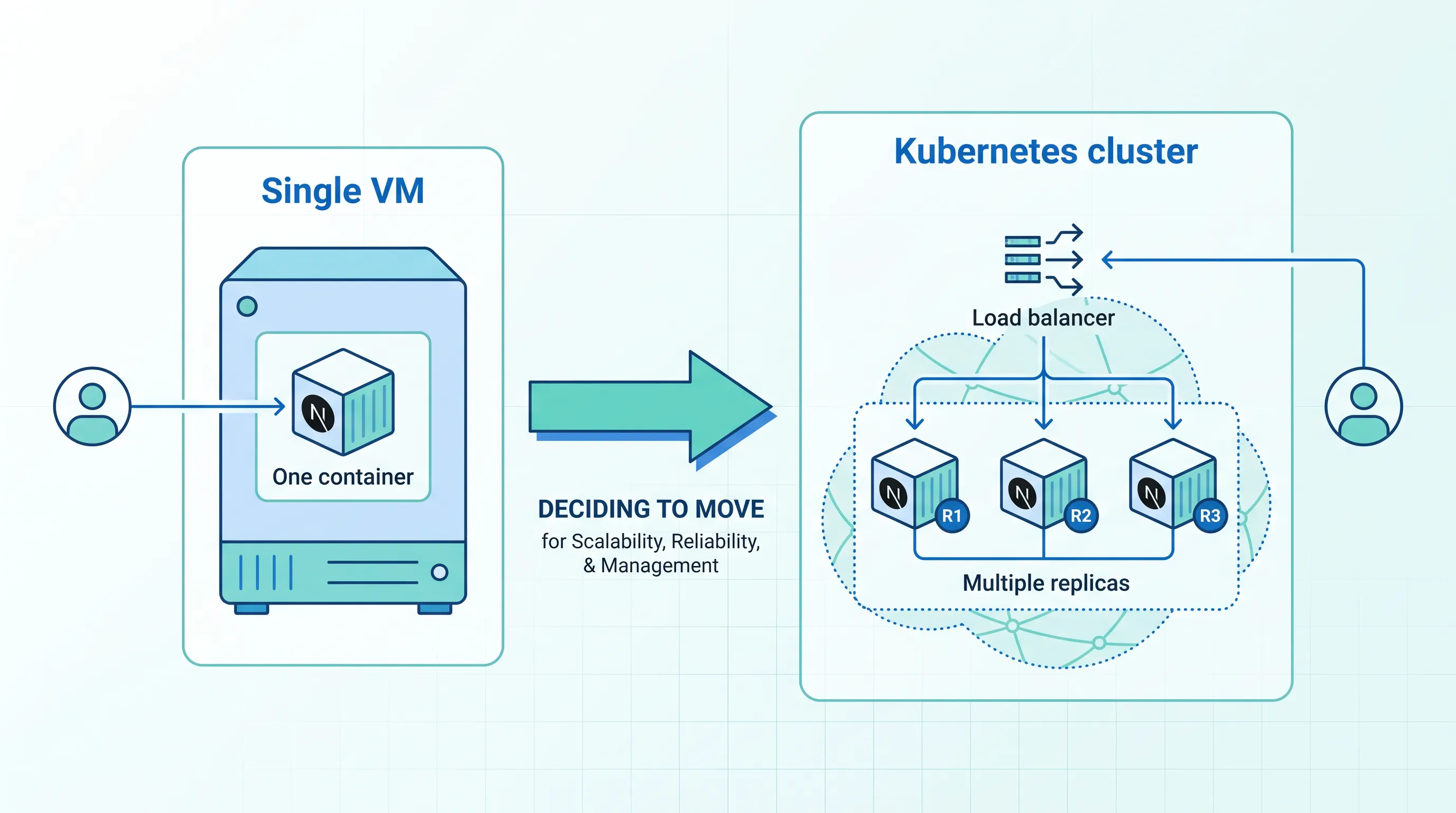
Self-hosting Next.js starts simple: a Dockerfile built from the standalone output, a single VM, maybe a second one behind a load balancer for redundancy. That setup works fine for a while. Then one of these things happens — a deploy needs to roll out without dropping traffic, a traffic spike needs more capacity than the box has, or a node dies at 3am and someone has to notice and restart the app by hand. That's the point where Kubernetes enters the conversation, not because it's trendy, but because it automates the exact failure modes that start showing up once a single-server setup is carrying real traffic.
This guide is for teams that have already done the work of containerizing Next.js — you have a Docker image, you've sorted out runtime vs. build-time environment variables, you may even have on-demand ISR working — and are now deciding whether to move that container onto Kubernetes, or onto a managed platform built on top of it.
What Kubernetes actually buys you here
A Next.js server (whether you're using the Node.js runtime via standalone output, or self-hosting the App Router with Server Actions) is close to stateless: it renders on request and doesn't need sticky sessions or shared in-memory state between replicas. That's exactly the kind of workload Kubernetes is built to run well.
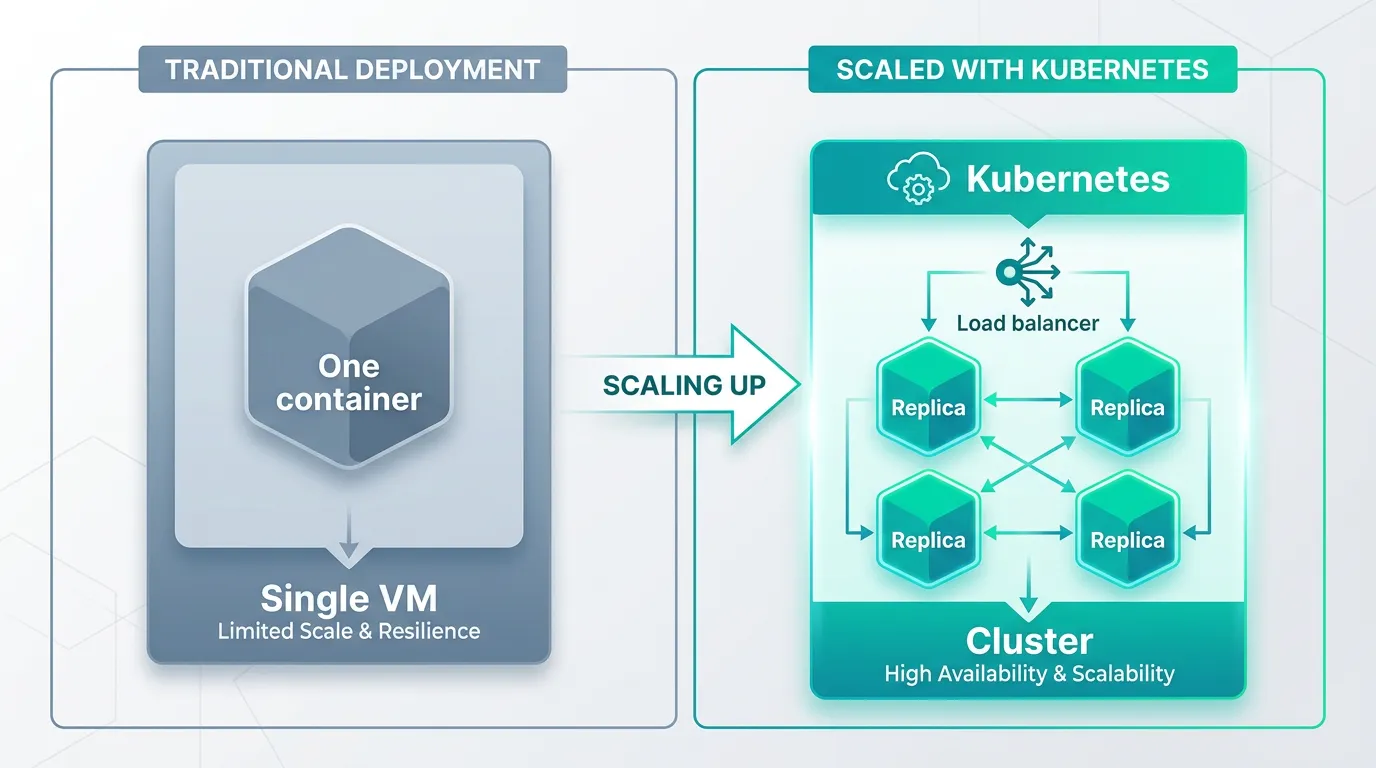
Concretely, moving from "a container on a VM" to "a container on Kubernetes" gets you:
- Horizontal scaling that reacts to load. A HorizontalPodAutoscaler can add replicas when CPU or request-based metrics rise, and scale back down overnight. On a single VM, that's a manual resize or nothing at all.
- Self-healing. If a Next.js process crashes or a node goes down, the Deployment controller reschedules the pod elsewhere automatically. No one gets paged to restart a process by hand.
- Zero-downtime deploys by default. A rolling update brings up new pods, waits for them to pass a readiness check, and only then removes the old ones — the behavior most teams try to hand-roll with blue/green scripts on a VM.
- Config that matches how Next.js already separates runtime and build time.
ConfigMapandSecretobjects map cleanly onto the runtime environment variables Next.js reads at request time, separate from anything baked in at build.
None of this is unique to Next.js — it's standard for any containerized, mostly-stateless HTTP service. What's specific to Next.js is a couple of behaviors worth getting right before you ship this on a cluster.
Three things that bite teams moving Next.js to Kubernetes
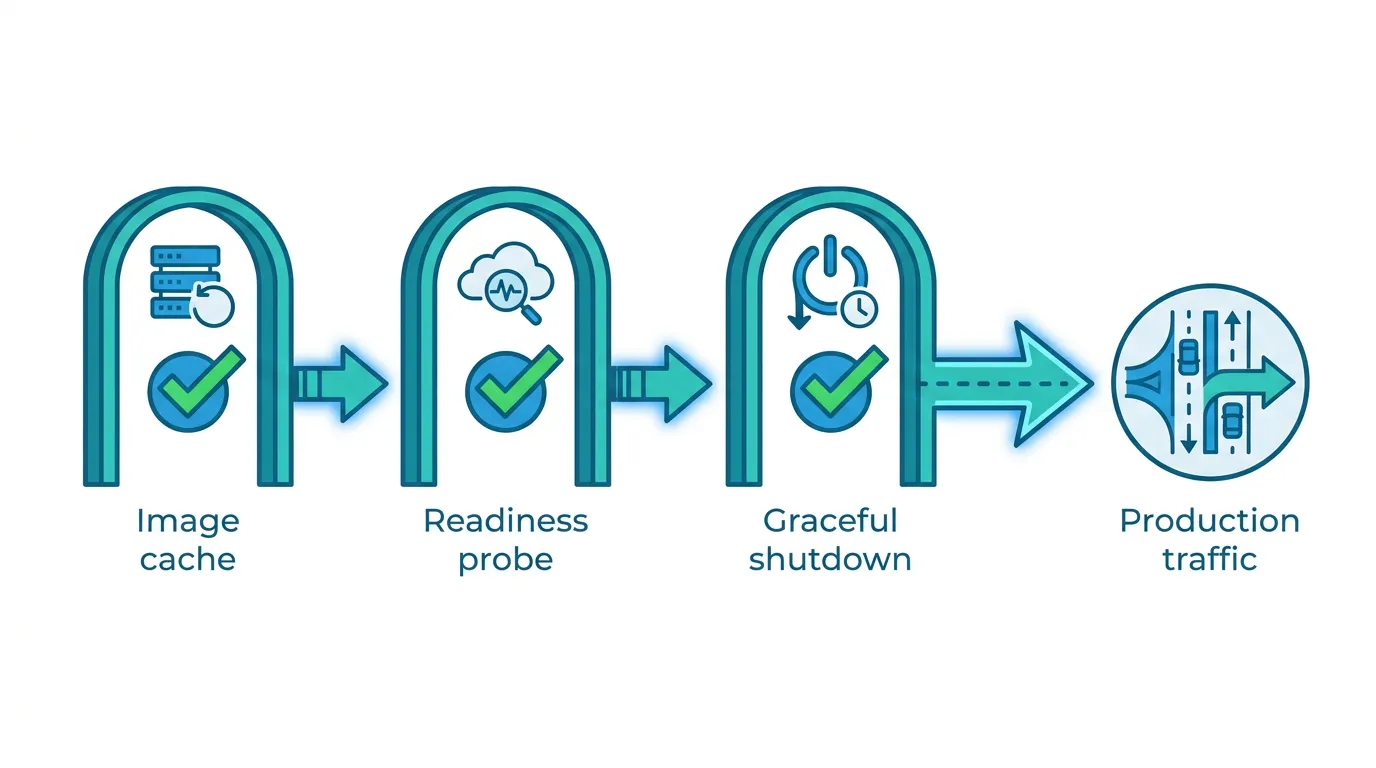
Image optimization needs a shared cache, or it needs to be turned off. The built-in next/image optimizer caches transformed images on local disk by default. On a single server that's fine; across N replicas, each pod builds its own cache and you lose most of the benefit while still paying the CPU cost N times over. Point the images.loader config at an external image CDN, or mount a shared volume, before you scale past one replica.
Readiness probes need to check something real. A naive / readiness check will pass before the app can actually serve traffic — for example, before it's finished connecting to a database or warming an in-memory cache. Add a lightweight route (e.g. /api/health) that only returns 200 once those dependencies are up, and point the Kubernetes readinessProbe at it. Without this, a rolling update can send traffic to a pod that isn't ready yet, and you'll see intermittent errors right after every deploy.
Graceful shutdown needs a real SIGTERM handler. Kubernetes sends SIGTERM to a pod before terminating it, then waits out terminationGracePeriodSeconds before force-killing it. Node's default behavior on SIGTERM during an in-flight request is not always "finish the request first" — depending on how the process is started (next start vs. a custom server), in-flight requests can be cut off mid-response. Test what actually happens in your setup under load, and set terminationGracePeriodSeconds generously enough for your slowest route to finish.
Kubernetes vs. a lighter-weight orchestrator
"Kubernetes" doesn't have to mean the full upstream distribution with a dedicated platform team. For a small team, K3s — a CNCF-certified Kubernetes distribution that ships as a single binary — runs the same manifests, the same kubectl, and the same HPA and Deployment objects, with a much smaller operational footprint. The deciding factor isn't team size on its own; it's whether you need the extra surface area (multiple node pools, cloud-provider-specific autoscaling, a large add-on ecosystem) that full Kubernetes distributions are built around. If you're running one or two Next.js apps plus a handful of supporting services, that surface area is usually overhead you don't need yet. For a closer look at where the line sits, see this guide to choosing between K3s and full Kubernetes.
If your current setup is a docker-compose.yml running the Next.js container alongside Postgres, Redis, or a worker process, the move to Kubernetes is also a good moment to actually write that out as manifests rather than improvising — there's a fairly mechanical mapping from Compose services to Kubernetes Deployments and Services, covered in this migration guide from Docker Compose to Kubernetes.
The part nobody puts in the diagram: running the cluster itself
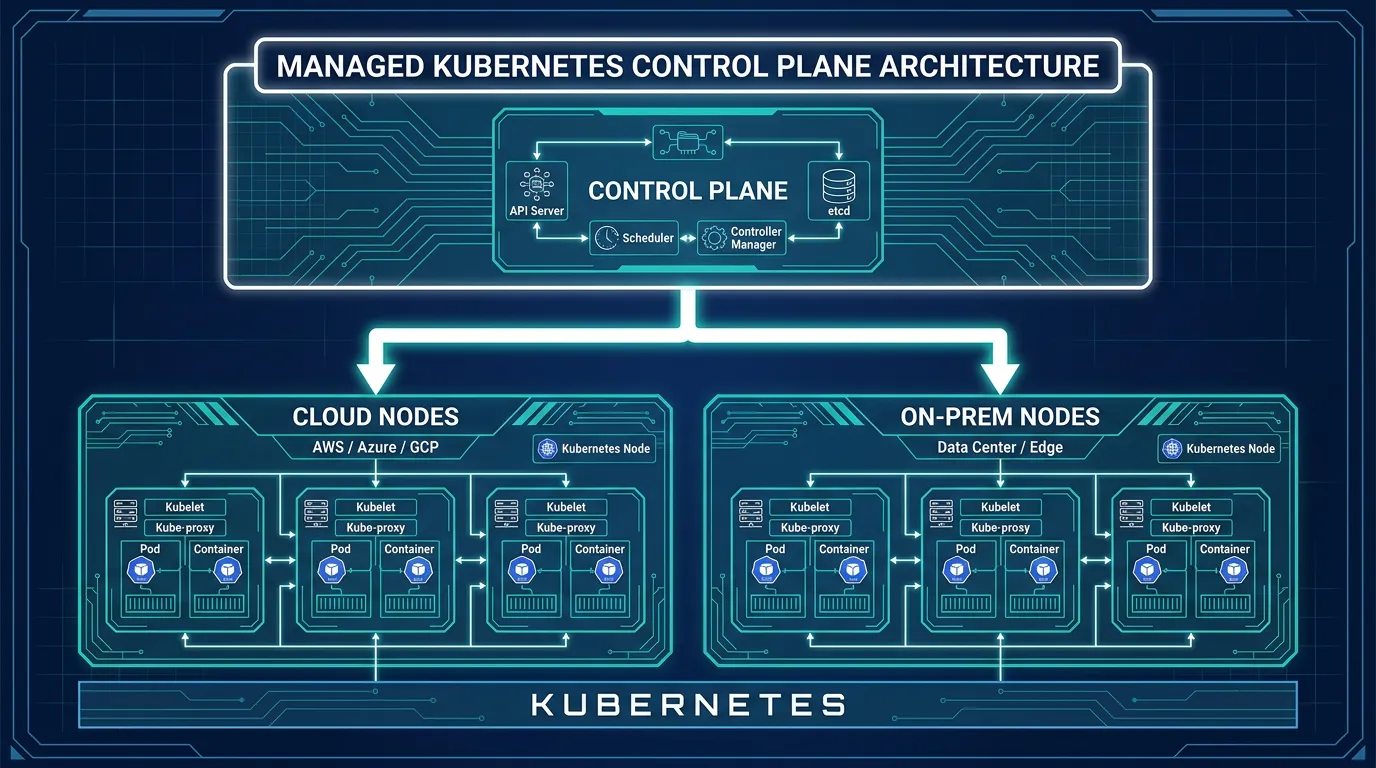
Here's where most teams actually stall. Writing the Deployment, Service, and Ingress manifests for a Next.js app is a few hours of work with the docs open. Running the cluster underneath them — patching nodes, rotating TLS certificates, keeping an eye on etcd, setting up an ingress controller, wiring up metrics so the autoscaler has something to read — is an ongoing job, not a one-time setup step. That's the part that turns "let's move to Kubernetes" into a second infrastructure hire for teams that didn't plan on having one.
Kubo runs standard, unmodified Kubernetes (so your manifests and kubectl workflow carry over) but manages the control plane, node patching, and cluster plumbing for you — closer to a Vercel-style deploy experience, without being locked into a single vendor's proprietary platform underneath it. You still write the same Deployment and Service objects described above; you stop being the one who gets paged when a node needs replacing. Bringing production costs under control as you scale replicas is its own exercise — this guide to Kubernetes cost optimization is a reasonable next read once your workload is running.
Deciding if now is the right time
Kubernetes is worth adopting once at least one of these is true: you need more than one replica to handle load or provide failover, you're deploying often enough that manual restarts are a real cost, or you're already running more than one service (Next.js plus a worker, a queue, a database) that would benefit from being managed the same way. If none of those apply yet — if a single container with a basic process manager and automatic restarts covers your traffic — Kubernetes is solving a problem you don't have yet, and the operational overhead isn't worth it.
If you're a solo developer or running a side project, the Ashigaru plan starts at ¥8,800/month; most small teams land on Ronin at ¥17,600/month. Compare the plans and start with the one that matches your workload.