
COLUMN
30/09/2026
Next.js Environment Variables in Production: NEXT_PUBLIC_, Runtime vs Build Time, and Self-Hosting Pitfalls
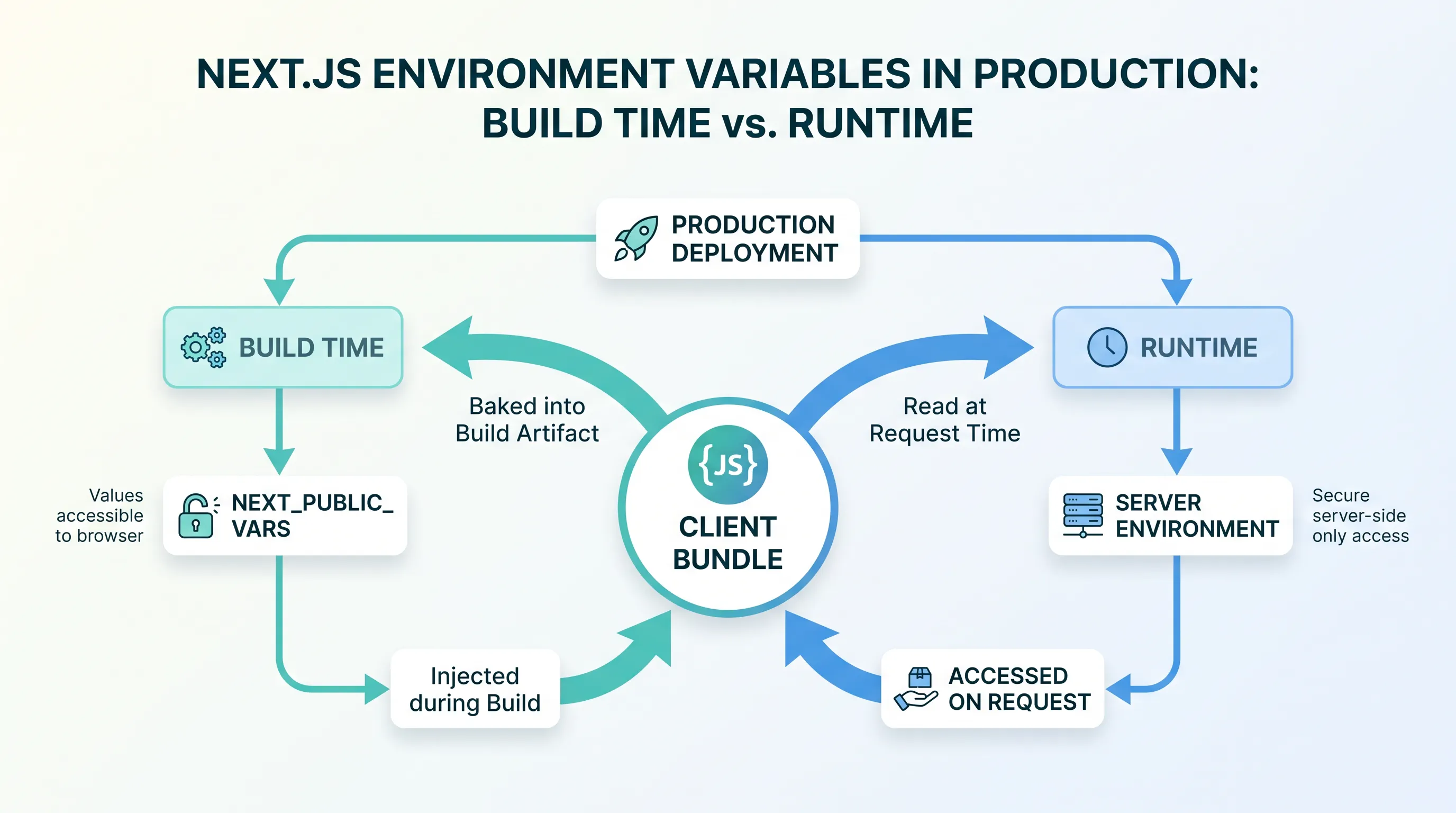
You containerized your Next.js app, pushed a new image to staging, and the API URL still points at production. You didn't change the code. You didn't forget a redeploy. The value was baked into the JavaScript bundle the moment next build ran, and no environment variable at runtime can touch it. This is the gap between how Next.js treats NEXT_PUBLIC_ variables and how most teams assume environment variables work once they leave Vercel.
Why NEXT_PUBLIC_ variables aren't "environment" variables at runtime
Next.js has two classes of environment variables, and they behave nothing alike:
- Server-only variables (no prefix) are read from
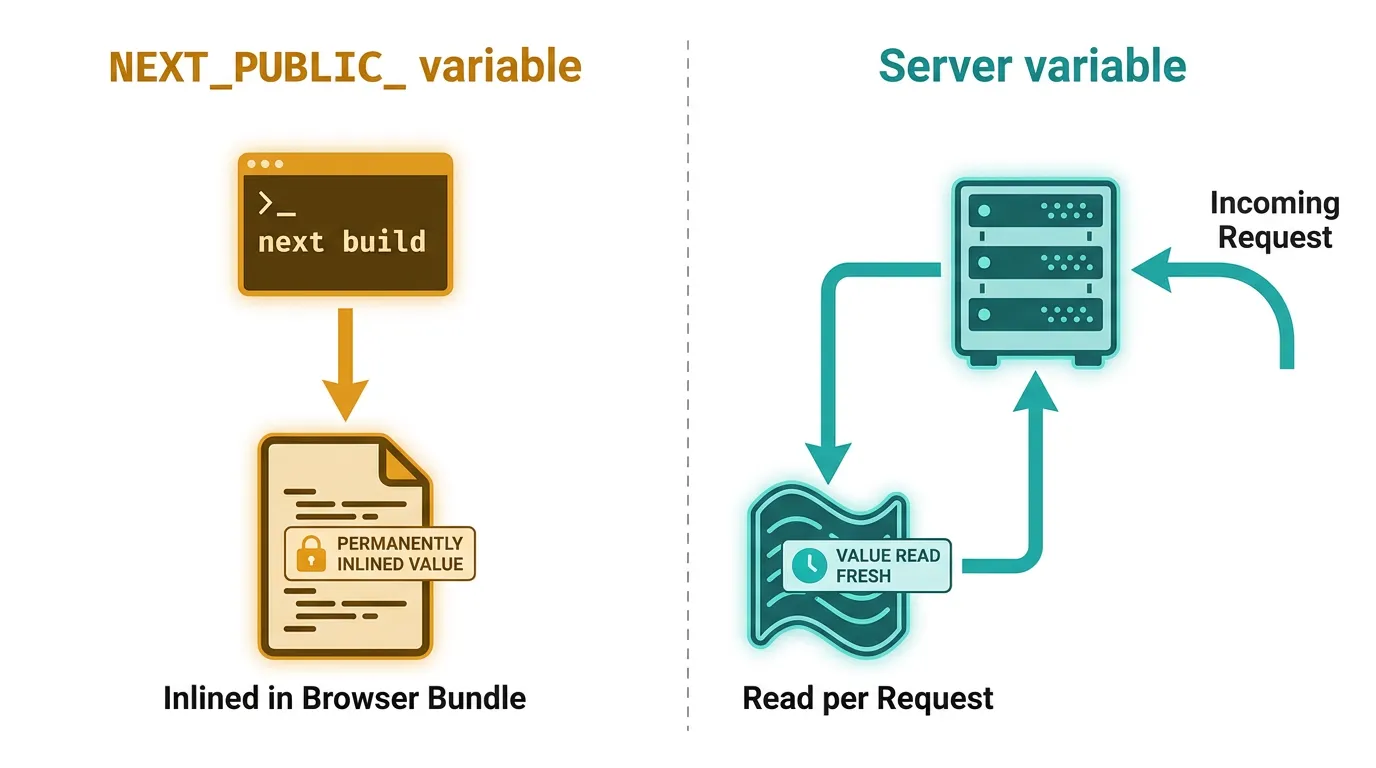
process.envat request time, on the server. Change the value in your container's environment and the running app picks it up on the next request. NEXT_PUBLIC_-prefixed variables are inlined into the client JavaScript bundle at build time. Next.js does a literal string replacement whereverprocess.env.NEXT_PUBLIC_Xappears in your code, so the value becomes part of the compiled output — there is noprocess.envto read in the browser.
This is documented behavior, not a bug: the Next.js docs on environment variables are explicit that NEXT_PUBLIC_ variables are "inlined into the JavaScript bundle during next build." On Vercel, this rarely bites anyone, because Vercel builds a fresh image (or equivalent) for every environment — production, preview, and each branch deploy get their own build, so the inlined values are always correct for that target.
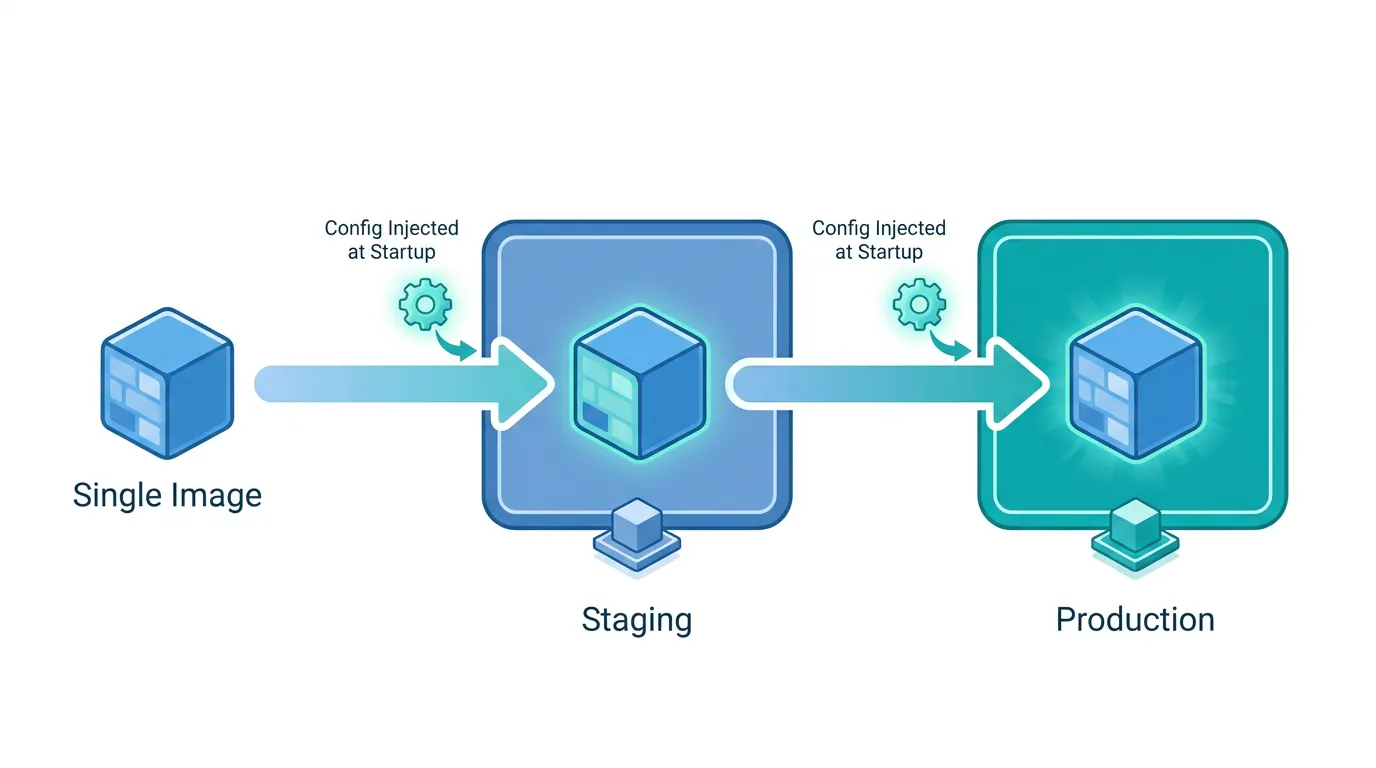
The problem shows up specifically when you adopt "build once, deploy everywhere" — building a single container image and promoting the same artifact from staging to production. That pattern is a best practice everywhere else in the Docker world, and it silently breaks any NEXT_PUBLIC_ value that's supposed to differ by environment.
The standalone build makes this worse, not better
If you've containerized Next.js, you're almost certainly using the output: "standalone" build target — it's the documented way to produce a minimal image with only the files a Next.js server needs, and it's what the official Next.js Docker example is built around. Standalone output copies a pruned node_modules and a server.js into .next/standalone, but it does not change when NEXT_PUBLIC_ inlining happens. That still occurs during next build, before the standalone output even exists.
So a typical Dockerfile that runs next build inside the image build step locks in whatever NEXT_PUBLIC_ values were present in the build environment — often nothing, or a .env.production default — regardless of what you later pass with docker run -e or a Kubernetes env: block.
Three ways teams actually solve this
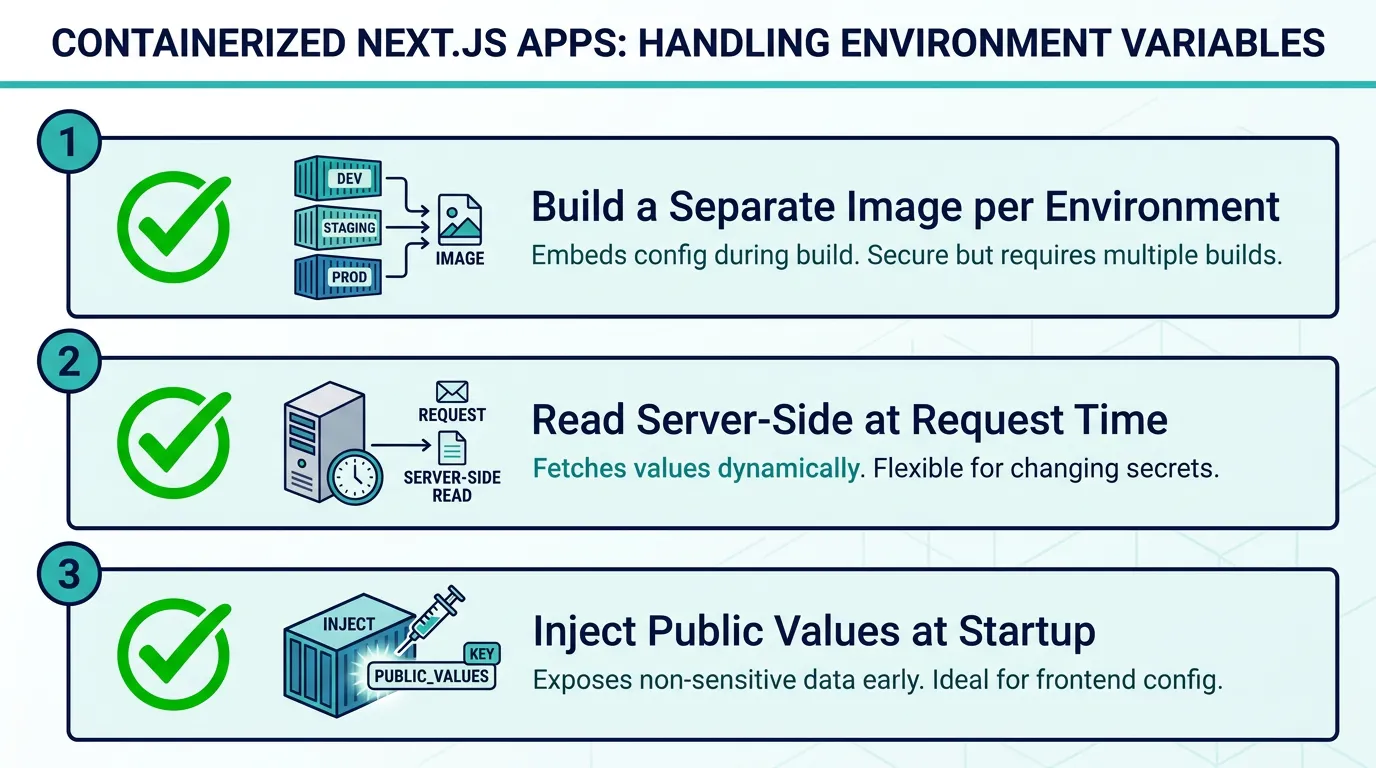
1. Build a separate image per environment. Pass build args for each NEXT_PUBLIC_ value and run next build once per target:
ARG NEXT_PUBLIC_API_URL
ENV NEXT_PUBLIC_API_URL=$NEXT_PUBLIC_API_URL
RUN npm run build
docker build --build-arg NEXT_PUBLIC_API_URL=https://staging.api.example.com -t app:staging .
docker build --build-arg NEXT_PUBLIC_API_URL=https://api.example.com -t app:production .
This works, but it means you no longer have one artifact to promote — staging and production are different images built from the same source, which reopens the class of bugs "build once, deploy everywhere" exists to close.
2. Read the value at request time instead of build time. If the value is only needed in code that runs on the server (including Server Components and Route Handlers), drop the NEXT_PUBLIC_ prefix and read process.env normally — it's resolved per request, so one image can serve any environment.
3. Inject public values at container startup, not build time. For values that a client component genuinely needs in the browser, some teams write the resolved values into a small JSON or JS file as part of the container's entrypoint script, then fetch or inline that file at runtime instead of relying on NEXT_PUBLIC_ inlining. This keeps one image portable across environments at the cost of an extra runtime step and a bit of custom plumbing — worth it once you're promoting the same build across two or more environments, not worth building before then.
None of these are Next.js configuration flags; they're patterns applied around the build, which is exactly why the same three lines of docker build --build-arg show up in a dozen slightly different variations across blog posts and internal wikis. If you're self-hosting on Kubernetes, this is also where a CI/CD pipeline that builds once and deploys the same image to every environment starts to matter — the pipeline is what enforces which of these three patterns your team is actually using, instead of leaving it to whoever wrote the Dockerfile.
Where this actually costs you time
The failure mode is rarely a crash. It's a staging environment that quietly calls the production API, a feature flag that's on in production because it was on when the shared base image was built, or an analytics ID that's wrong in every deploy until someone thinks to check the built JavaScript with grep. These are hard to catch in code review because the Dockerfile and the .env files both look correct in isolation — the mismatch only exists once you compare what got baked in against what you intended to run.
This is exactly the gap Kubo is built to close for teams moving off Vercel: standard Kubernetes underneath, with the deployment plumbing — image promotion, config and secrets, ingress — already wired so you're not reinventing a runtime-config pattern from scratch on day one of self-hosting. It doesn't remove the NEXT_PUBLIC_ build-time behavior — nothing can, since it's how the JavaScript bundle works — but it gives you a place to run pattern 2 or 3 above without also standing up the cluster, the registry, and the CI wiring yourself.
If you're running more than a couple of environments, it's also worth checking how your containers reach each other and any backend services in the first place, since a wrong NEXT_PUBLIC_API_URL is often really a networking question in disguise — see this rundown on how containers discover and reach each other on the network for the piece that usually gets skipped.
A short checklist before you containerize
- Audit every
NEXT_PUBLIC_variable in your codebase — if its value needs to differ between staging and production, it cannot rely on defaultnext buildinlining - Decide per variable: does this need to be public (shipped to the browser), or can it move server-side and lose the prefix?
- Pick one of the three patterns above per variable, not per project — some values are fine baked in (a public marketing site URL), others aren't (an API endpoint that changes per environment)
- Add a step to your build or deploy pipeline that fails loudly if a required
NEXT_PUBLIC_value is missing, rather than silently building with an empty string
Where to go from here
None of this is specific to one hosting platform — it's a property of how Next.js compiles the client bundle. But it becomes a daily concern the moment you're building Docker images and running them somewhere other than Vercel. If you're at that point, or about to be, production-ready K3s configuration practices is the natural next read: it covers the cluster-level decisions — config, secrets, resource limits — that sit right next to the environment-variable problem this article covers.