
COLUMN
05/10/2026
Preview Deployments Without Vercel: Recreating PR-per-Branch Environments for Self-Hosted Next.js
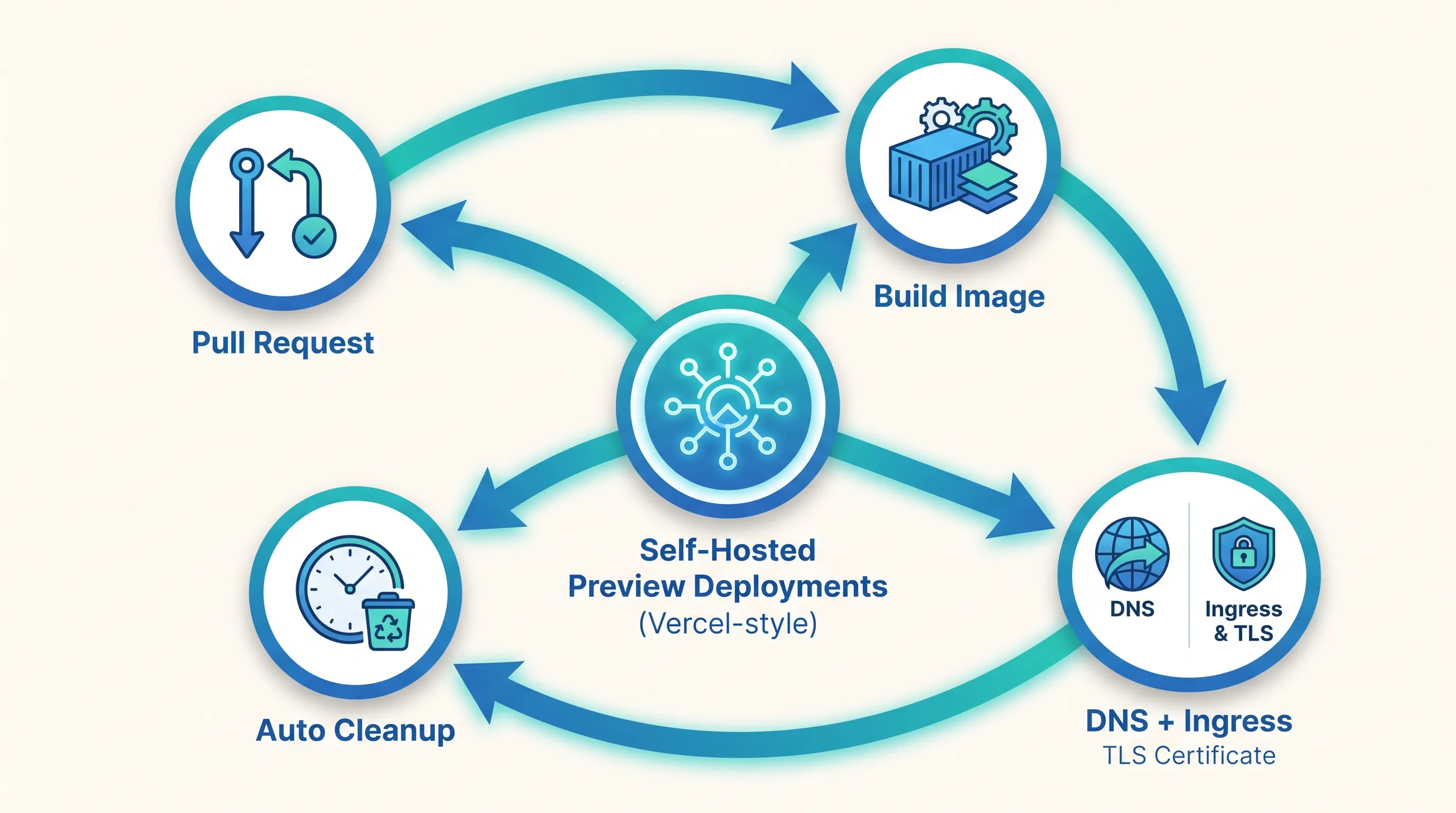
Every pull request on Vercel gets its own live URL, automatically, with no configuration. It's easy to stop noticing this feature exists — until you self-host and it's suddenly gone.
The Feature You Don't Notice Until It's Gone
Teams that move Next.js off Vercel usually plan for the obvious things: a Dockerfile, a reverse proxy, maybe a CDN in front of static assets. What catches most of them off guard is smaller and more disruptive to the day-to-day workflow: reviewers can no longer click a link in a pull request and see the actual app running.
On Vercel, this is invisible infrastructure. Push a branch, and a preview deployment builds and deploys to its own subdomain within minutes, isolated from production and from every other open PR. Once you self-host, that behavior doesn't come free — you have to build it, and building it touches your CI pipeline, your DNS, your TLS setup, and your cluster's lifecycle management all at once.
What Vercel Is Actually Doing Behind Every Pull Request
It helps to break the feature into its parts, because each one maps to a different piece of infrastructure you'll need to own:
- A fresh build triggered by the branch push, isolated from any other build in flight
- A unique, routable URL for that build, typically
<branch-or-pr>-yourapp.vercel.app - TLS on that URL, issued automatically, with no manual certificate request
- Isolation from other previews and from production — one broken PR can't take down another
- Automatic teardown when the PR closes or merges, so old previews don't pile up
None of these are Next.js features — they're deployment-platform features, described in Vercel's own preview deployments documentation. Recreating them on Kubernetes means picking a tool for each one.
Recreating It Yourself: The Four Pieces You Need
1. A build step that runs per branch
Your CI pipeline needs to build and push a container image tagged with the branch or PR number — not latest, and not a fixed tag reused across builds. A common pattern is tagging images as myapp:pr-123 and pushing them to a registry your cluster can pull from. If you're self-hosting Next.js, you're almost certainly already self-hosting the registry that stores these images; running your own container registry is worth doing properly, since a slow or unreliable registry turns "preview in two minutes" into "preview in fifteen."
2. Routing: wildcard DNS and ingress
Each preview needs a distinct hostname — pr-123.preview.yourapp.com — without you manually creating a DNS record for every branch. external-dns watches your cluster for Ingress or Service objects and creates the matching DNS records automatically, which is what makes wildcard-style preview URLs practical instead of a manual chore.
3. TLS without manual certificates
Vercel issues TLS for every preview URL without you asking. On Kubernetes, cert-manager does the equivalent: point it at a wildcard certificate for *.preview.yourapp.com (or issue per-hostname certificates via ACME), and every new Ingress picks up valid TLS the moment it's created, no manual certificate request per branch.
4. Cleanup, or your cluster fills up with ghosts
This is the piece teams skip first and regret first. A preview environment that never gets torn down is a small cost individually, but a dozen forgotten namespaces from closed PRs adds up in both cluster resources and noise when you're trying to find the environment you actually care about. A cleanup job — triggered by a webhook on PR close, or a scheduled sweep that deletes namespaces past a TTL — is not optional infrastructure; it's the other half of "preview deployment."
Where GitOps Earns Its Keep
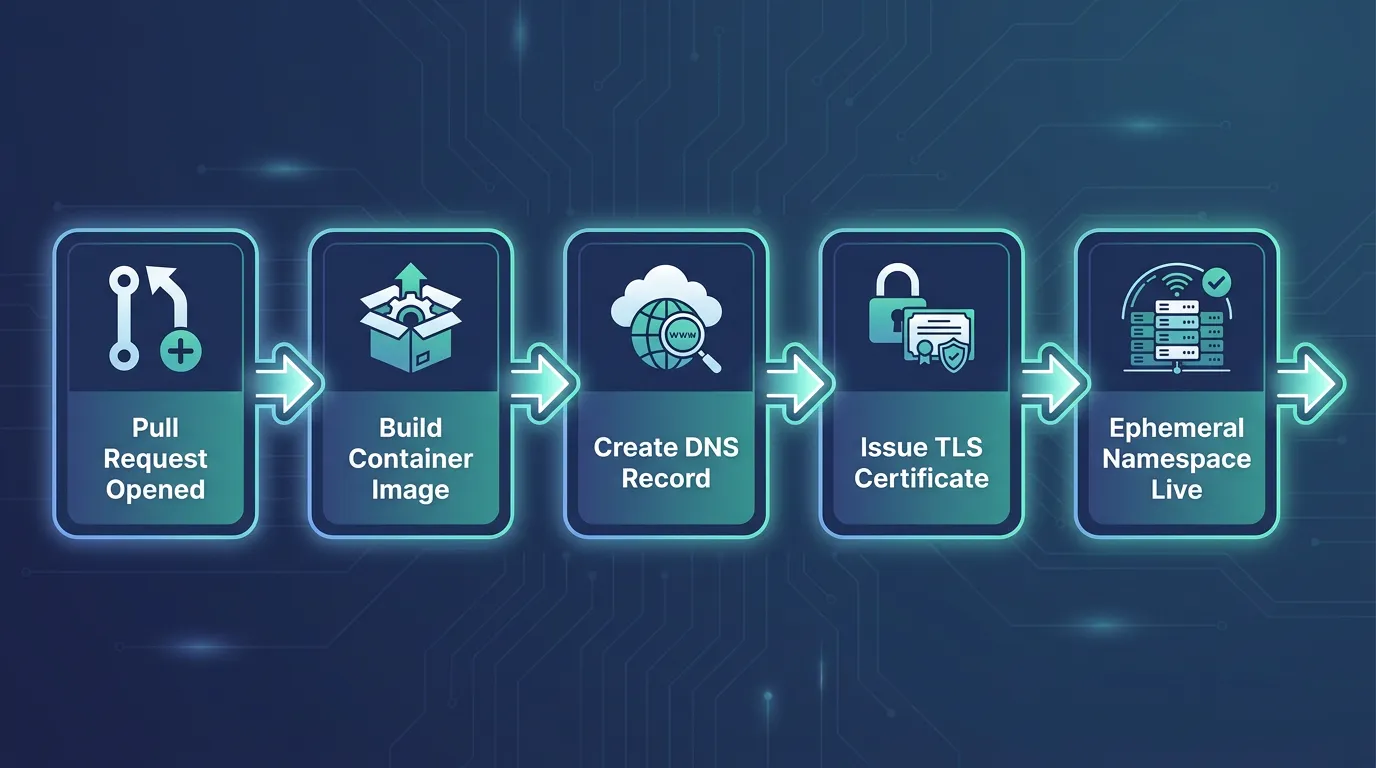
Wiring these four pieces together by hand, per branch, doesn't scale past a couple of contributors. This is where a GitOps controller pays for itself: instead of a script that improvises resources on each run, you declare what a preview environment looks like once, and let the controller reconcile a new one for every open PR. Argo CD's ApplicationSet controller has a Pull Request generator built for exactly this — it watches your Git provider for open PRs and materializes one Application per PR automatically, tearing it down when the PR closes. Kubo's ArgoCD GitOps guide walks through the declarative deployment model this depends on, which is the same model you'd extend to drive per-PR environments.
This is also where the gap between "self-hosting is possible" and "self-hosting doesn't create more work than it saves" tends to close or widen. Wiring build, DNS, TLS, and cleanup by hand across every repo you maintain means ingress rules and certificate requests before a single preview environment ships. Kubo gives you standard Kubernetes with GitOps-driven deployment and namespace isolation already wired in, so a PR generator pattern like this sits on top of infrastructure you don't have to assemble from scratch first.
How Many Preview Environments Do You Actually Need?
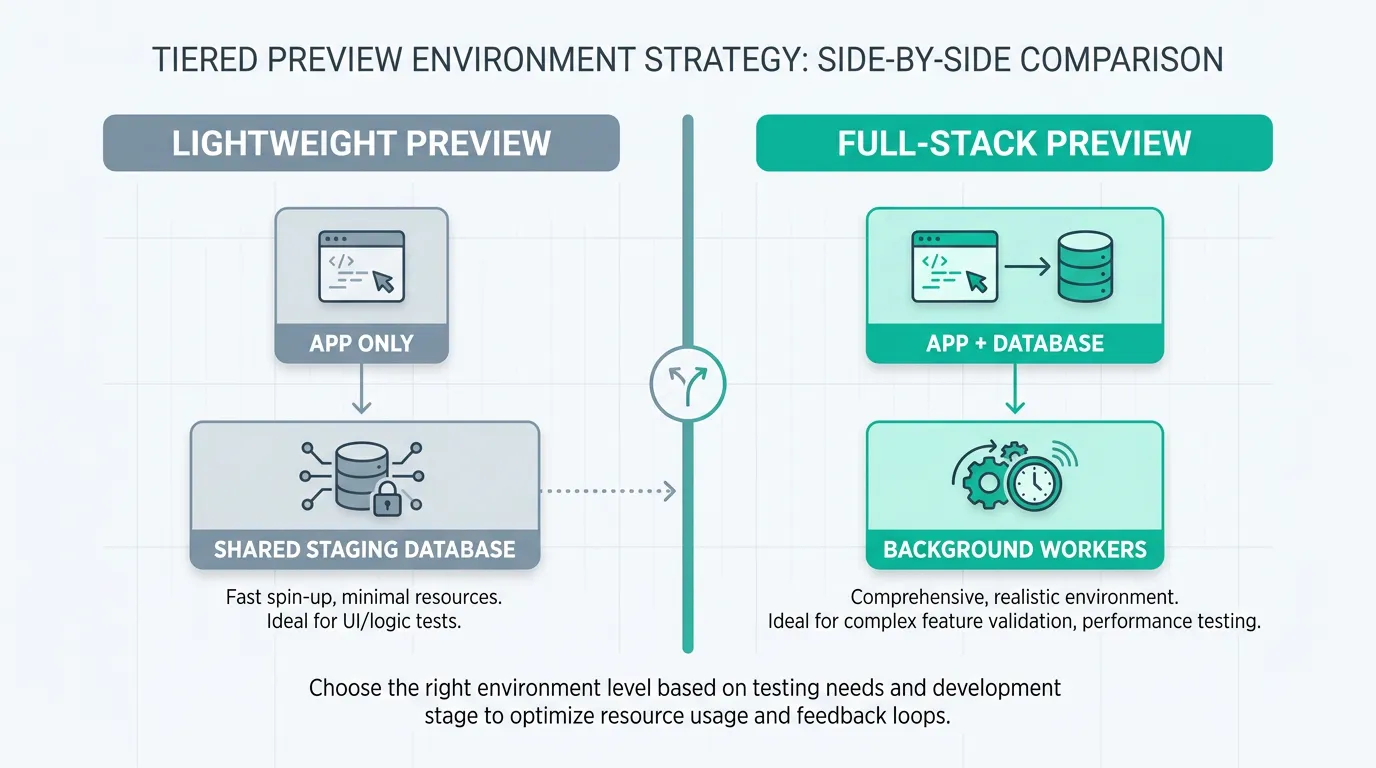
Once teardown is automated, the temptation is to spin up a full preview stack — app, database, cache, background workers — for every single PR, all the time. That's rarely the right default. A preview environment for a copy-change PR doesn't need its own database; one for a schema migration might need a full stack plus seeded data.
Deciding this per-team, rather than defaulting to "everything gets everything," is exactly the kind of environment-sprawl question that shows up once you actually count how many environments you're running and why. Most teams land on a tiered approach: lightweight previews (app only, pointed at a shared staging database) for most PRs, and full-stack previews reserved for changes that touch data or infrastructure.
Putting It Together
A minimal version of this setup looks like:
apiVersion: argoproj.io/v1alpha1
kind: ApplicationSet
metadata:
  name: nextjs-pr-previews
spec:
  generators:
    - pullRequest:
        github:
          owner: your-org
          repo: your-nextjs-app
        requeueAfterSeconds: 60
  template:
    metadata:
      name: 'nextjs-pr-{{number}}'
    spec:
      project: default
      source:
        repoURL: https://github.com/your-org/your-nextjs-app.git
        targetRevision: '{{head_sha}}'
        path: deploy/preview
      destination:
        server: https://kubernetes.default.svc
        namespace: 'preview-pr-{{number}}'
      syncPolicy:
        automated:
          selfHeal: true
        syncOptions:
          - CreateNamespace=true
Paired with external-dns and cert-manager annotations on the Ingress the template creates, this gives you the same reviewer experience Vercel provides — a live, TLS-secured URL per PR — without the per-branch manual work, and with a clear place (the namespace label) to hang a TTL-based cleanup job.
Deciding If This Is Worth Building
If your team opens a handful of PRs a week, the manual version — a shared staging environment and a documented deploy-to-review-it process — may genuinely be enough, and building all four pieces above would be over-engineering. If you're opening dozens of PRs weekly across several services, the automation pays for itself within a month in reviewer time alone. If you're already weighing whether your Kubernetes setup can support this kind of GitOps-driven, per-PR pattern without months of platform work first, Kubo is worth a look — it's built to give teams standard Kubernetes with the deployment and environment plumbing already in place, closer to the workflow you had on Vercel than a bare cluster would be.