
COLUMN
19/11/2026
Next.js Standalone Output Breaks in a Monorepo: Fixing Module Not Found Errors with outputFileTracingRoot
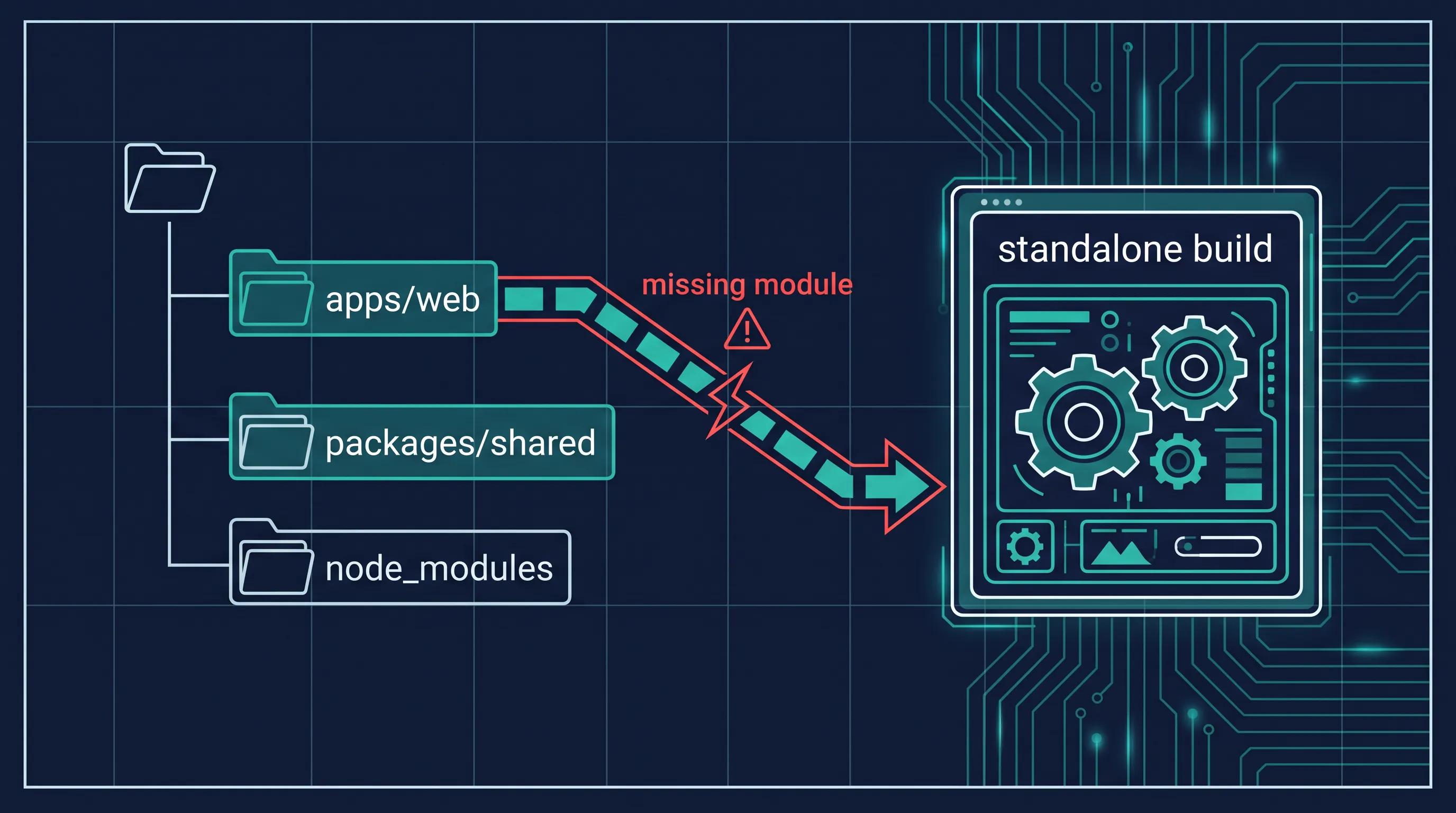
Your next build finishes cleanly, .next/standalone/server.js starts without a single warning, and then the first real request throws Error: Cannot find module './chunks/1234.js' — or worse, Cannot find module 'some-shared-package' from a package that lives one level up in your monorepo. Nothing changed in your code. The only thing that changed is where the build ran from.
This is one of the most common production surprises teams hit when they move a Next.js app with output: 'standalone' into a pnpm, Yarn, or npm workspaces monorepo. It passes locally, it passes in CI, and it still breaks in the container. Here's why, and how to fix it with outputFileTracingRoot instead of guessing at Dockerfile COPY paths.
Why output: 'standalone' exists in the first place
Before Next.js 12, deploying with Docker meant installing every package in your dependencies so next start had everything it needed at runtime — even code that was never actually imported. output: 'standalone' fixes that by using @vercel/nft to statically trace every import, require, and fs call your pages and API routes actually make, then copying only those files — plus a minimal server.js — into .next/standalone. You run node server.js instead of next start, and the resulting image is a fraction of the size.
That tracing step is the part that quietly breaks in a monorepo.
The default tracing root is your app folder, not your monorepo root
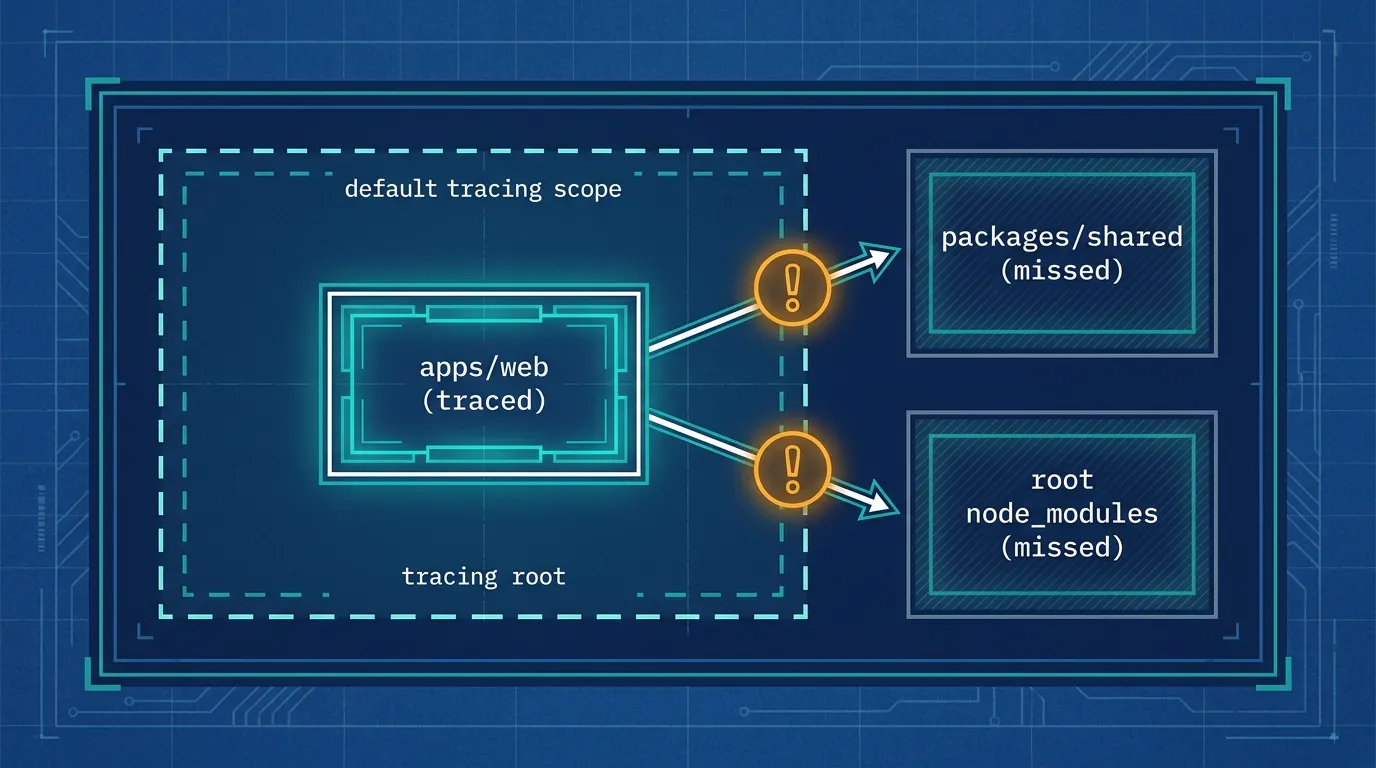
According to the Next.js documentation on output, file tracing defaults to using the Next.js project directory as its root:
"While tracing in monorepo setups, the project directory is used for tracing by default. For
next build packages/web-app,packages/web-appwould be the tracing root and any files outside of that folder will not be included."
In a typical pnpm or Yarn workspace, dependencies get hoisted to the monorepo's root node_modules, and internal packages (packages/shared, packages/ui, and so on) live as siblings of your Next.js app, not inside it. When the tracing root is apps/web, anything your app imports from outside that folder — a hoisted dependency, a workspace package, a shared config — isn't guaranteed to be picked up. The build still succeeds, because next build resolves modules through Node's normal resolution algorithm at build time. It's only at runtime, inside the trimmed-down standalone folder, that the missing files surface as Module not found errors.
This is also why the bug is so easy to miss in a single-package repo: there's nothing outside the project folder to trace, so the default behaves correctly. The failure mode only shows up once you introduce a workspace boundary.
The fix: point tracing at the monorepo root
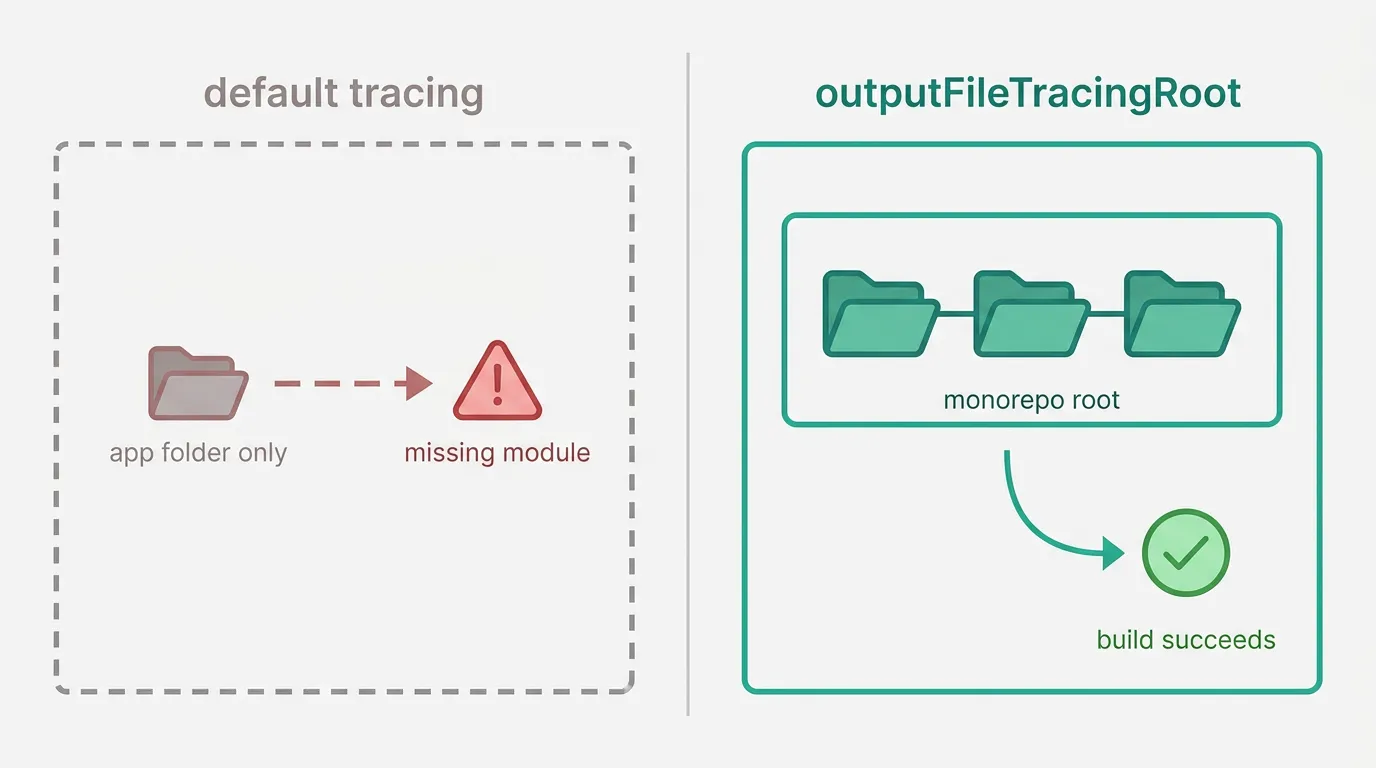
The documented fix is outputFileTracingRoot in next.config.js, set to an absolute path pointing above the app directory, at the monorepo root:
// apps/web/next.config.js
const path = require('path')

module.exports = {
  output: 'standalone',
  // this includes files from the monorepo base two directories up
  outputFileTracingRoot: path.join(__dirname, '../../'),
}
With this set, tracing walks up to the monorepo root before resolving dependencies, so hoisted packages and workspace siblings get included in the trace. The adjustment to make here is the directory count in path.join(__dirname, '../../') — it needs to match how many levels separate your Next.js app from the actual repo root (apps/web to the root is two levels up; a deeper structure needs more).
One side effect worth planning for: once outputFileTracingRoot points above the project directory, the standalone output mirrors that structure. Your .env and .env.production copies, and your server.js, end up nested — for example at .next/standalone/apps/web/server.js instead of .next/standalone/server.js. If your Dockerfile's CMD or COPY paths assume a flat layout, this is usually the next thing to break after the module resolution error is gone, so double-check the final node invocation points at the nested path.
When tracing still misses files
outputFileTracingRoot fixes the common case, but the Next.js docs are explicit that tracing isn't perfect in every setup: "There are some cases in which Next.js might fail to include required files, or might incorrectly include unused files." This shows up most often with native bindings or runtime-loaded assets that aren't reachable through static import/require analysis — packages like sharp for image processing, or aws-crt's prebuilt binaries are the examples the documentation calls out directly.
For those, combine outputFileTracingRoot with outputFileTracingIncludes, keyed by route:
// next.config.js
module.exports = {
  outputFileTracingRoot: require('path').join(__dirname, '../../'),
  outputFileTracingIncludes: {
    '/*': ['node_modules/sharp/**/*'],
  },
}
The keys are route globs, and the glob patterns in the values are resolved from the Next.js project root (not the monorepo root) — a detail worth keeping straight once both options are in play, since it's easy to assume everything in next.config.js now resolves from the same base.
This is the easy half of self-hosting Next.js
Getting the standalone build to actually run is table stakes — it doesn't touch TLS, rolling deploys, health checks, or what happens when a node in your cluster disappears mid-request. That's usually the point where a team that's been debugging Docker build output all week starts asking whether K3s or full Kubernetes is the next step, and what the actual tradeoffs are between choosing between K3s and K8s for your workload rather than defaulting to whichever one shows up first in a tutorial.
The debugging pattern itself also isn't unique to Next.js tracing. Teams moving the same kind of workload from Docker Compose toward Kubernetes run into a near-identical class of problem with volumes — a setup that worked fine in Docker Compose throwing permission errors on K3s once the storage layer changes underneath the app. Same root cause shape: something worked because of an assumption that held in one environment and silently stopped holding in the next.
Kubo exists for exactly that gap — standard Kubernetes, with the ingress, TLS, and node management already wired up, so you're not debugging cluster plumbing on top of debugging your own build.
If you're ready to go past Docker
If your standalone build is finally running clean and the next question is where it actually lives in production — not just in a container on one VM, but somewhere that survives a node restart — that's a deeper conversation than a next.config.js fix. Start with how K3s and full Kubernetes actually differ for a workload like yours, and work backward from there to what your team can realistically operate.