
COLUMN
18/11/2026
Next.js Skew Protection: What Vercel Handles During Rolling Deploys (and How to Replace It When You Self-Host)
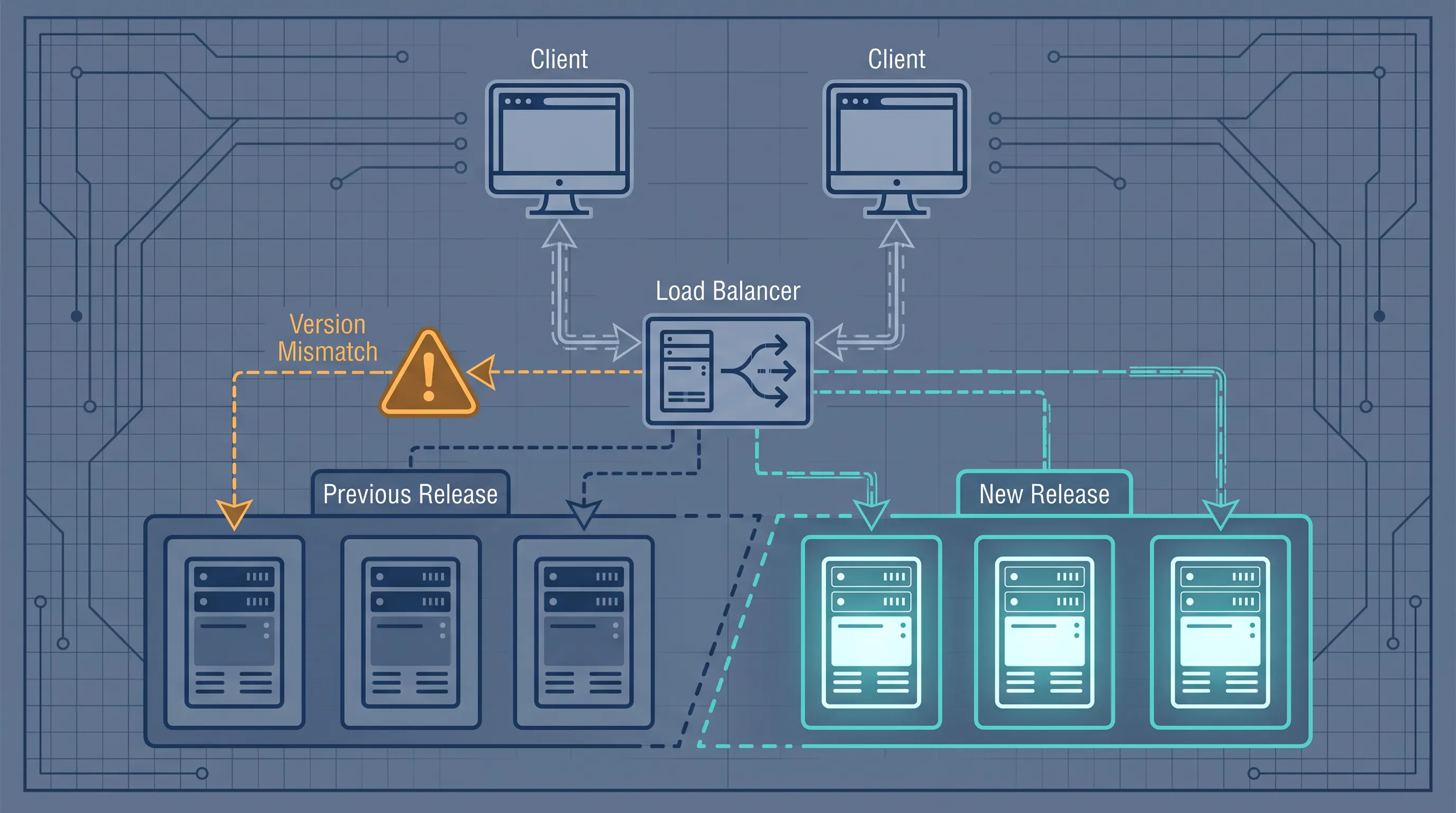
A deploy goes out, and for the next few minutes a handful of users hit errors that disappear on their own. A page transition throws, a form submission fails with "Failed to find Server Action," or a chunk of CSS never loads. Nobody can reproduce it ten minutes later. On Vercel, this is usually Skew Protection working quietly in the background — a safety net that doesn't exist by default once you self-host.
What version skew actually breaks
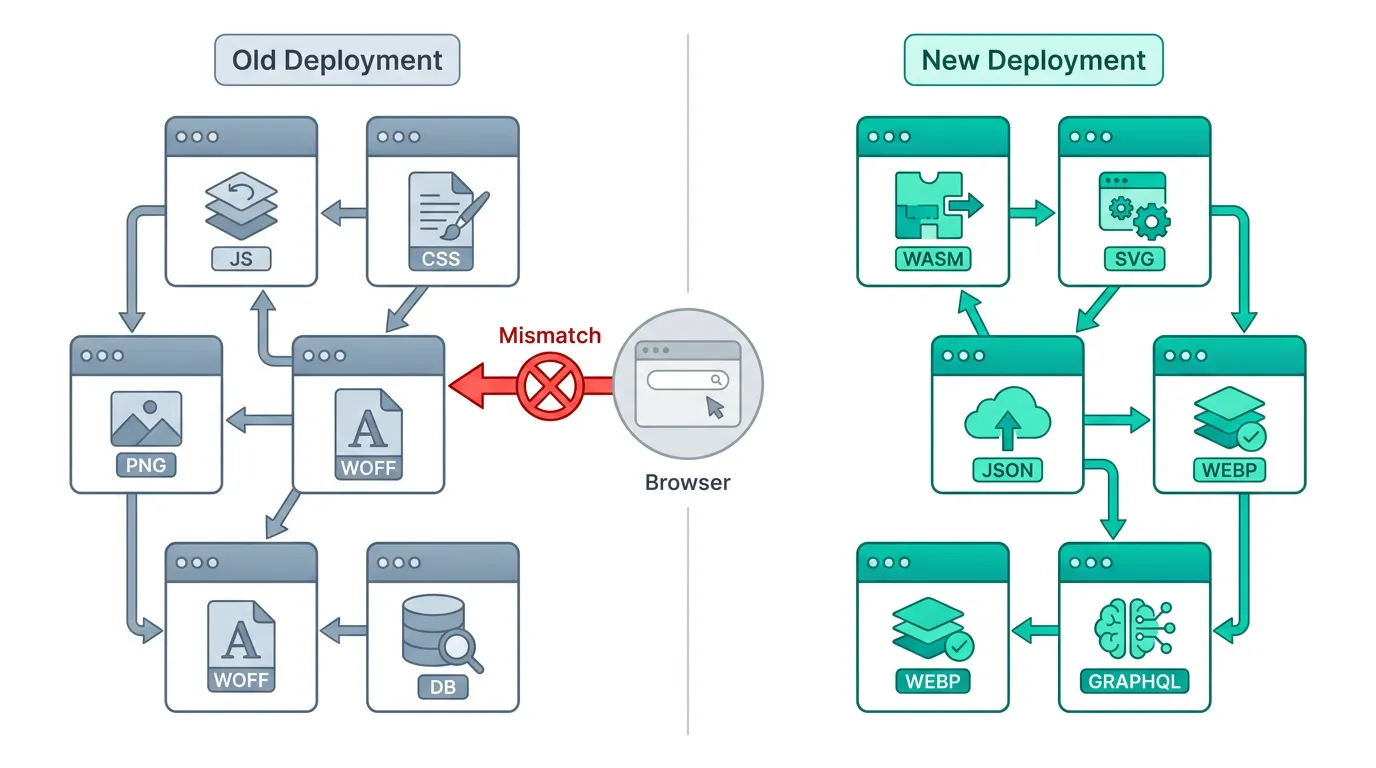
"Version skew" is what happens when a browser that loaded your app from one build talks to a server running a different build. During a rolling deployment — old instances shutting down while new ones start — this window is unavoidable unless you design around it. Next.js's own self-hosting guide lists exactly three ways it shows up:
- Missing assets — the client requests a JavaScript or CSS file that no longer exists on the server that answers the request
- Server Function mismatches — the client invokes a Server Action using an ID generated by a previous build, which the current server doesn't recognize
- Navigation failures — data prefetched from an old deployment turns out to be incompatible with the new one
None of these are exotic edge cases. They're the direct, predictable result of swapping server code out from under a page that's already loaded in someone's browser.
How Vercel prevents it: Skew Protection
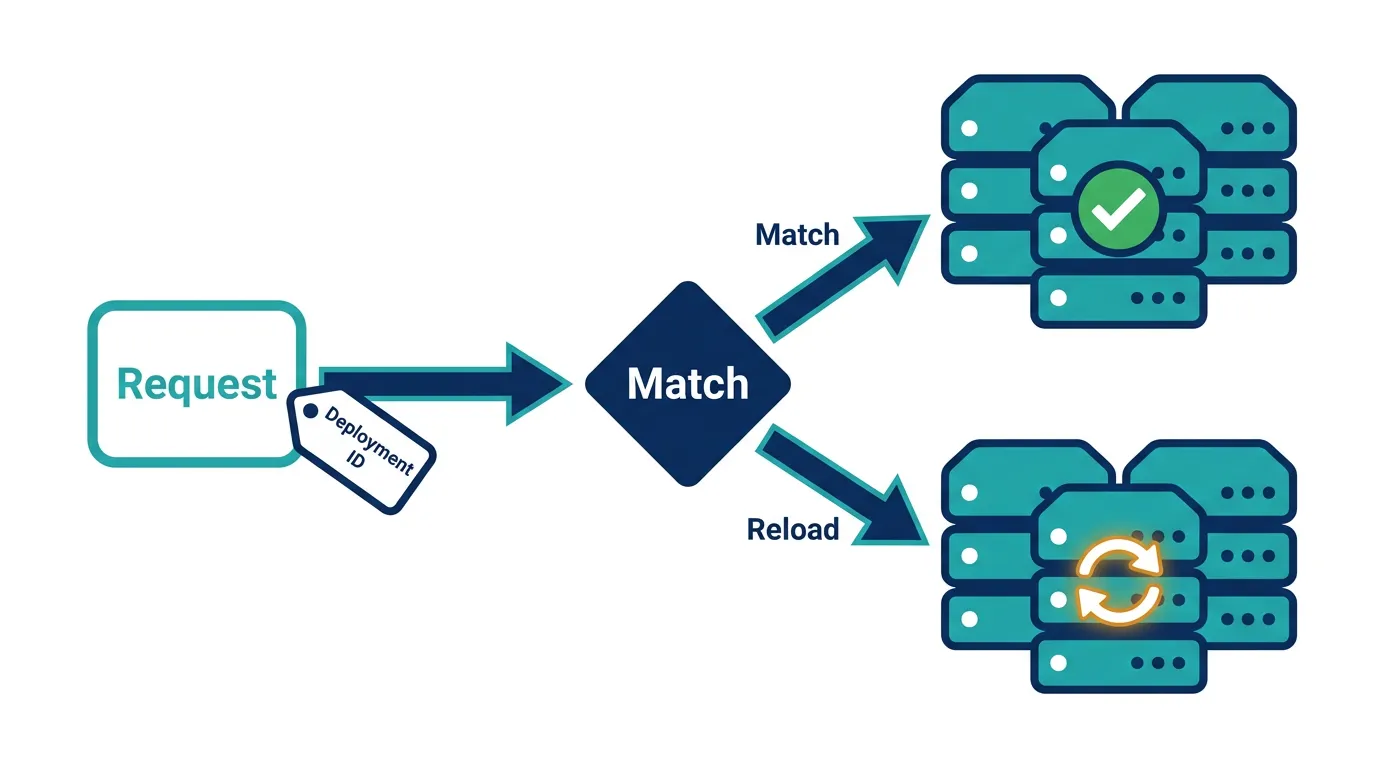
Vercel's platform solves this by tagging requests with a deployment identifier and routing them back to the matching deployment. According to Vercel's documentation, when Skew Protection is enabled, Next.js attaches the deployment ID to framework-managed requests — static assets, client-side navigations, and prefetches — using a ?dpl= query parameter or an x-deployment-id header. Vercel's edge network reads that identifier and routes the request to the exact deployment that served the original page, so an old client keeps talking to the old server version until it does a full page reload.
Two details matter for what comes next. First, this only pins framework-managed requests; your own custom fetch() calls and full-page document navigations aren't automatically pinned. Second, and more important for self-hosters: the deployment ID only works as protection if something downstream actually routes by it. On Vercel, that something is the platform itself.
The part self-hosting guides tend to skip
Next.js ships the client-side half of this mechanism for free, regardless of where you run it. Set a deploymentId in next.config.js (stable since Next.js 14.1.4), and the framework will append ?dpl=<deploymentId> to static asset URLs, add an x-deployment-id header to client-side navigation requests, and add a matching x-nextjs-deployment-id header to responses. When the client sees its deployment ID doesn't match the server's, it forces a full page reload instead of a broken client-side transition — the same graceful-degradation behavior Vercel relies on.
module.exports = {
  deploymentId: process.env.DEPLOYMENT_VERSION || process.env.GIT_SHA,
}
But — and this is the part most self-hosting write-ups leave out — Next.js does not read or route on ?dpl= itself. The query parameter exists for cache-busting, not routing. If you want requests actually pinned to the matching pod during a rollout, that routing has to come from your ingress, load balancer, or CDN. Without it, deploymentId still gives you the detect-and-reload behavior, but not true pinning: a stale client can still land on a new pod mid-navigation and simply reload rather than silently breaking.
There's a second gotcha that has nothing to do with deploymentId at all. Next.js encrypts Server Function closure variables with a key that's generated fresh for every build by default. Run three replicas built from the same release and that's fine — but if each pod somehow ends up with a different key (a common mistake when the build step itself isn't pinned), one instance can't decrypt a Server Action payload another instance created, and you get the exact "Failed to find Server Action" error from the intro. Multi-instance self-hosted deployments need a consistent NEXT_SERVER_ACTIONS_ENCRYPTION_KEY across every pod in the same release, set as a base64-encoded 16, 24, or 32-byte AES key.
Catching what you can't fully prevent
If you're already running Next.js on Kubernetes, most of the instrumentation to notice a skew incident quickly is something you'd want anyway. Tracing which deployment actually served a given request turns "a few users saw errors after the deploy" from a guess into a correlation you can actually see — tag each span with the build's deploymentId and a spike in errors lines up precisely with the rollout window instead of looking like random noise. And the CI/CD pipeline that ships every rolling deployment is the natural place to generate the deploymentId and the Server Actions encryption key once per release and pass both into every pod — not something to improvise by hand during an incident.
A second option is simpler and avoids the routing problem entirely: Next.js supports marking static assets as immutable and keeping them reachable across deployments instead of deleting them. If old JavaScript and CSS chunks stay available on shared object storage or a CDN bucket, a stale client never gets a 404 for an asset — there's nothing to route by deployment ID for, because every deployment's assets are simply still there. This trades a bit of extra storage for one less moving part.
Deciding how far to take this
None of this is a reason to avoid self-hosting Next.js — it's a few hours of configuration (deploymentId, a pinned encryption key, and either routing or immutable assets), not a platform migration. But it is worth weighing against what a production-grade rollout actually costs to run yourself, especially once you add the observability and pipeline work above on top of the cluster you're already paying for. If you're already committed to that cluster, Kubo gives you the standard Kubernetes primitives — rolling update strategy, readiness gates, ingress header rules — to wire deployment-aware routing in directly, rather than reinventing it alongside your deployment pipeline.