
COLUMN
17/11/2026
Why Next.js Doesn't Use All Your CPU Cores in Production

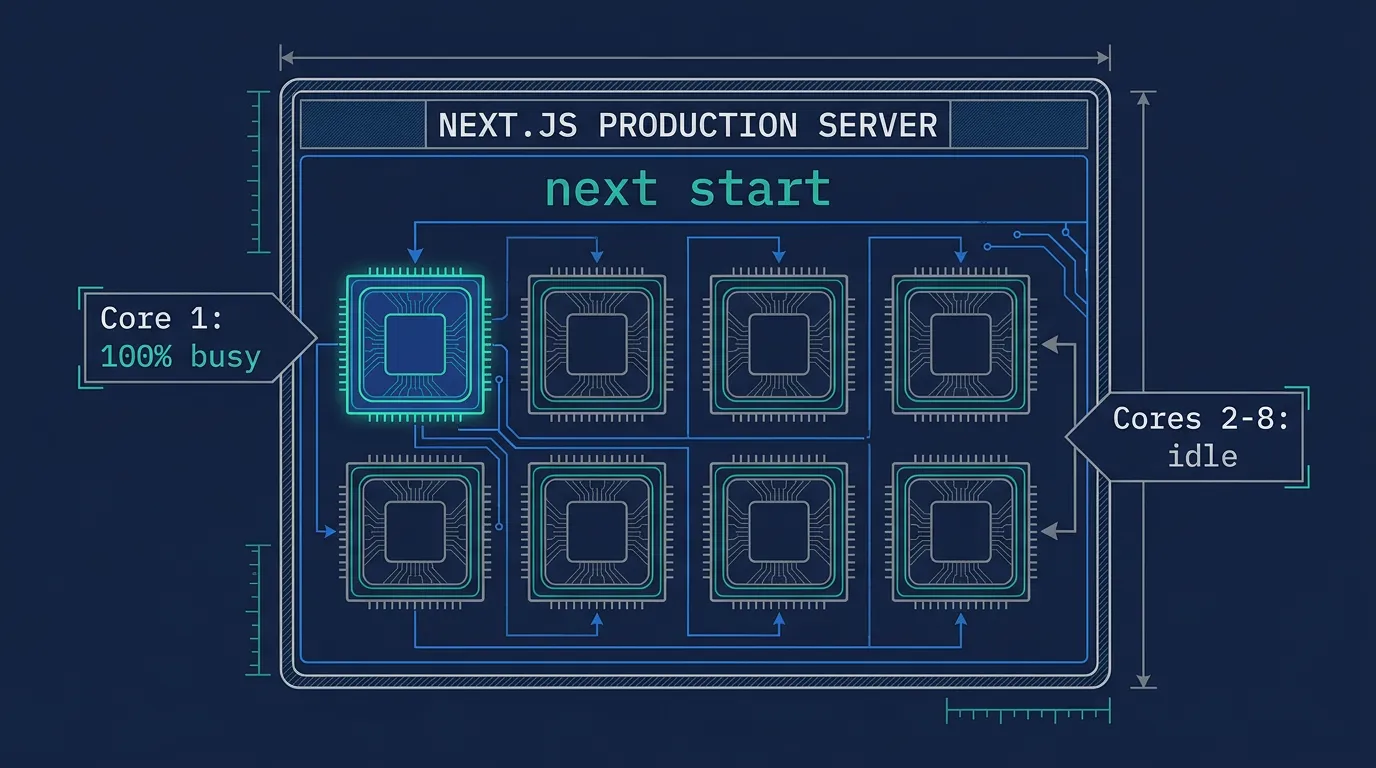
Your Next.js server might be maxing out one CPU core while seven others on the same box sit idle — and no amount of next.config.js tuning fixes that, because the bottleneck isn't in your code. It's in how next start runs.
What next start actually runs
When you deploy a self-hosted Next.js app — whether it's the standard build or the standalone output — you end up running a single Node.js process. Node.js executes your JavaScript on one thread. It can juggle thousands of concurrent I/O-bound requests through its event loop without a problem, because waiting on a database or an upstream API doesn't block that thread.
CPU-bound work is a different story. Server-side rendering of a data-heavy page, image transformations that fall back to the server, or any synchronous computation in a route handler ties up that single thread for the duration of the work. While it's busy, every other request queues behind it, and every other core on the machine does nothing. A server with 8 vCPUs running next start is, from Next.js's point of view, a server with 1 vCPU.
This is well documented in Node.js itself, not a Next.js quirk: the cluster module docs open by stating plainly that "a single instance of Node.js runs in a single thread." Next.js doesn't change that default — it inherits it.
The naive fix: Node's cluster module
Node.js ships an answer to this: the cluster module forks multiple worker processes that share a single listening port, with the OS distributing incoming connections across them. Run one worker per core, and you've nominally fixed the idle-core problem without touching your container count.
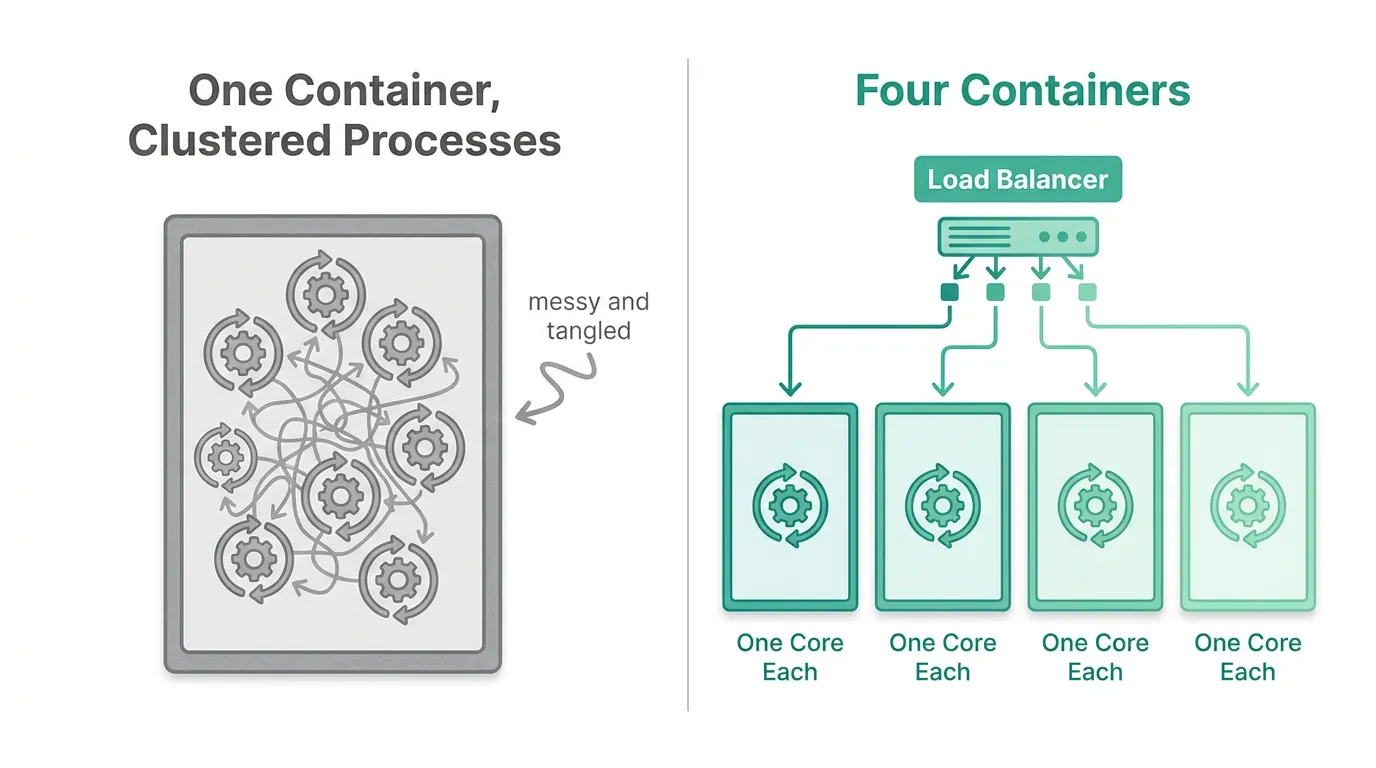
In practice, this gets messy fast once you're already running Next.js in Docker, which most self-hosted deployments are:
- Each worker needs its own memory budget, so your container's memory limit has to account for
cores × per-worker usage, not just one process. - In-memory state — rate-limit counters, caches, in-flight request tracking — stops being shared across workers unless you move it to something external like Redis.
- Health checks, graceful shutdown, and log aggregation all have to be cluster-aware, because you now have N processes instead of one.
- You've added a layer of process management inside the container, right at the point where most teams are also adding a layer of orchestration outside it.
Tools like PM2 wrap this in a friendlier CLI (pm2 start server.js -i max), but the underlying trade-offs don't change. You're managing multi-process complexity in exactly the place — a single container — that's least equipped to observe or recover from it.
The fix that matches how containers are supposed to scale
The alternative is to stop trying to make one process use eight cores, and instead run eight single-core processes as separate containers. Each container stays simple — one Next.js process, one core, predictable memory — and something outside the container handles distributing requests and restarting failures.
That "something outside the container" is exactly what an orchestrator is for. If you're already moving from a single container to an orchestrated setup, this is one of the clearest arguments for doing it: a replicas: 4 or replicas: 8 declaration gives you the throughput a cluster module was trying to simulate, except each replica is independently health-checked, independently restartable, and visible to your monitoring as a distinct unit instead of a thread buried inside one process.
This is where teams running Next.js on a single VPS usually stall. The app works, scaling it means either fighting with in-process clustering or hand-rolling a second VPS and a load balancer, and neither feels like a real solution. Kubo is built for exactly this gap: standard Kubernetes, so replicas and horizontal scaling work the same way they would on any managed cluster, without the weeks of setting up ingress, TLS, and node management yourself first.
Confirm it's actually CPU before you scale anything
Before adding replicas, verify CPU is really the constraint — not a slow upstream API or a database query masquerading as a "slow page." If request latency climbs while CPU usage on the node stays flat, more replicas won't help; you're I/O-bound, and the fix is elsewhere.
Monitoring CPU usage across your cluster with Prometheus makes this visible per pod, not just per node: you can watch whether a single Next.js replica is pegged at 100% CPU while handling render-heavy routes, or whether it's sitting at 20% and the delay is coming from a downstream call. That distinction decides whether the next step is "run more replicas" or "fix the slow query."
What this costs, and what it doesn't
Running four or eight replicas instead of one process naturally costs more than a single container — you're provisioning real CPU for each one. The difference from in-process clustering is that this cost is visible and adjustable: autoscaling can scale replicas down outside peak hours, and keeping replica costs under control is a matter of tuning requests and limits per pod rather than guessing at a worker count baked into your server startup script.
The in-process alternative doesn't avoid this cost — it just hides it. A cluster of eight forked workers inside one container is still consuming eight cores' worth of CPU; you've simply made that usage invisible to anything outside the container, which is the opposite of what you want once uptime depends on it.
The takeaway
next start running one Next.js process on one core isn't a bug you can configure away — it's how Node.js works, and Next.js doesn't override it. Node's cluster module can mask the symptom inside a single container, but it trades one kind of complexity (idle cores) for another (multi-process state, health checks, and memory accounting you now own yourself).
If you're already containerizing Next.js for production, the more durable fix is to let your orchestration layer do the scaling it's designed for: one process per container, and as many containers as your traffic and CPU usage actually justify. See how the Docker Compose to Kubernetes migration works if you're ready to move past a single container and let replicas — not forked worker processes — be the thing that uses all your cores.