
COLUMN
13/11/2026
Self-Hosting Next.js Image Optimization: Replacing Vercel's Image API with Sharp and a Custom Loader
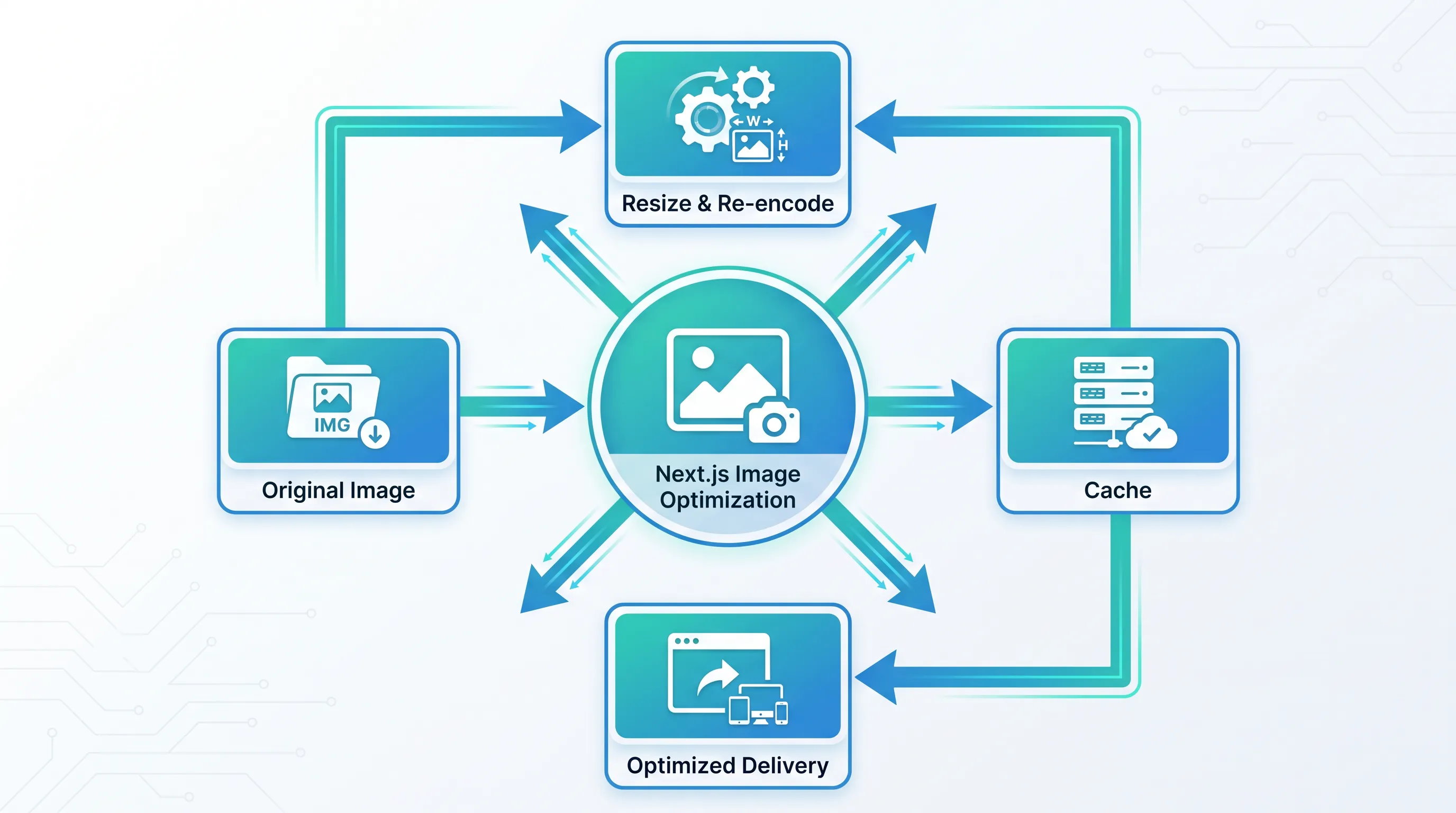
Vercel ships next/image with a quiet assumption baked in: that an Image Optimization API is running somewhere behind it, resizing, re-encoding, and caching every image on demand. On Vercel, that service just exists. The moment you self-host — Docker, a VPS, your own cluster — you inherit that service yourself, and most teams don't find out until a deploy either falls back to a slow optimizer or breaks outright.
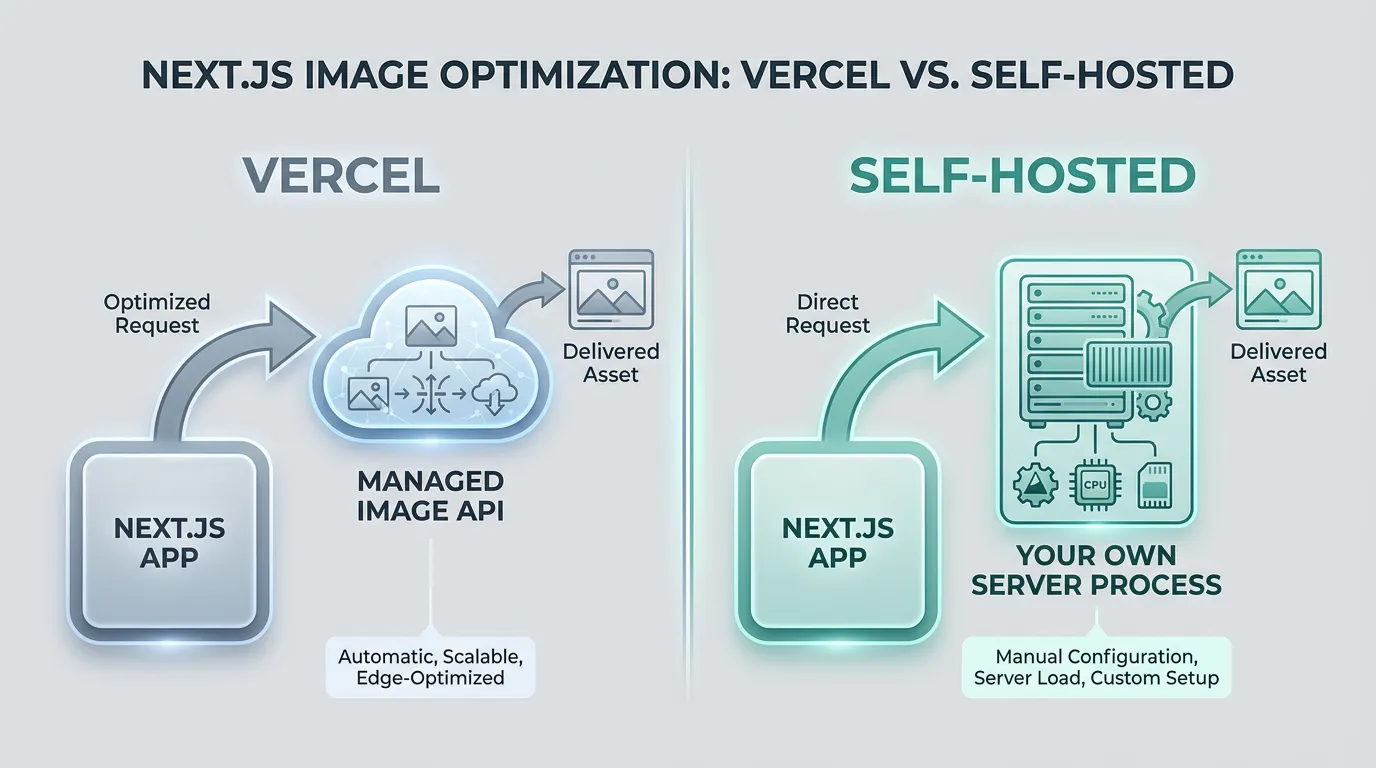
Why next/image Needs More Than an <img> Tag
next/image isn't just a wrapper around <img>. Every image you pass to it goes through an Image Optimization API that resizes to the requested deviceSizes/imageSizes, re-encodes to AVIF or WebP when the browser supports it, and serves the result with cache headers so the work only happens once per variant. On Vercel, this runs as a managed service you never configure. Everywhere else, Next.js has to run that same logic itself — and that's where self-hosting starts asking questions the docs don't lead with.
What Runs Behind the Scenes When You Self-Host
When you run next start or the standalone output outside Vercel, Next.js serves a real /_next/image route on your own server. That route resizes and re-encodes images using sharp, the Node.js binding for libvips. Sharp isn't bundled by default — it's a dependency you add yourself:
npm install sharp
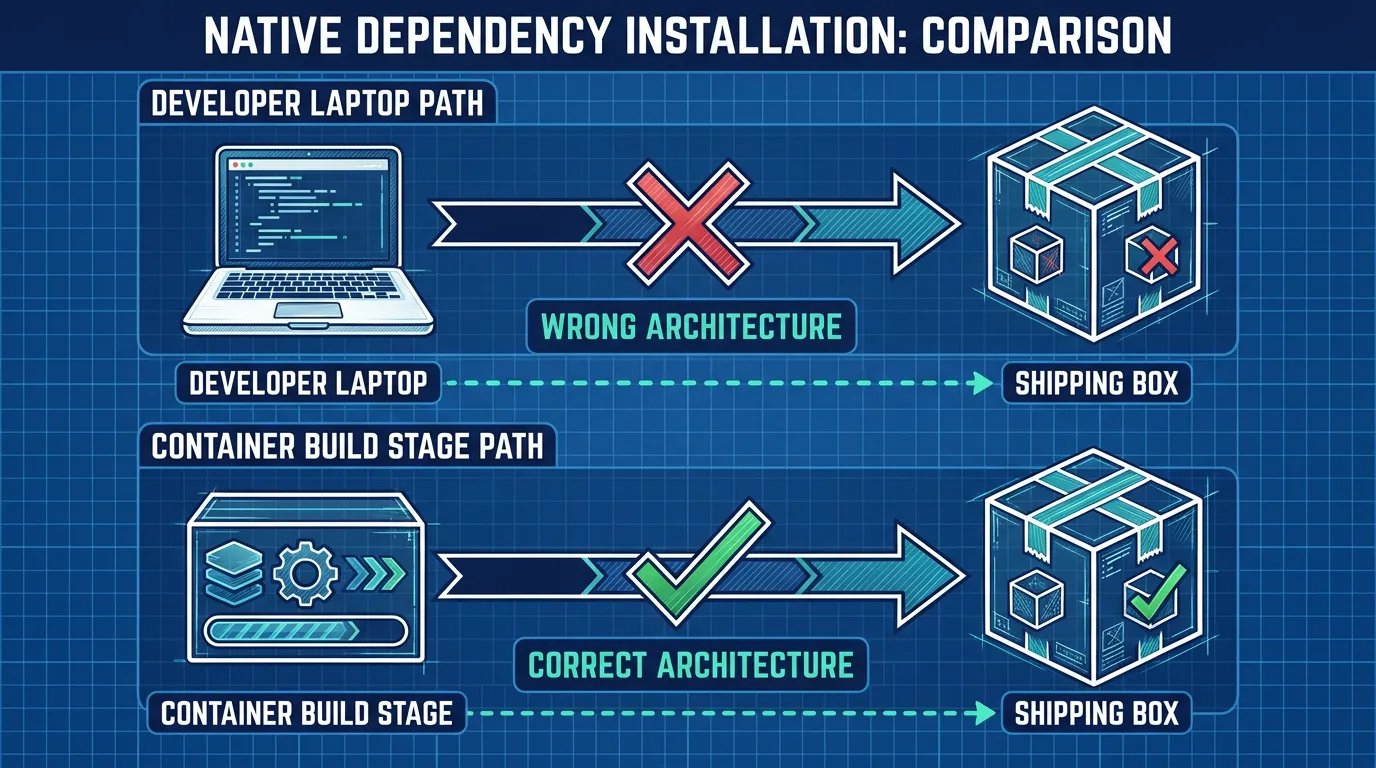
If you skip it, Next.js warns you in the console and falls back to a slower, pure-JavaScript decoder for development only; production self-hosted deployments are expected to have sharp installed. Because sharp ships prebuilt binaries per platform, this is also the most common place self-hosted builds break: a dependency installed on your laptop (Apple Silicon) doesn't match the container's architecture (linux/amd64 or arm64). Install it inside the same Docker build stage that produces your production image, not on the host, so the binary matches the runtime.
Configuring the Optimizer for Production Traffic
Once sharp is in place, the knobs that matter in production all live under images in next.config.js:
module.exports = {
  images: {
    remotePatterns: [{ protocol: 'https', hostname: 'assets.example.com' }],
    formats: ['image/avif', 'image/webp'],
    deviceSizes: [640, 750, 1080, 1200, 1920],
    imageSizes: [16, 32, 48, 64, 96],
    minimumCacheTTL: 60 * 60 * 24 * 30,
  },
}
minimumCacheTTL controls how long the optimized variant is cached — and on Vercel that caching happens at the edge automatically. Self-hosted, the /_next/image response carries Cache-Control headers, but nothing actually stores and serves the cached copy unless you put a reverse proxy or CDN in front of it. Without that layer, every cache miss re-runs sharp on your application server, which is CPU-bound work competing with the same process that's rendering your pages.
formats is worth setting explicitly rather than trusting the default. Next.js only serves AVIF if it's listed before WebP in the array, and AVIF encoding is noticeably heavier on CPU than WebP for the same image — on a small container, re-encoding a large hero image to AVIF on every cache miss can be the difference between a request that returns in milliseconds and one that queues behind it. If your traffic is bursty and your containers are small, listing 'image/webp' only (and letting AVIF go through on the rare client that specifically needs it via a CDN layer instead) is a reasonable trade-off, not a downgrade.
That's usually the point teams realize self-hosting next/image isn't just an npm install — it's a small piece of infrastructure (a cache layer, enough CPU headroom, a place to run it) that didn't exist when the app lived on Vercel. Kubo is built for exactly that gap: standard Kubernetes, with the ingress, TLS, and autoscaling plumbing already wired, so adding a CPU-bound service like image processing doesn't mean building a platform from scratch.
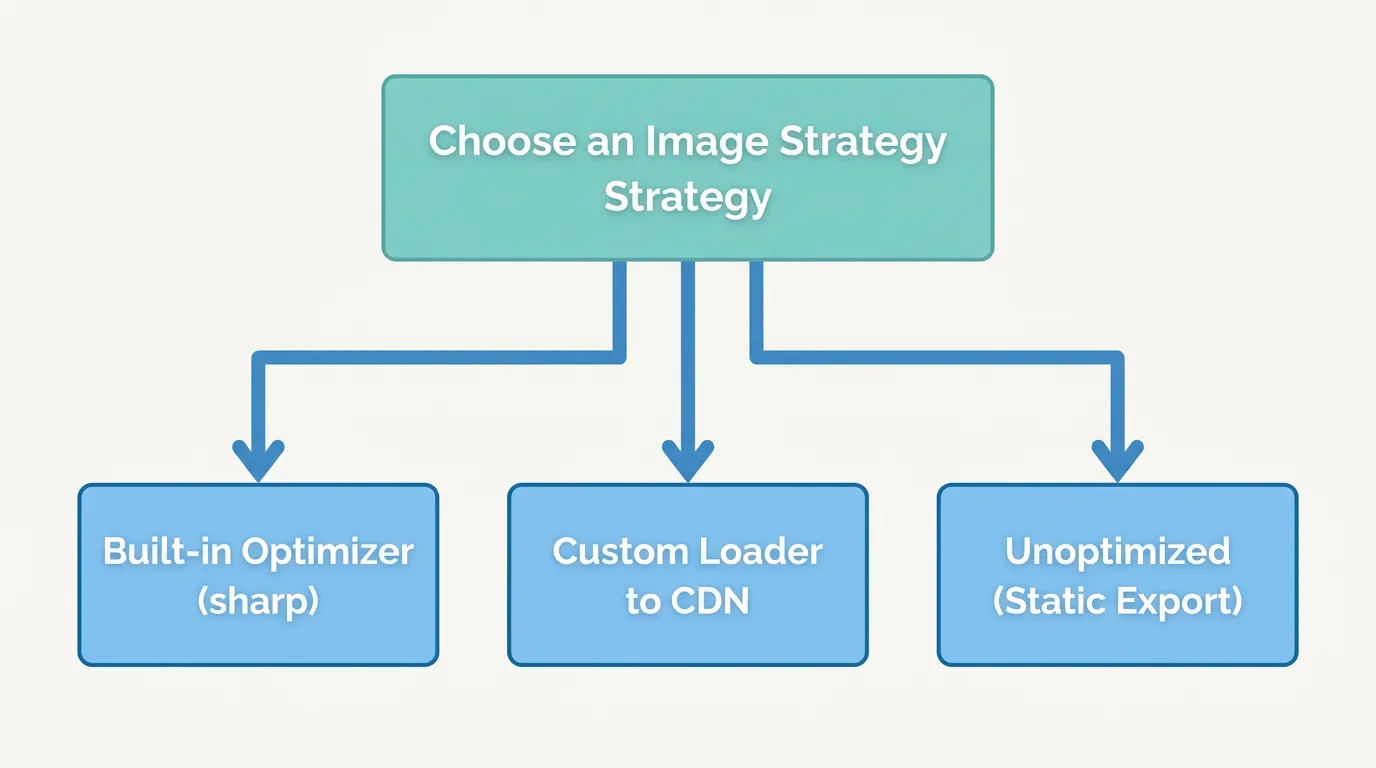
When the Built-In Optimizer Isn't the Right Fit
Two cases push teams away from the built-in optimizer entirely:
Static export. If next.config.js sets output: 'export', there's no server to run /_next/image — Next.js's own static export docs are explicit that the Image Optimization API requires a running Node.js process. Your options are images.unoptimized: true (ship original files, no resizing) or a custom loader that hands the work to an external service.
You'd rather not run sharp on your app servers at all. A custom loader lets you point next/image at an external image CDN — Cloudinary, imgix, Thumbor, or your own dedicated service — instead of the built-in optimizer:
// next.config.js
module.exports = {
  images: {
    loader: 'custom',
    loaderFile: './image-loader.ts',
  },
}
// image-loader.ts
export default function cloudinaryLoader({ src, width, quality }: {
  src: string; width: number; quality?: number;
}) {
  return `https://res.cloudinary.com/your-cloud/image/upload/w_${width},q_${quality || 75}/${src}`
}
The loader function receives src, width, and an optional quality, and just has to return a URL — Next.js never touches the pixels itself. If you're running your own resize service instead of a third-party CDN, the same pattern applies: point the loader at your own endpoint and run that endpoint as its own deployment, not inside the Next.js process.
A self-rolled endpoint is usually a thin HTTP service that takes the same src/width/quality parameters, fetches the original from object storage, runs it through sharp once, and writes the result to a cache (disk, Redis, or the storage bucket itself) before returning it. The appeal over next/image's built-in route is that this service scales on its own: it can run with more replicas, more memory, or on different hardware than the pages that serve HTML, and a slow image request never competes with a page render for the same event loop.
Giving It a Place to Live
Once image processing is its own service — a resize endpoint, a cache, maybe a CDN in front — it stops being "part of the Next.js app" and starts being infrastructure you operate like anything else. Teams that started self-hosting with a single Docker Compose file for the whole stack typically hit this wall first with image optimization, because it's the first workload that needs to scale independently of page rendering. If that's where you are, moving from a single Docker Compose file to Kubernetes is usually less disruptive than it sounds — and once the resize service is packaged as its own deployment, packaging it as a Helm chart makes it something you can version and roll back like the rest of your infrastructure.
The Short Version
- Self-hosted
next/imageruns on sharp, not magic — install it in the container build stage, not on your laptop. minimumCacheTTLonly matters if something actually caches the response; add a reverse proxy or CDN in front of/_next/image, or every miss costs you CPU.output: 'export'can't use the built-in optimizer at all — you needunoptimized: trueor a custom loader.- A custom loader is the cleanest way to hand image processing to a CDN or your own service instead of your app servers.
If you're past the point of running this on a single container and need somewhere for the resize service to actually live, see how teams move a Docker Compose setup to Kubernetes without rewriting the whole stack at once.