
COLUMN
24/11/2026
Partial Prerendering in Next.js: What It Changes When Vercel Isn't Running Your App
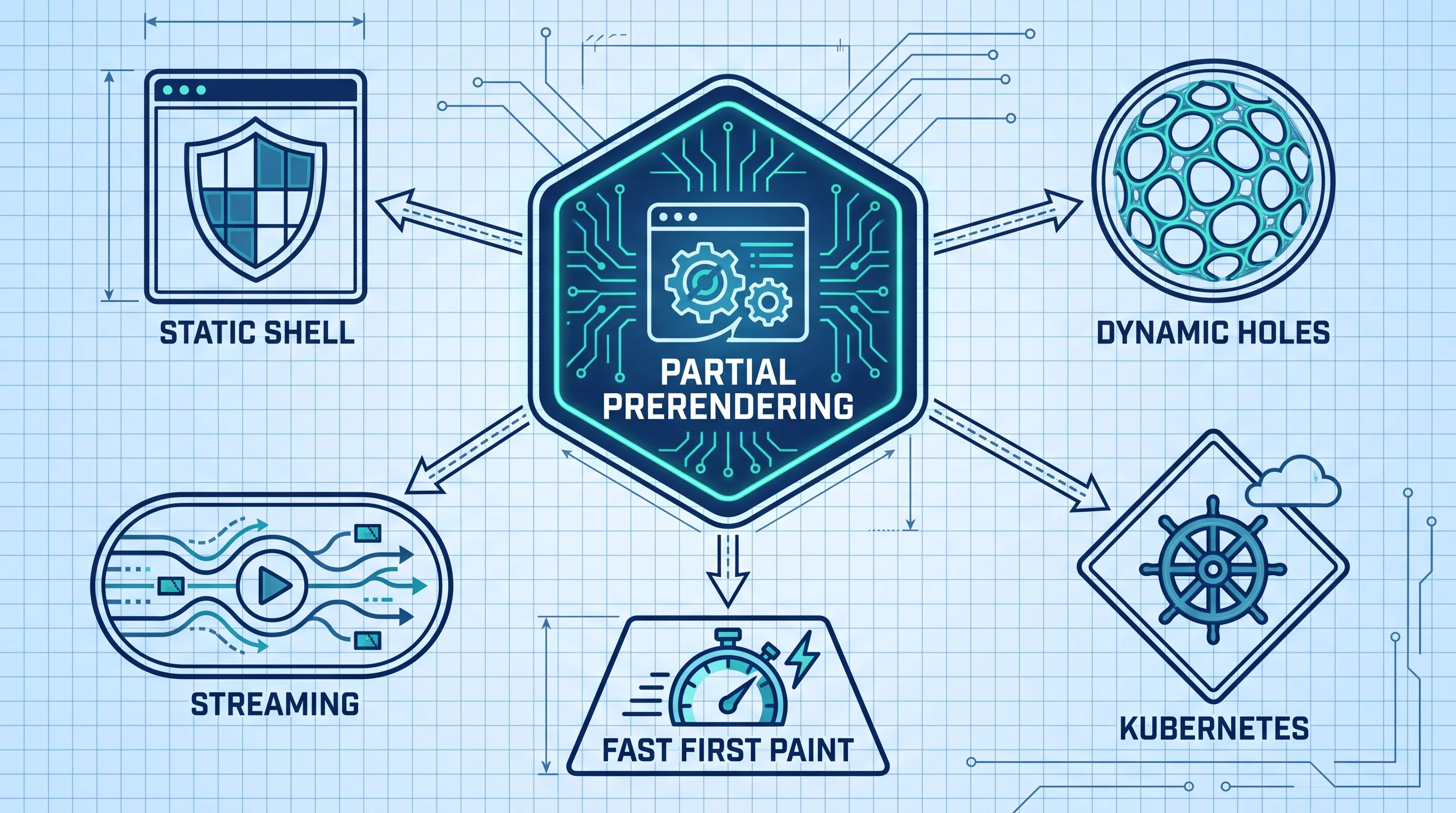
Partial Prerendering is one of the few Next.js features that sounds like it solves a problem you didn't know you had: a route that is mostly static, except for the one part that isn't, without forcing the whole page into either the static or dynamic bucket. The catch is that the demo always runs on Vercel. The parts that make PPR fast there are infrastructure, not framework code — and infrastructure is exactly what you take over when you self-host.
What Partial Prerendering Actually Does
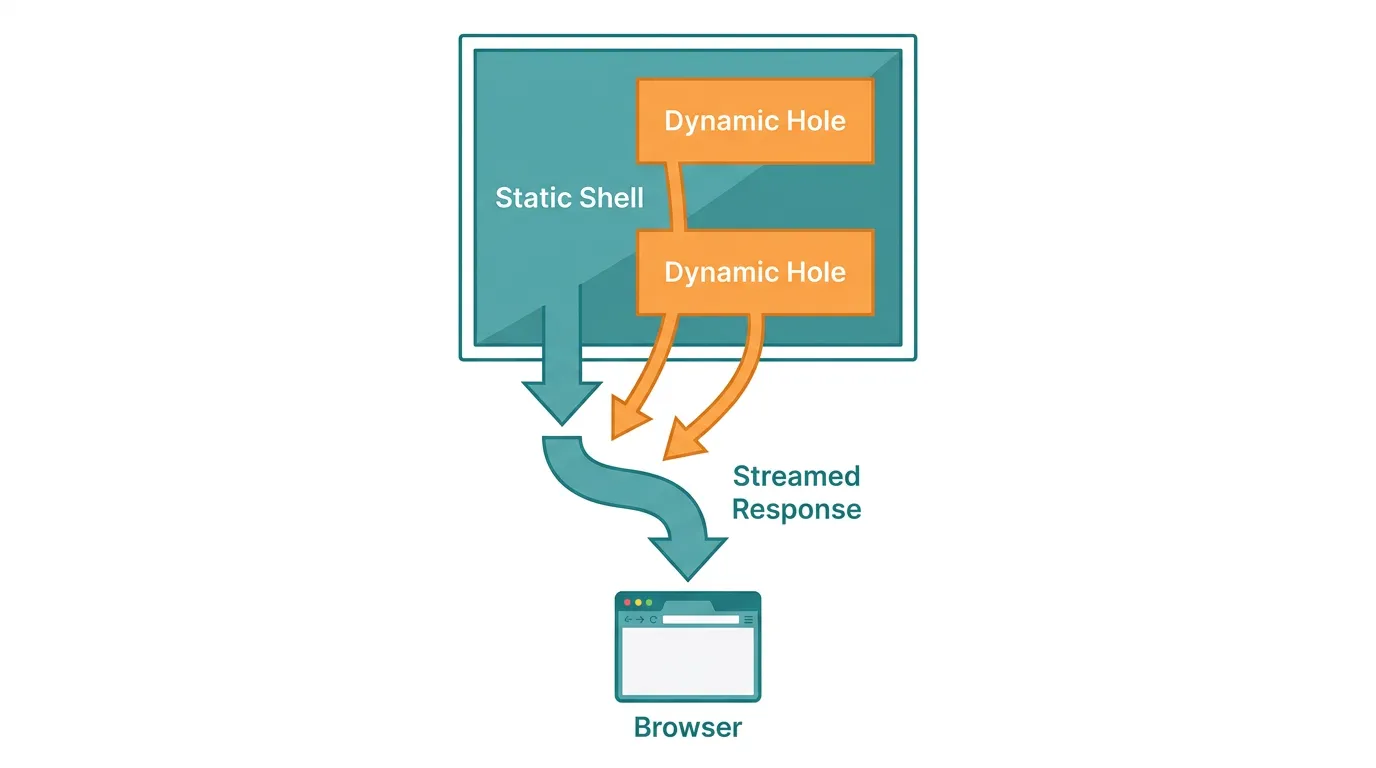
A normal App Router route picks a side: fully static (prerendered at build time) or fully dynamic (rendered per request). Partial Prerendering lets one route do both. The static parts of the page — the shell, the nav, anything that doesn't depend on the request — are prerendered once and served instantly. Anything wrapped in a React Suspense boundary and backed by request-specific data (cookies, headers, a database read) becomes a "hole" that's rendered on demand and streamed into that shell as soon as it's ready.
The result, on paper, is a single HTTP response: the static shell arrives immediately, and the dynamic content fills in a moment later, without a client-side loading spinner and without the whole route waiting on the slowest data source.
Turning It On: What experimental_ppr Actually Requires
PPR is opt-in and incremental. You turn it on at the application level, then enable it per route:
// next.config.js
module.exports = {
  experimental: {
    ppr: 'incremental',
  },
}
// app/dashboard/page.tsx
export const experimental_ppr = true
Only routes that export experimental_ppr = true get the static-shell-plus-streamed-holes behavior; everything else keeps rendering the way it always did. That incremental switch is the right design for adoption, but it also means the compute and networking requirements below apply route by route, not once for the whole app — easy to miss if you test PPR on one page and assume the rest of the deployment is ready for it. The Next.js docs on Partial Prerendering are the source of truth for the current flag names, since this is still an experimental API and the exact config has changed between minor versions.
Three Things Vercel's Infrastructure Is Doing For You
None of this is framework magic. It works on Vercel because three infrastructure pieces are already wired up:
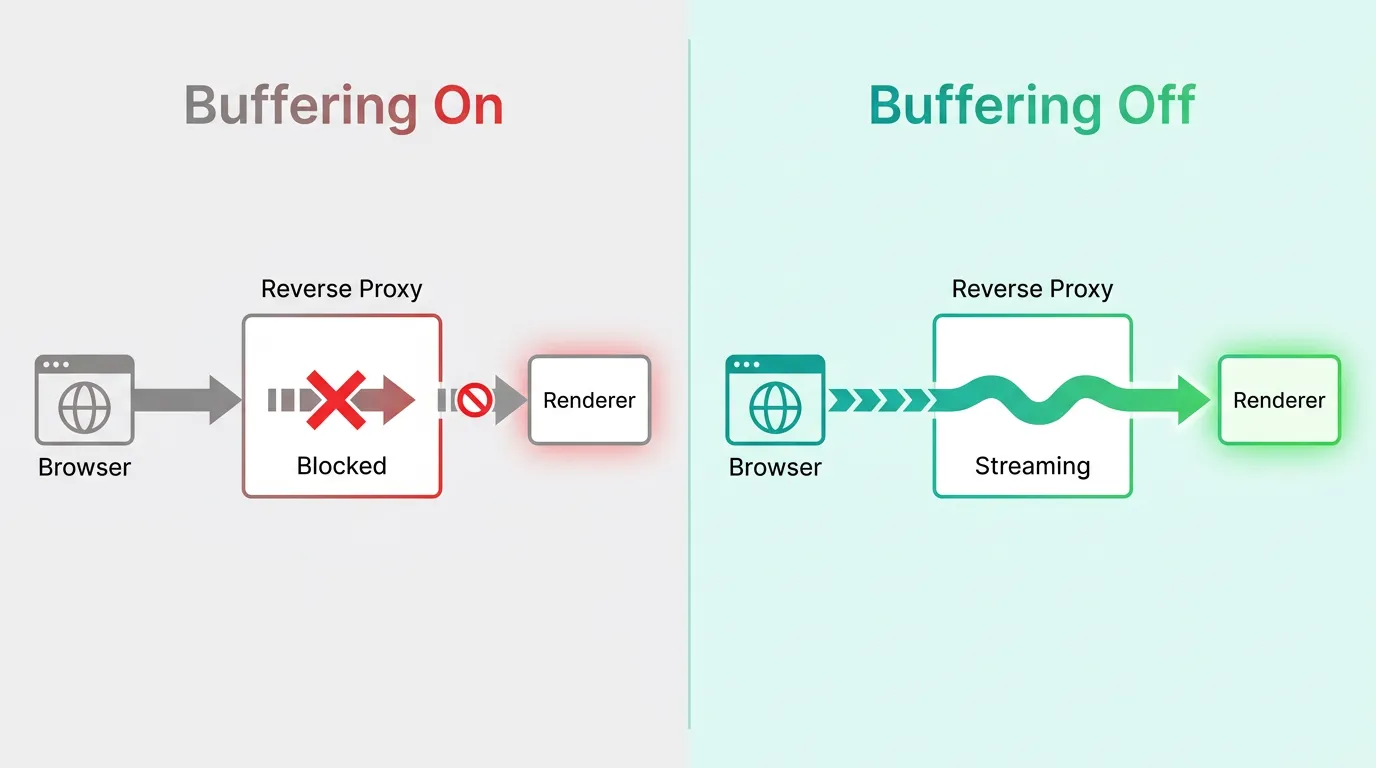
- Streaming all the way through. The static shell and the dynamic holes travel in one chunked HTTP response. Every hop between the renderer and the browser — load balancer, CDN, reverse proxy — has to pass chunks through as they arrive instead of buffering the whole response first.
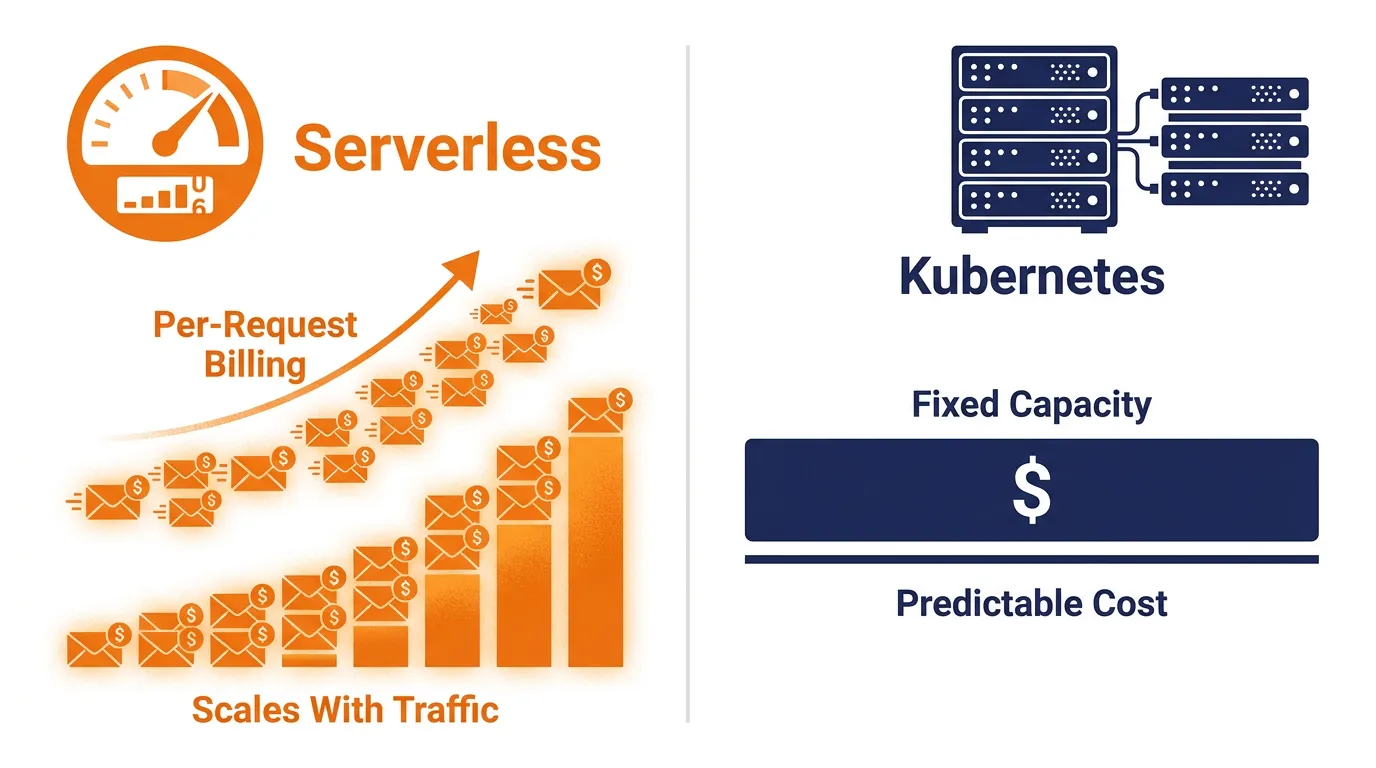
- Compute that scales per request. Each dynamic hole is a render happening live, on every request that hits it. Vercel's serverless functions scale that out automatically; nothing on your side has to decide how many renderer instances to run.
- A CDN that caches the shell without caching the holes. The static part of a PPR route is cacheable like any other static asset; the dynamic part explicitly isn't. Vercel's edge network already understands that split.
Self-hosting Kubo — or any Kubernetes-based setup — doesn't remove this requirement, it just moves who's responsible for it from Vercel to you. That's a fair trade if you already run standard Kubernetes for other services, but it's not nothing: the compute-scaling piece in particular is the same problem autoscaling the compute that PPR's dynamic holes need solves for any request-driven workload, not something PPR invents.
What Breaks First When You Self-Host PPR
In rough order of how often teams hit them:
- Reverse proxy buffering. Nginx buffers upstream responses by default before sending them to the client, which defeats the entire point of a streamed shell-plus-holes response — the client just waits for the full page anyway. You need
proxy_buffering offandproxy_http_version 1.1on the routes PPR touches, confirmed against your proxy's own docs rather than assumed, since the exact directive set differs between nginx, Traefik, and Envoy. - The wrong build output. PPR assumes a persistent Node.js server that can hold a render in progress and stream it out; it doesn't work the same way against a purely static export. If you're self-hosting, that almost always means
output: 'standalone'innext.config.js, notoutput: 'export'. - No automatic concurrency ceiling. On Vercel, a traffic spike means more function instances. Self-hosted, it means more concurrent renders competing for the same CPU and memory your container has — until your Horizontal Pod Autoscaler notices and adds another pod, assuming it's configured to look at the right metric.
None of these fail loudly. A buffered proxy doesn't error — it just serves PPR routes exactly as slow as a fully dynamic page, silently throwing away the feature's entire benefit.
The Monitoring Gap: You Won't See a 500, You'll See a Slow Shell
This is the part that catches teams off guard after they've fixed the proxy and the build output. A dynamic hole that's slow — a database query under load, an upstream API having a bad moment — doesn't produce an error. It produces a shell that loads instantly and a hole that takes noticeably longer to fill in, which looks like "the site is fine" in a basic uptime check and like "the site is slow" to an actual visitor. Standard latency dashboards built around whole-page response time won't catch this split; you need per-segment timing, which usually means instrumenting the Suspense boundaries themselves rather than relying on the request log.
Cost: Who Pays for the Compute Vercel Used to Absorb
Vercel's serverless pricing bundles the cost of that per-request render scaling into the platform fee — which is also why it adds up fast once traffic grows, since every dynamic hole render is metered individually. Moving that compute onto Kubernetes you already operate doesn't make it free, but it does make it priced the same way as everything else you run, instead of as a separate line item that scales with PPR usage specifically. If the Vercel bill has become the reason you're looking at this in the first place, it's worth checking what "managed Kubernetes" really costs once you add it up before assuming self-hosting is automatically cheaper — the comparison only holds if you're already running Kubernetes well.
Where This Leaves You
Partial Prerendering is a genuinely good idea, and it's not Vercel-exclusive — but adopting it self-hosted means you're taking on the proxy configuration, the autoscaling, and the per-segment monitoring that Vercel bundles invisibly into the product. None of those are exotic requirements if you're already running standard Kubernetes; they're the same autoscaling and observability work any request-driven service needs. If you're at the point of sizing that work out, the autoscaling guide covering HPA, VPA, and KEDA is the next concrete step — it's the piece PPR's dynamic holes actually depend on.