
COLUMN
30/10/2026
Next.js Local Dev vs. Production: What Actually Changes
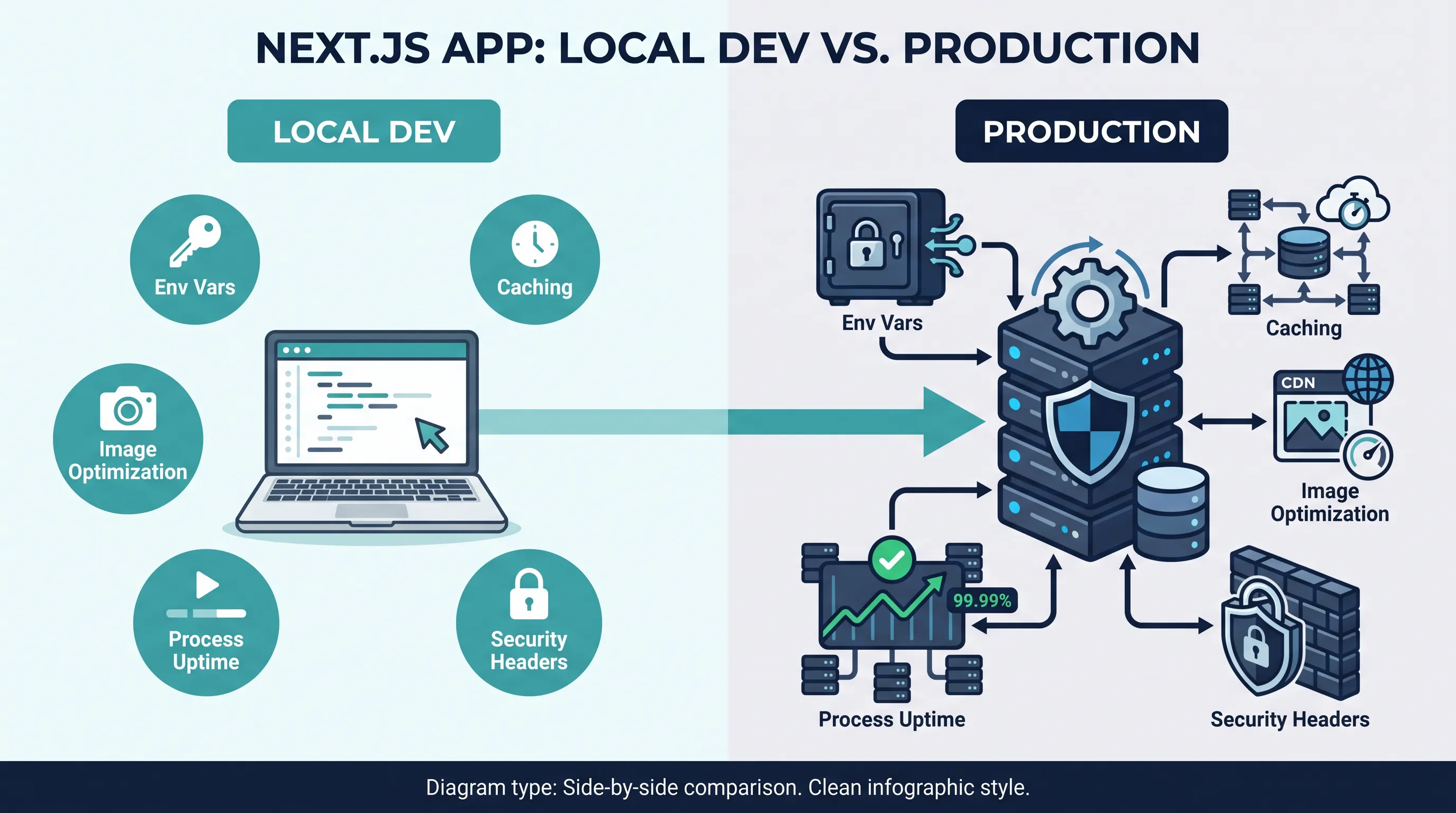
Next.js is forgiving in development. next dev hot-reloads your changes, reads .env.local without complaint, and serves images, API routes, and server components off a single process on your laptop. None of that tells you what happens when the same app runs in production — and for a lot of teams, that gap only shows up after the first deploy, when something that worked for weeks suddenly doesn't.
This isn't a list of deployment mistakes. It's a map of the specific things that change between next dev and a production build, so you know what to check before you ship instead of after.
Environment variables don't reload the way you expect
In development, editing .env.local and restarting next dev is enough to pick up a new value. In production, two different failure modes show up depending on when a variable is read.
NEXT_PUBLIC_* variables are inlined into the JavaScript bundle at build time. If you set NEXT_PUBLIC_API_URL after the build already ran — say, in your container's runtime environment — the old value is already baked into the client bundle, and the new one is silently ignored. Server-only variables (no NEXT_PUBLIC_ prefix) are read at request time, so they do pick up runtime changes, but only on the server side; they're never available in client components.
The practical rule: anything the browser needs must be present and correct before next build runs, not after. If your deploy pipeline builds once and promotes the same artifact across environments (which is the whole point of a repeatable build), NEXT_PUBLIC_* values that differ per environment won't work — you'd need per-environment builds, or runtime config injected into the HTML instead of the bundle. The Next.js documentation on environment variables lays out exactly which variables are build-time versus runtime.
Caching stops being "off by default"
next dev disables most of Next.js's caching layers so you always see your latest code. Production is the opposite: the Full Route Cache, the Data Cache, and the Router Cache are all active unless you explicitly opt out, and fetch() calls are cached indefinitely by default unless you pass { cache: 'no-store' } or a revalidate value.
This is the single most common "it worked locally" bug. A page that read fresh data on every request during development starts serving stale content in production because a fetch call got cached at build time and nothing is triggering revalidation. Before you deploy, check every fetch() call and every page for:
- An explicit
revalidatevalue (export const revalidate = 60) where content needs to stay current cache: 'no-store'for data that must never be cached- Whether you're relying on on-demand revalidation (
revalidatePath/revalidateTag) and whether your hosting actually supports it — this is one of the first things that breaks when you move off Vercel, since on-demand revalidation depends on infrastructure that a plain Node server doesn't provide out of the box
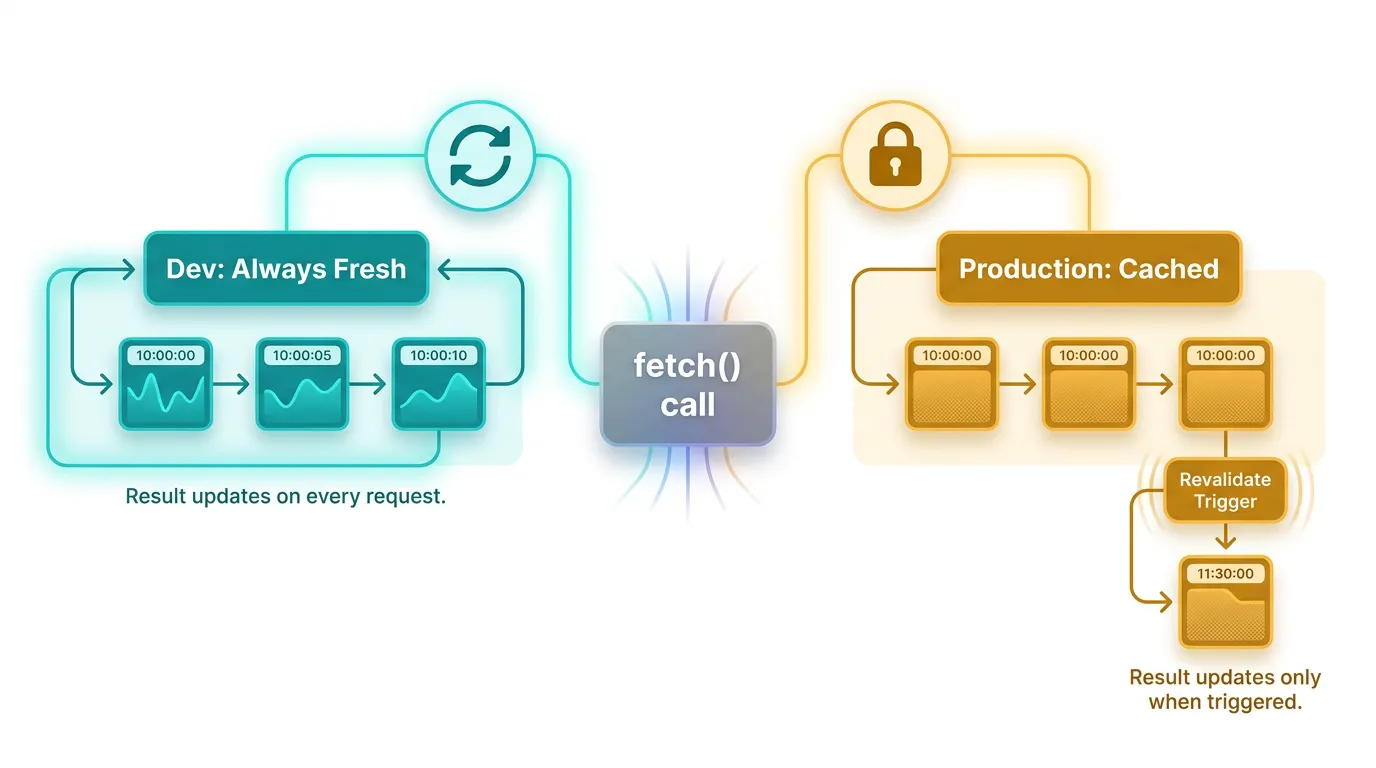
Image optimization needs a server, not a build step
next/image doesn't pre-generate optimized images during next build — it optimizes them on demand, the first time each size is requested, through a server-side image optimization API route. In development this just works because next dev runs that server for you.
In production, this has two implications teams miss:
output: 'standalone'or a static export doesn't include the image optimizer by default. If you export a fully static site (output: 'export'),next/imageoptimization is disabled entirely unless you configure a custom loader pointing at an external service.- Self-hosting the optimizer yourself costs CPU and memory you didn't budget for. Every unique image size requested gets processed through
sharpon your server. On Vercel this is handled by their image CDN; running it yourself means that traffic spike on your product page is also a traffic spike on your image processing.
If you're self-hosting, decide up front whether you're running the built-in optimizer or pointing images.loader at an external service (Cloudflare, Imgix, a CDN you already operate). Deciding this after launch means re-encoding every <Image> usage in the app.
The server is now a process you have to keep alive
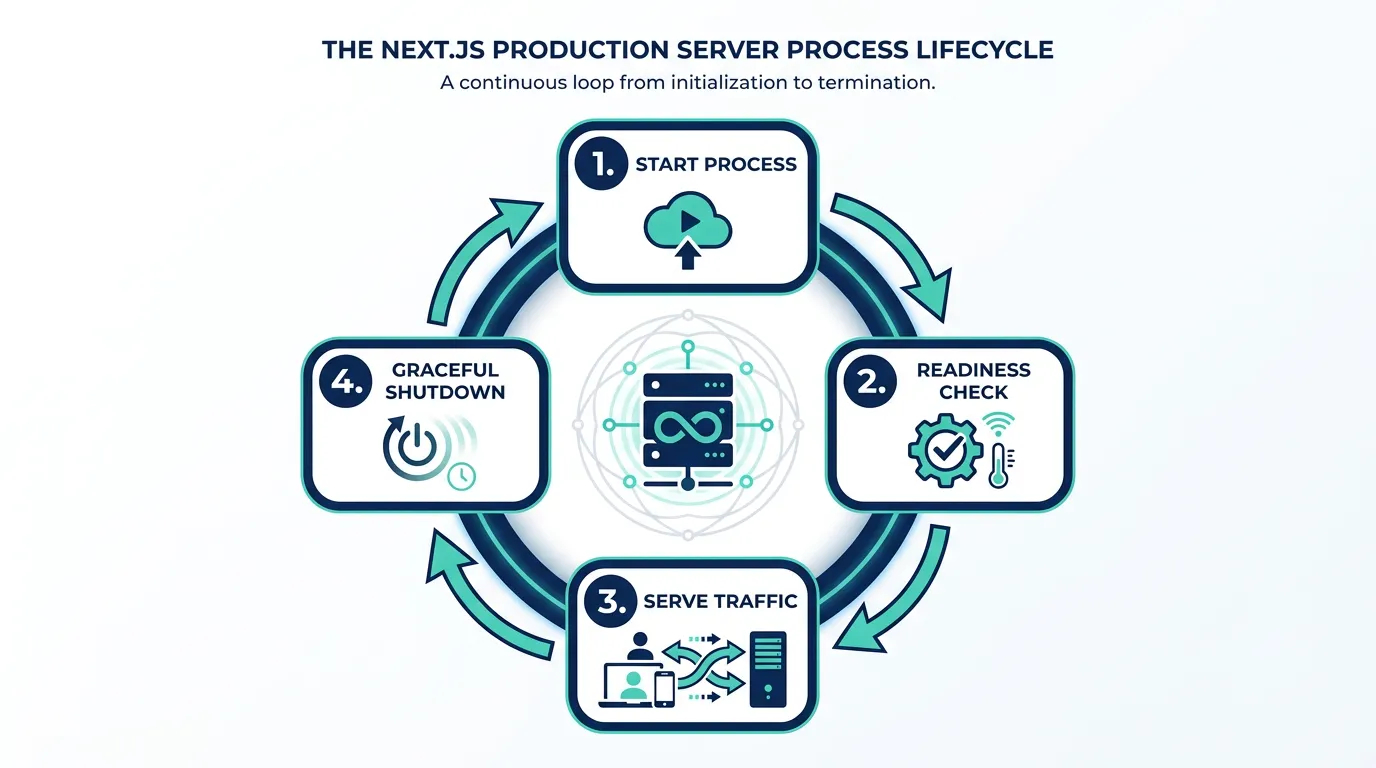
next dev restarts itself when it crashes and you don't notice because you're watching the terminal. A production Next.js server — whether you're running next start behind a reverse proxy or a custom Node server — is just a long-running process. If it crashes, nothing restarts it unless you've configured that.
This is where "it ran fine in dev" meets infrastructure concerns that development never requires:
- A process manager or orchestrator that restarts the app on crash
- A readiness/health check endpoint so your load balancer or orchestrator knows when the app can actually accept traffic (not just that the process started)
- Graceful shutdown handling, so in-flight requests finish before a deploy kills the old instance
None of this exists in next dev, because there's no load balancer routing around a crashed dev server. In production it's the difference between a blip and an outage.
Security headers aren't there unless you add them
next dev doesn't send Content-Security-Policy, Strict-Transport-Security, or X-Frame-Options headers — there's no reason to in a local-only environment. Production, by default, doesn't send them either; next.config.js has a headers() function, but it's empty until you fill it in.
This matters more once you're self-hosting, because platforms like Vercel add some baseline headers automatically. Running your own server (behind nginx, Traefik, or directly) means CSP, HSTS, and frame-options are entirely your responsibility to configure and verify — next.config.js can set most of them, but HSTS in particular only has teeth once your reverse proxy terminates TLS and forwards the header correctly.
What this means before you ship
None of these are exotic edge cases — they're the default behavior of a production Next.js build, and every one of them is invisible in next dev because development is deliberately optimized for fast iteration, not for mirroring production. The fix isn't a single checklist item; it's treating "run next build && next start once, locally, before deploying" as a non-negotiable step, because that's the first time most of this behavior actually shows up.
Once your Next.js app is running as a long-lived production process, a lot of the operational questions above — process restarts, health checks, graceful shutdown — stop being Next.js-specific and start being questions about the platform underneath it. If you're running your own containers, scanning your container images for vulnerabilities before they ship is part of the same "what changes in production" shift: a dev-only container never gets scanned; a production one should be, every time it's built.
That's also usually the point where teams start asking how many separate environments they actually need — a dev container and a production container are rarely enough once staging, preview, and QA all want their own copy of the app. Deciding how many environments your team actually needs is worth doing deliberately rather than by accretion, since every environment you add is one more thing that can drift from production.
And once the app is live, the questions change again: not "does it build" but "what is it actually doing right now." Tracing requests across services once things run in production is the kind of visibility that next dev's console output gives you for free locally, and that you have to deliberately wire up once there's a real server, a real database connection pool, and real traffic in the mix.
If you're weighing whether to keep self-managing all of this piece by piece, or move to a platform that handles the container runtime, environment separation, and observability wiring for you, Kubo runs on standard Kubernetes with that plumbing already in place — closer to the deploy-and-forget experience Next.js developers are used to, without being locked into a single vendor's platform.