
COLUMN
31/10/2026
Graceful Shutdown for Self-Hosted Next.js: Handling SIGTERM Before Your Orchestrator Kills the Pod
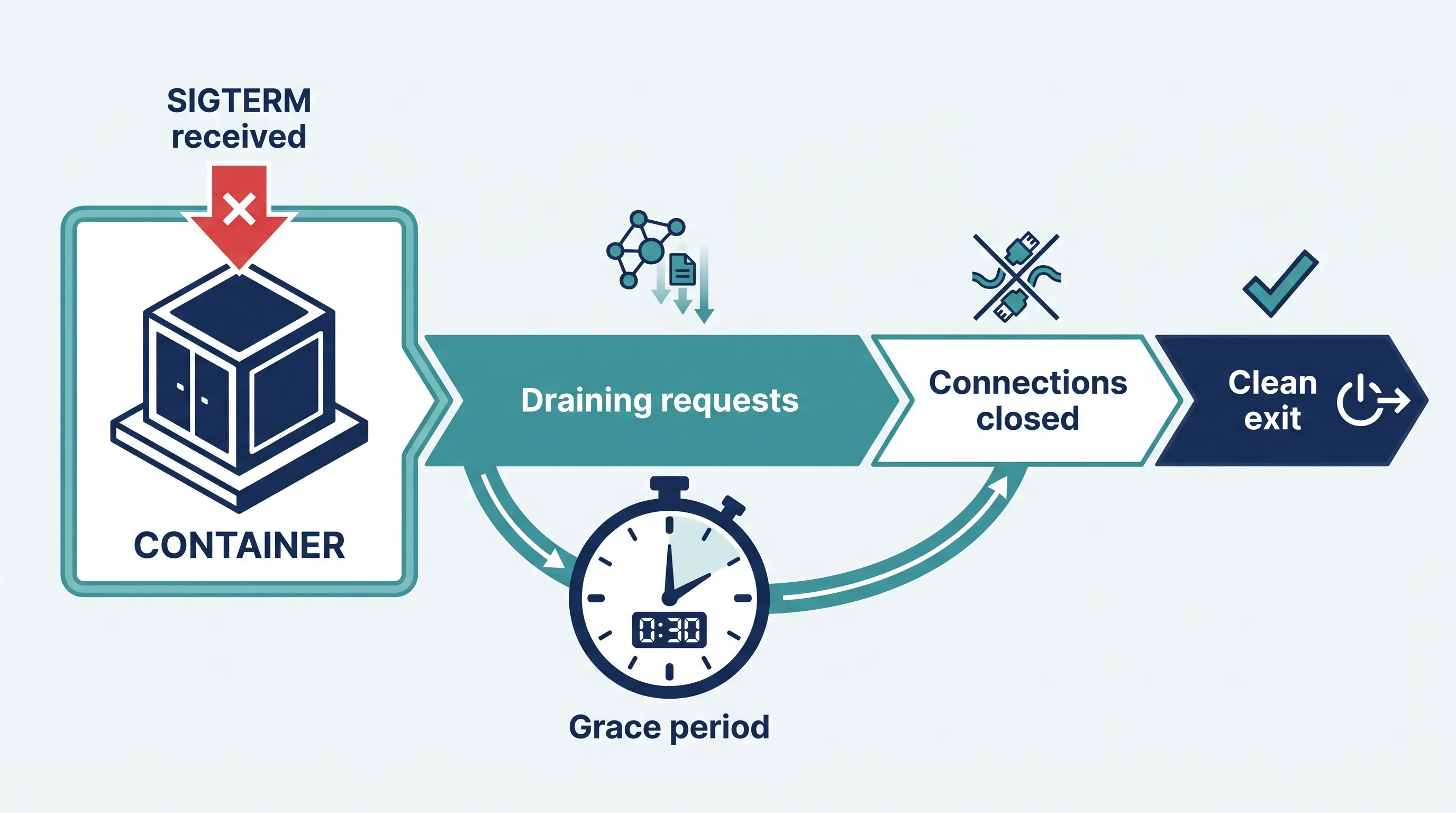
Your Next.js app runs fine on Vercel because Vercel handles the hard part of shutting a server down cleanly. The moment you self-host — Docker, a VM, or Kubo — that job falls on you. If you haven't written any shutdown handling, every deploy, scale-down, or node drain has a chance of cutting off an in-flight request or an open database connection mid-write.
This guide covers what actually happens when a container is asked to stop, why the default behavior of next start isn't enough, and how to drain connections properly before the process exits.
What "graceful shutdown" actually means
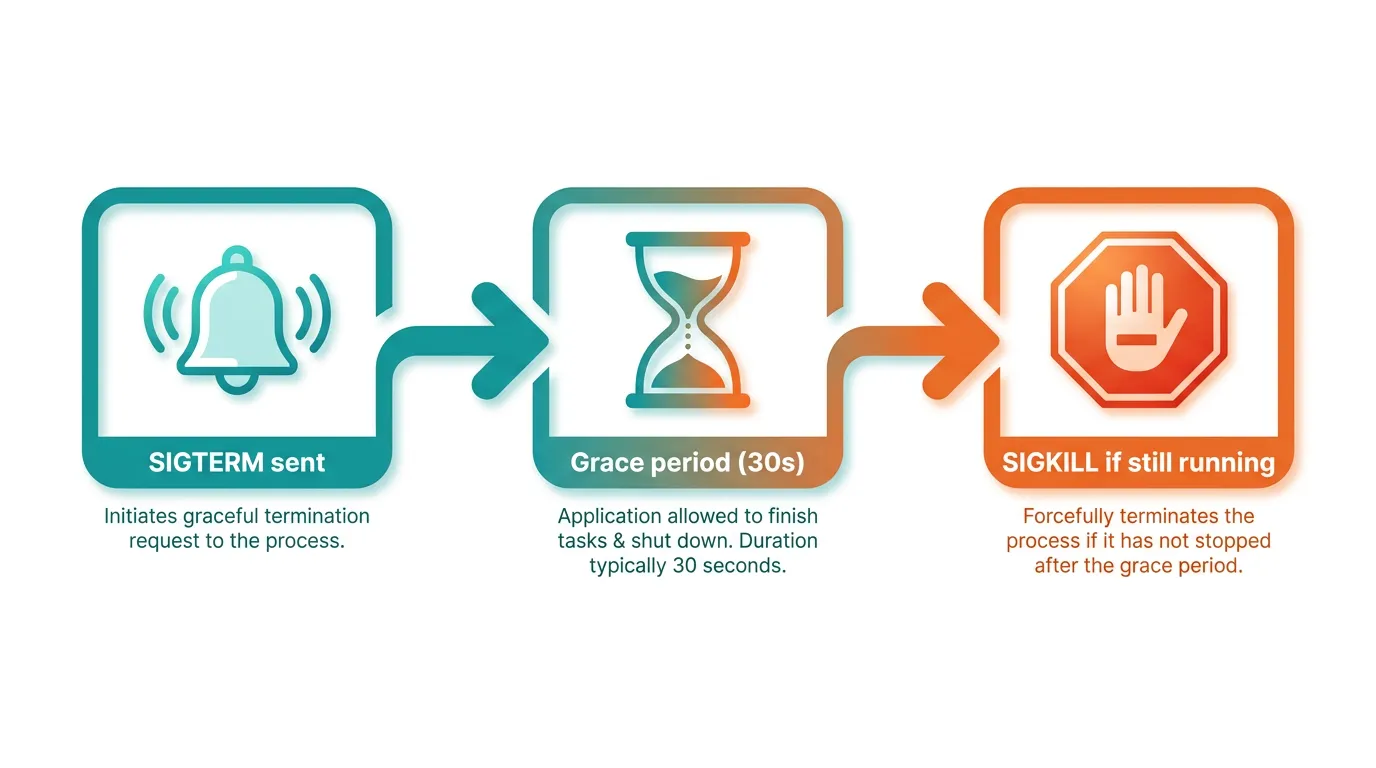
When an orchestrator — Docker Compose, Docker Swarm, or Kubernetes — wants to stop a container, it doesn't just kill it. It sends SIGTERM first, then waits a grace period (30 seconds by default on Kubernetes), and only sends SIGKILL if the process hasn't exited by then.
That grace period exists so your app can:
- Stop accepting new connections
- Finish requests that are already in progress
- Close database connections, queues, and file handles cleanly
- Exit on its own, before the hard kill
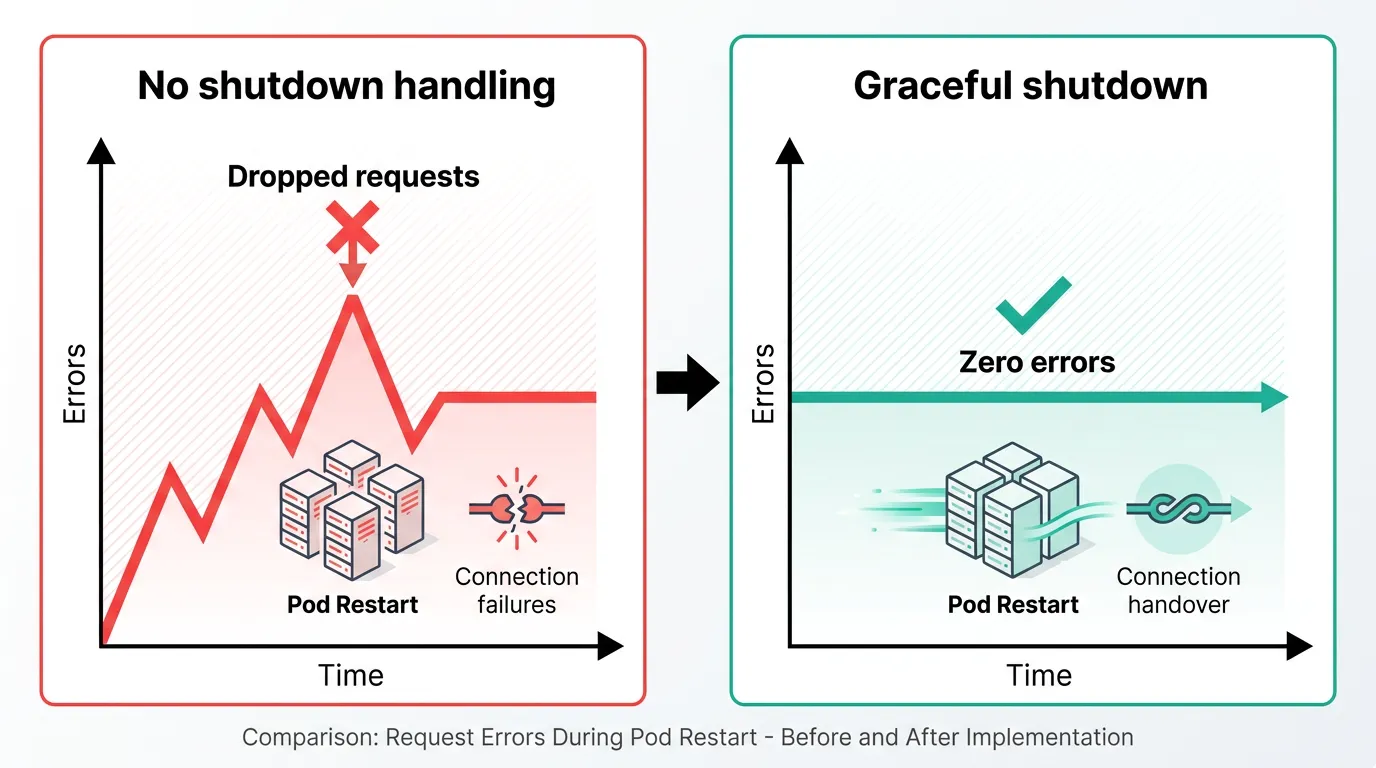
If your process ignores SIGTERM entirely, it just sits there until the grace period runs out and gets SIGKILL'd — which means any request still being handled at that instant is simply cut off, and the client sees a connection reset.
Why next start alone doesn't solve this
Next.js's built-in server will exit on SIGTERM, but it doesn't wait for in-flight requests to finish first (documented behavior in Next.js's custom server guide). On Vercel this doesn't matter — their routing layer drains traffic away from an instance before it's ever told to shut down. When you're running your own container, nothing does that for you unless you build it.
The practical symptom: deploys or pod rescheduling cause a small but real rate of failed requests, usually invisible in staging (low traffic, no concurrent requests at the exact shutdown instant) and only noticeable in production under load.
Draining connections with a custom server
The most direct fix is a thin custom server that tracks active requests and only exits once they've all completed.
// server.js
const { createServer } = require('http')
const next = require('next')

const app = next({ dev: false })
const handle = app.getRequestHandler()

let isShuttingDown = false
let activeRequests = 0

app.prepare().then(() => {
  const server = createServer((req, res) => {
    if (isShuttingDown) {
      res.setHeader('Connection', 'close')
    }
    activeRequests++
    res.on('finish', () => {
      activeRequests--
    })
    handle(req, res)
  })

  server.listen(3000, () => {
    console.log('Server ready on port 3000')
  })

  const shutdown = (signal) => {
    console.log(`${signal} received, draining connections`)
    isShuttingDown = true

    server.close(() => {
      console.log('All connections closed, exiting')
      process.exit(0)
    })

    // Force-exit if draining takes longer than the orchestrator's grace period
    setTimeout(() => {
      console.log(`Forced shutdown after ${activeRequests} requests still active`)
      process.exit(1)
    }, 25000).unref()
  }

  process.on('SIGTERM', () => shutdown('SIGTERM'))
  process.on('SIGINT', () => shutdown('SIGINT'))
})
A few details that matter here:
server.close()stops accepting new connections but waits for existing ones to finish — that's the actual graceful part. It does not forcibly terminate anything.- The force-exit timer should be shorter than your orchestrator's grace period, not the same length. Kubernetes's default
terminationGracePeriodSecondsis 30; a 25-second internal timeout leaves room for your own cleanup (closing a database pool, flushing logs) to run beforeSIGKILLarrives. .unref()on the timer stops it from keeping the process alive if shutdown finishes early.
If you're on Next.js 15+ and using the App Router without a custom server, you don't get this hook directly — next start manages its own process lifecycle. In that case, wrap it with a small supervisor process (even a shell script with a trap) that forwards SIGTERM, waits, and only then sends SIGKILL:
#!/bin/sh
next start &
PID=$!
trap 'kill -TERM $PID; wait $PID' TERM
wait $PID
This isn't as precise as draining at the request level, but it stops the immediate kill and gives in-flight requests a window to finish.
Closing connections to external resources
Shutting down the HTTP server is only half of it. If your app holds a database connection pool, a Redis client, or a message queue consumer, those need an explicit close call too — otherwise you leak connections on every restart, which adds up fast under frequent deploys or autoscaling.
const shutdown = async (signal) => {
  isShuttingDown = true
  server.close(async () => {
    await dbPool.end()
    await redisClient.quit()
    process.exit(0)
  })
}
Order matters: stop taking new HTTP traffic first, let existing requests finish (which may still need the DB pool), then close the pool last.
How this plays out on Kubernetes specifically
On Kubernetes, there's a subtlety worth knowing: the SIGTERM and the pod's removal from the Service's endpoint list happen in parallel, not in strict sequence. For a brief window, traffic can still arrive at a pod that's already shutting down. A preStop hook that sleeps a few seconds before the container receives SIGTERM closes that gap:
lifecycle:
  preStop:
    exec:
      command: ["sh", "-c", "sleep 5"]
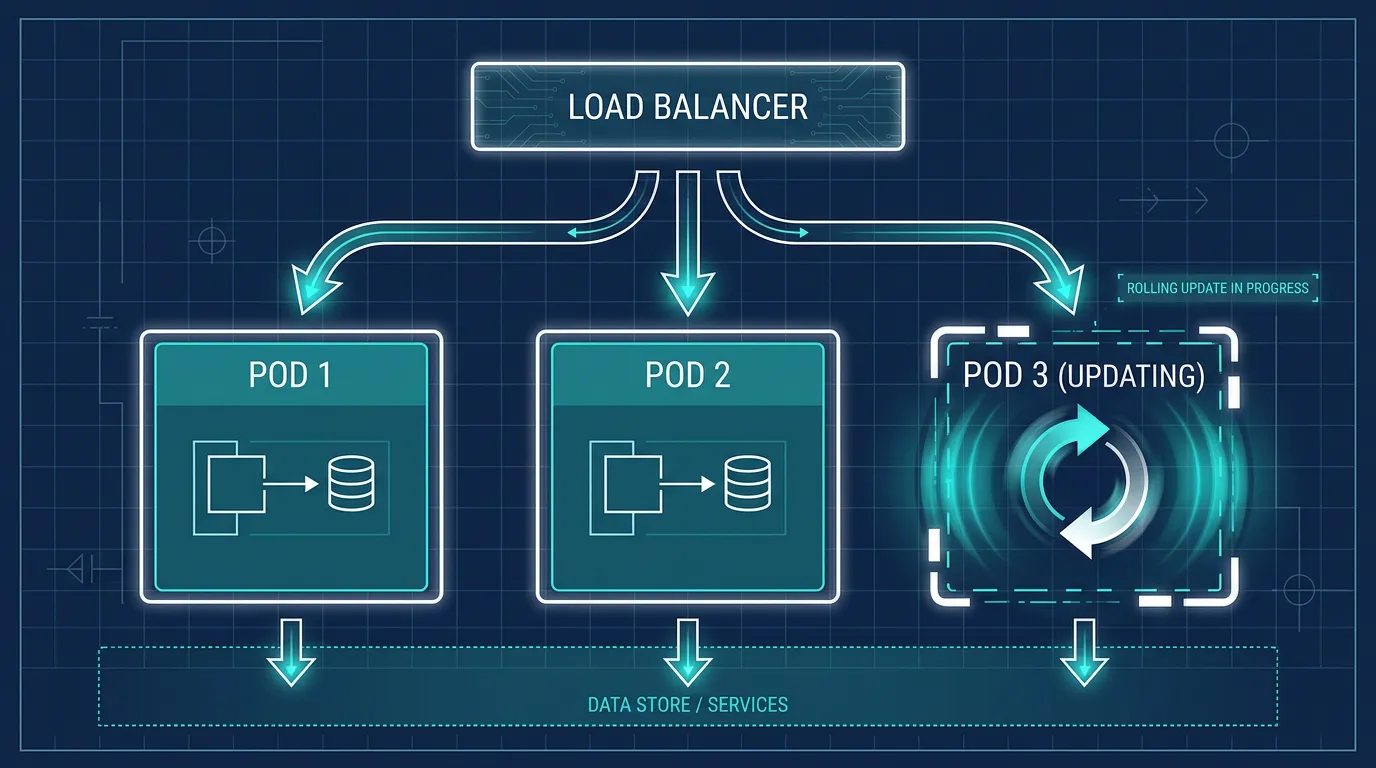
This is also where rolling updates, node drains, and pod disruption budgets interact in ways that aren't obvious from a single pod's perspective — how pod disruption budgets and node drains actually behave is worth reading if you're seeing pods stuck in Terminating or requests dropped specifically during node maintenance rather than during normal deploys.
Testing it before you rely on it
Don't assume the handler works — verify it under load:
hey -z 30s -c 20 http://your-service/api/health &   # generate load
kubectl delete pod <pod-name>                        # then force a pod restart
Watch the client-side error rate during the delete. Zero failed requests means your shutdown path is actually draining; any failures mean the force-exit timer is too short, or something in your handler chain isn't awaiting the right thing.
Where this fits once you're running more than one container
A single container with a shutdown handler solves the correctness problem. Once you're running several instances behind a load balancer — which is where most self-hosted Next.js setups end up once traffic grows past what one box can handle — you also need the orchestrator itself to behave predictably: rolling updates that wait for readiness, pod disruption budgets that stop too many instances draining at once, and health checks that report readiness accurately. That's less about your app code and more about the platform underneath it, and it's usually the point where teams either spend real time hand-tuning their own Kubernetes config, or reach for a managed layer that already has those defaults wired in. Kubo runs standard Kubernetes — not a proprietary flavor — so the preStop hooks, pod disruption budgets, and rollout settings you'd configure yourself behave the same way whether you're on a cloud cluster or on-prem hardware, with a workflow closer to Vercel's than to hand-rolled YAML.
If you're at that point, K3s production best practices covers the platform side of this — rollout strategy, resource limits, and the operational details that determine whether a deploy is invisible to users or a five-second blip in your error rate.
Summary
next startdoesn't drain in-flight requests onSIGTERM— add a custom server or a signal-forwarding wrapper- Stop accepting new connections first, let active ones finish, close external connections (DB, Redis, queues) last
- Set your internal force-exit timer shorter than the orchestrator's grace period, not equal to it
- On Kubernetes, add a short
preStopsleep to cover the gap betweenSIGTERMand endpoint removal - Test under real load with a pod delete, not just a manual
SIGTERMin a terminal
Getting this right once, at the container level, removes an entire class of flaky-deploy reports — and it's one less thing to debug when K3s production best practices becomes the next thing on your list.