
COLUMN
19/10/2026
Next.js Data Cache and Full Route Cache When You Self-Host: Why the Defaults Don't Work Without Vercel
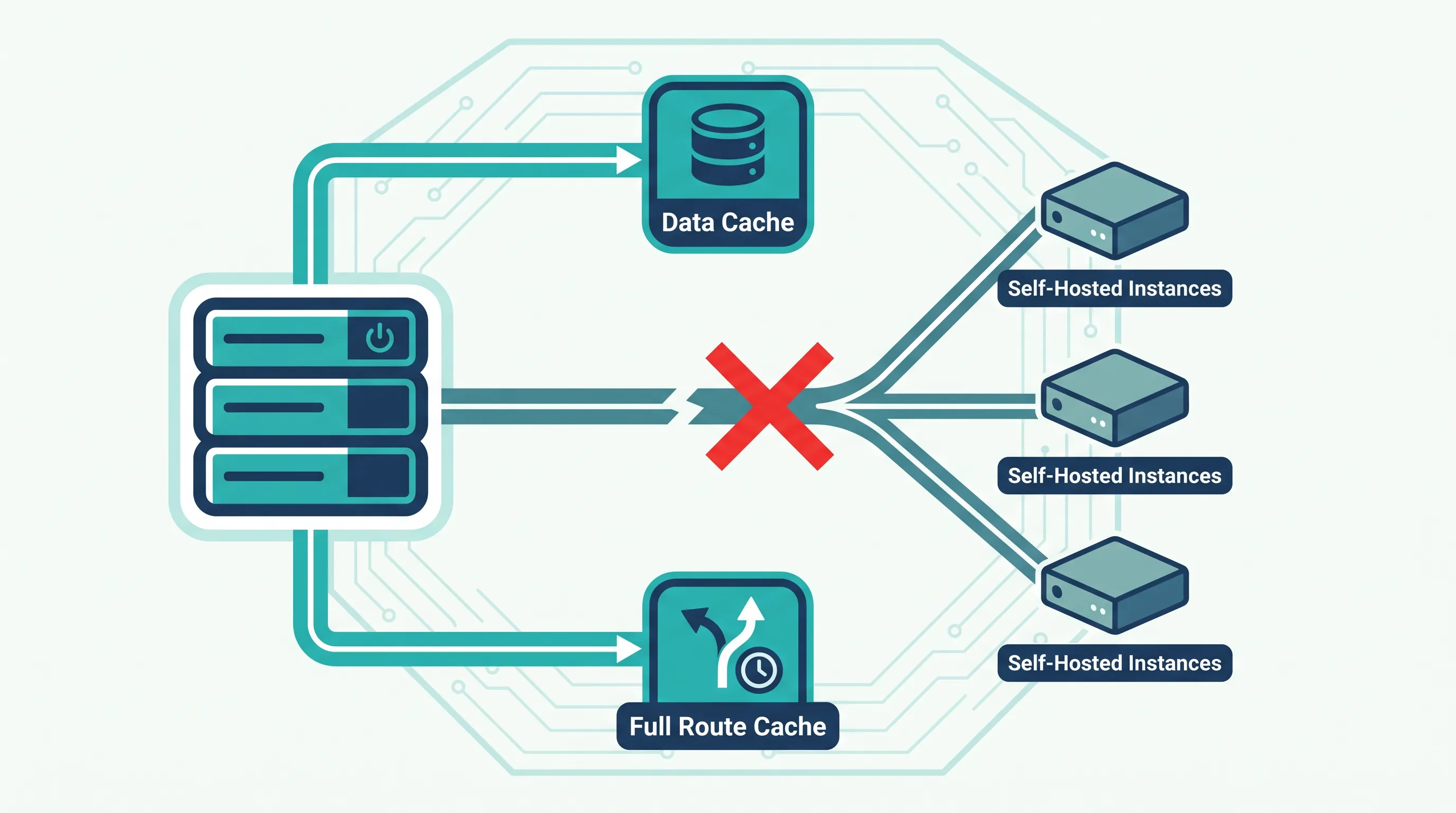
Next.js ships with two server-side caching layers that most teams never configure directly: the Data Cache and the Full Route Cache. On Vercel, both just work, because Vercel's infrastructure backs them with a shared, durable store behind the scenes. The moment you self-host — a single VM, a Docker Compose stack, or a handful of pods behind a load balancer — those same defaults start behaving differently, and the gap is almost never where teams expect it.
What the Data Cache and Full Route Cache actually store
Next.js's App Router has several caching mechanisms layered on top of each other, and it's worth separating them before touching any configuration:
- Request memoization — deduplicates identical
fetch()calls within a single render pass. It lives in memory for the lifetime of that one request and disappears afterward. This one needs no configuration and behaves the same everywhere. - Data Cache — persists the results of
fetch()calls across requests and deployments, so arevalidatevalue or anon-demandrevalidation can reuse previously fetched data instead of hitting your origin again. - Full Route Cache — stores the rendered output (HTML and the React Server Component payload) for statically rendered routes, so a repeat visit can be served without re-rendering.
- Router Cache — a client-side, in-browser cache of previously visited route segments. It doesn't touch your server at all, so self-hosting has no effect on it.
The two that matter for infrastructure decisions are the Data Cache and the Full Route Cache, because both default to a storage location tied to the process that's running Next.js. On Vercel, "the process" is an abstraction backed by shared infrastructure. On a self-hosted deployment, "the process" is whichever container happens to be running, which is where the assumptions start to break.
Where self-hosted deployments diverge from Vercel
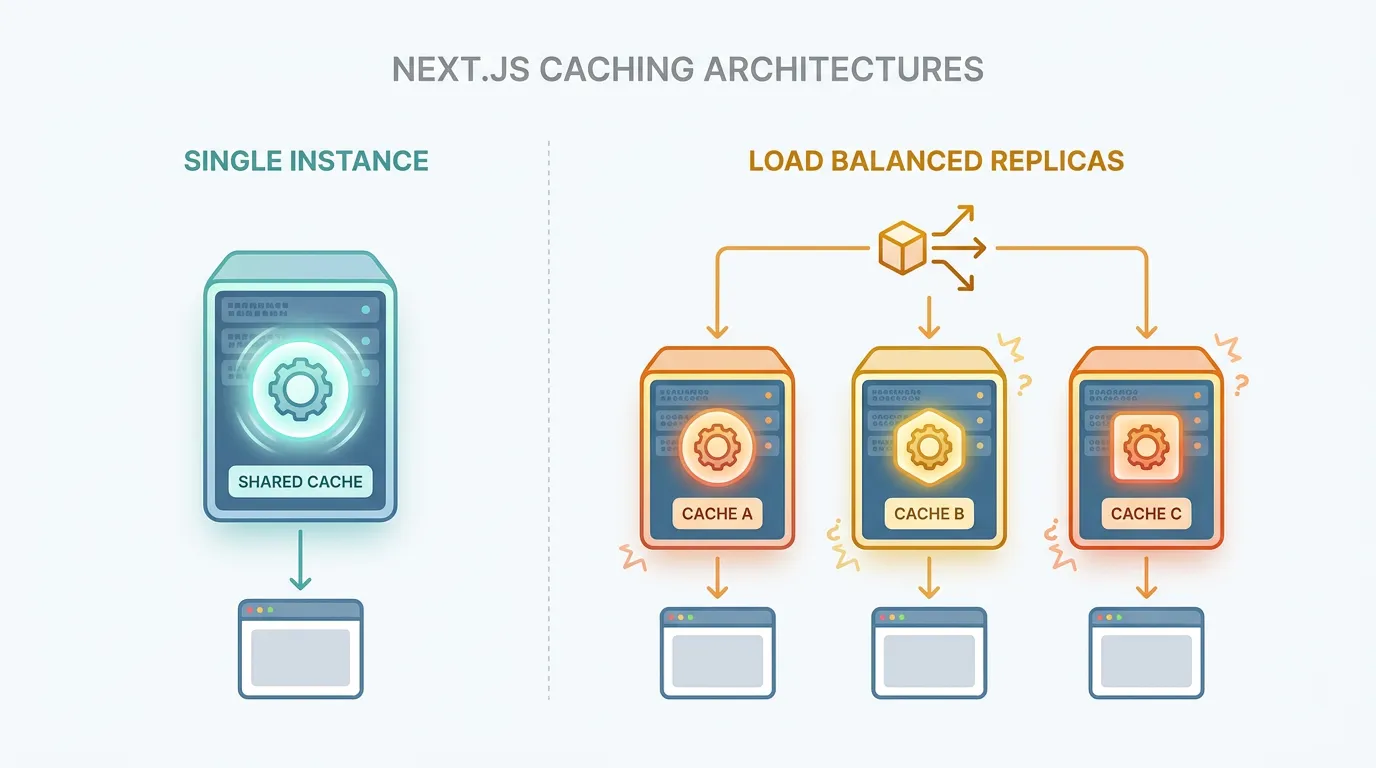
Run next start or the standalone output on a single instance, and the default cache behaves reasonably: it's stored on that instance's filesystem, and it survives for as long as the container does. The problems show up once you need more than one instance, which is the normal case for anything running in Kubernetes:
- Cache misses multiply with replica count. Each pod gets its own in-process cache. A page revalidated on pod A is still stale on pods B and C until they happen to render it themselves. Readers land on different cache states depending on which pod the load balancer picks.
- Deployments wipe the cache. A rolling update replaces containers, and the default cache goes with them. Every deploy effectively cold-starts your cache, which is especially painful if a deploy lands right before a traffic spike.
- On-demand revalidation doesn't fan out. Calling
revalidateTag()orrevalidatePath()only clears the cache on the instance that handled that specific request — the other replicas keep serving the old entry until their own cache entries expire naturally.
None of this is a bug. The default cache was never designed to be shared across processes; it's designed to be fast and local. The fix isn't to disable caching — it's to point it at a store all your instances can actually share.
The fix: a custom cache handler
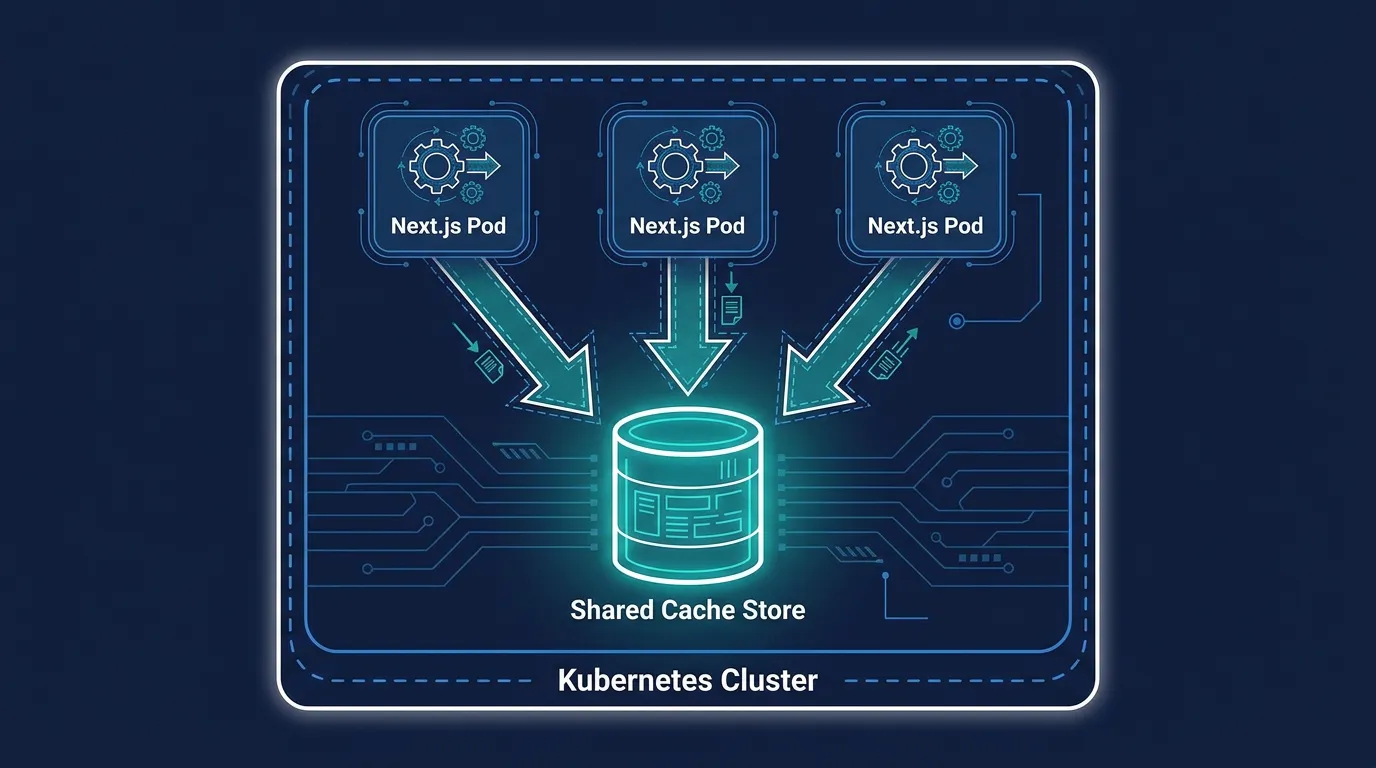
Next.js lets you replace the default cache implementation with your own via the cacheHandler option in next.config.js, documented as part of the App Router caching guide. Pointing it at something shared — Redis is the common choice — fixes all three problems above, because every replica now reads and writes the same store.
// next.config.js
module.exports = {
  cacheHandler: require.resolve('./cache-handler.js'),
  // Disable the default in-memory cache so nothing falls back to per-pod state
  cacheMaxMemorySize: 0,
}
A minimal handler implements three methods: get, set, and revalidateTag. This is the shape Next.js expects — not a guess, but the interface the framework itself calls into:
// cache-handler.js
const { createClient } = require('redis')

const client = createClient({ url: process.env.REDIS_URL })
client.connect()

module.exports = class CacheHandler {
  async get(key) {
    const data = await client.get(key)
    return data ? JSON.parse(data) : null
  }

  async set(key, data, ctx) {
    await client.set(key, JSON.stringify({ value: data, tags: ctx?.tags ?? [] }))
  }

  async revalidateTag(tag) {
    // Walk stored entries and drop anything tagged with `tag`.
    // A production handler typically keeps a tag -> key index in Redis
    // rather than scanning, to keep this fast at scale.
  }
}
With this in place, revalidateTag() calls and fetch() revalidation results are visible to every pod immediately, deploys no longer cold-start the cache (Redis lives outside the pod lifecycle), and you get one consistent cache state regardless of which replica answers a given request.
Where this starts to matter more than it looks
This is also where the cost of self-hosting shows up in a way that's easy to underestimate. Redis itself needs to run somewhere, needs memory sized for your cache's working set, and needs to survive node restarts without losing enough state to cause a stampede of cache misses hitting your origin at once. If your traffic has daily or weekly spikes — a product launch, a newsletter send, a Black Friday sale — a cache store that can't keep up becomes the bottleneck instead of your application code. Kubo runs standard Kubernetes underneath, so the same autoscaling and monitoring primitives you'd reach for on any K8s cluster apply directly: you're not learning a proprietary scaling model on top of learning a proprietary cache model.
Scaling the Redis-backed cache store and the Next.js pods together is a tuning problem, not a one-time setup step. Horizontal Pod Autoscaler and Vertical Pod Autoscaler cover different parts of it — HPA adds replicas when request volume climbs, VPA adjusts memory limits as your cache's working set grows — and getting the two to cooperate instead of fighting each other is covered in this autoscaling guide for HPA, VPA, and KEDA. Knowing which one of your pods — the Next.js server or the Redis cache — is actually under pressure also requires visibility you won't get from application logs alone; a guide to monitoring Kubernetes with Prometheus covers tracking cache hit rates and resource usage at the pod level, which is the first thing worth instrumenting before tuning anything else.
Testing that it actually works
Before trusting a custom cache handler in production, verify the behavior directly rather than assuming the config is enough. Hit the same route from two different pods and confirm they return the same cached response, not two independently-rendered versions:
kubectl exec -it deploy/nextjs-app -- curl -s http://localhost:3000/some-route | sha256sum
kubectl exec -it deploy/nextjs-app-2 -- curl -s http://localhost:3000/some-route | sha256sum
Then trigger revalidation from one pod and confirm the change is visible from the others, not just the pod that handled the request:
curl -X POST http://localhost:3000/api/revalidate?tag=products
If the two pods return different content after a revalidation call, the handler isn't wired up correctly — usually because cacheMaxMemorySize was left at its default and Next.js is still falling back to in-memory storage for anything the custom handler doesn't explicitly take over.
The decision in front of you
If you're still on a single instance, you can defer this — the default cache works fine until you need more than one replica. The moment you add a second pod for reliability or traffic, the Data Cache and Full Route Cache stop being an implementation detail and become a shared-infrastructure decision, the same way your database or session store already is. Treat it that way from the start, and a rolling deploy stops being an event that quietly resets what your users see.
Once you're running a shared cache store alongside your Next.js pods, the operational question shifts from "does caching work" to "can this scale without me watching it." That's worth planning around before it's forced on you: start with the Kubernetes autoscaling guide to see how HPA and VPA apply to a cache-backed deployment like this one.