
COLUMN
07/11/2026
Next.js Authentication Outside Vercel: Sessions, Cookies, and NextAuth.js When You Self-Host
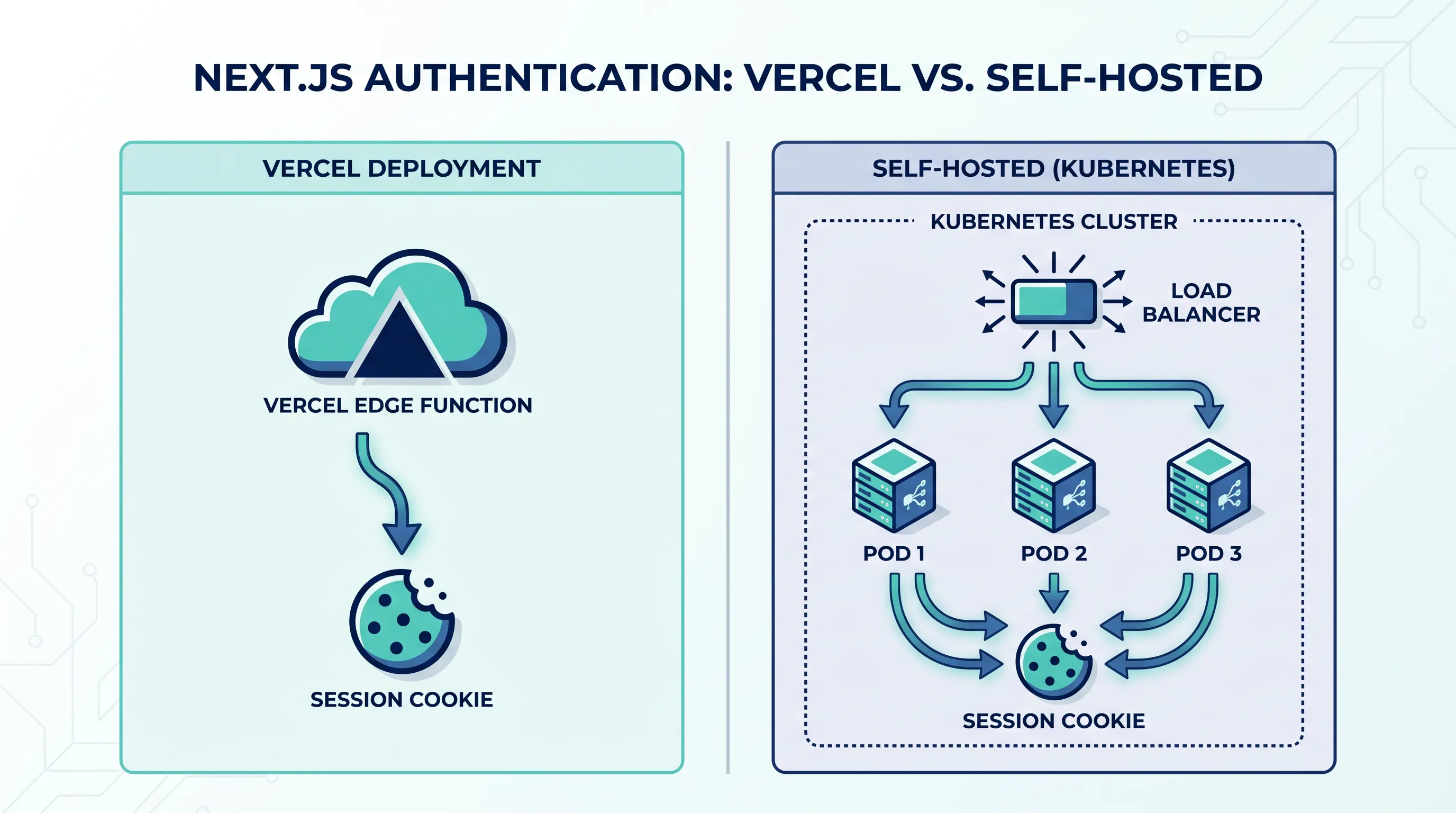
NextAuth.js (now Auth.js) is one of the easiest ways to add authentication to a Next.js app, and on Vercel it mostly just works. Deploy, set three environment variables, and sign-in is done. The trouble starts the moment you move that same app to your own servers or a Kubernetes cluster: sessions that "just worked" on Vercel start behaving differently, cookies get rejected, and a sign-in that succeeds in one request fails on the next. None of this means NextAuth.js is broken — it means the assumptions it quietly relied on (a single edge runtime, a known host, managed secrets) are no longer true once you self-host.
This is where most teams stall: the app is ready, but self-hosting means ingress, TLS certificates, and monitoring before a single feature ships.
Why auth looks easy on Vercel in the first place
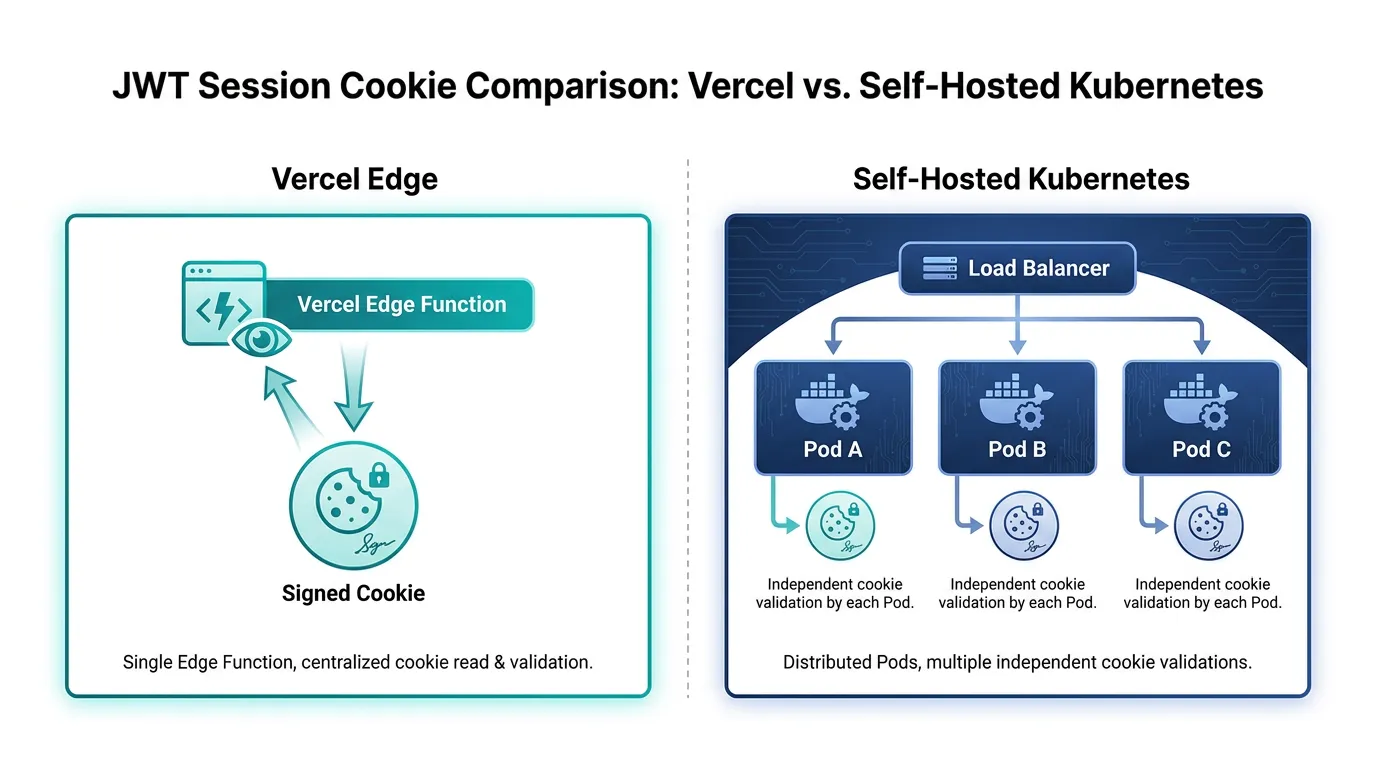
By default, NextAuth.js uses JSON Web Token (JWT) sessions: the session data is encrypted and signed, then stored entirely in a cookie. There's no database, no session store, and no server-side state to keep in sync — which is exactly why it feels effortless on a platform like Vercel, where every request can land on a different, stateless function instance anyway.
That design choice is also why JWT sessions survive the move to self-hosting better than people expect. If you keep the default strategy, horizontal scaling and multiple pods are not actually a problem, because there's nothing shared to keep consistent — the cookie carries everything. The parts that break are almost always configuration, not architecture: the app doesn't know its own public URL, or the proxy in front of it isn't passing the right headers.
The host and proxy headers problem
Auth.js needs to know the canonical URL of your app to validate callback URLs and build redirect links. On Vercel this is inferred automatically from the request. Behind your own reverse proxy or ingress controller, the library sees whatever the proxy forwards it — and if X-Forwarded-Host or X-Forwarded-Proto isn't set correctly, Auth.js will either refuse the request (UntrustedHost errors) or generate http:// redirect links behind a TLS-terminating load balancer.
Two things fix this in a self-hosted setup:
- Set
AUTH_TRUST_HOST=true(ortrustHost: truein the config) so Auth.js trusts the forwarded headers instead of demanding an exact match with its ownNEXTAUTH_URL. - Make sure your ingress or reverse proxy actually sets
X-Forwarded-ProtoandX-Forwarded-Hoston every request — not just the ones that hit the app's own routes. A health-check path that bypasses the proxy's header rewriting is a common way this silently breaks for a subset of traffic.
If you've already fought this exact header problem with Next.js itself behind nginx or Traefik, the fix for Auth.js is the same family of issue: the app has to be told, explicitly, what the outside world sees — because self-hosting removes the platform that used to tell it automatically.
Secrets have to be identical across every pod
AUTH_SECRET (the successor to NEXTAUTH_SECRET) signs and encrypts every session cookie. On Vercel, this is a project-level environment variable injected consistently into every invocation. Self-hosted, the same guarantee has to be engineered: if pod A and pod B are running with different values — because a deployment rolled only part of the fleet, or a secret was baked into one container image at build time instead of injected at runtime — users will get signed out unpredictably as their requests land on different pods.
The practical rule is to treat AUTH_SECRET and your OAuth provider's client secret as runtime configuration, not build-time configuration, and to inject them the same way into every replica from a single source of truth. This gets harder, not easier, as you add environments — staging and production need their own secrets and their own OAuth app registrations, and it's easy for that separation to blur once more than one person can deploy.
This is also where the infrastructure question stops being optional. Keeping staging and production secrets cleanly separated, and making sure every pod in a deployment actually receives the same values, is exactly the kind of plumbing a platform like Kubo is built to handle — standard Kubernetes namespaces and secret injection per environment, without you having to wire it by hand. If you're weighing how much of this to build yourself versus how much to get for free, it's worth reading how environment separation actually works in Kubernetes before you design your own.
When you move past JWT sessions
JWT sessions are stateless, but they have a real limitation: you can't revoke one early. If a user's account is compromised or an admin needs to force a sign-out, a JWT session keeps working until it expires on its own. That's why some teams switch to database sessions — Auth.js stores a session record (commonly in Postgres via an adapter, or Redis for speed) and checks it on every request, so revoking access is just deleting a row.
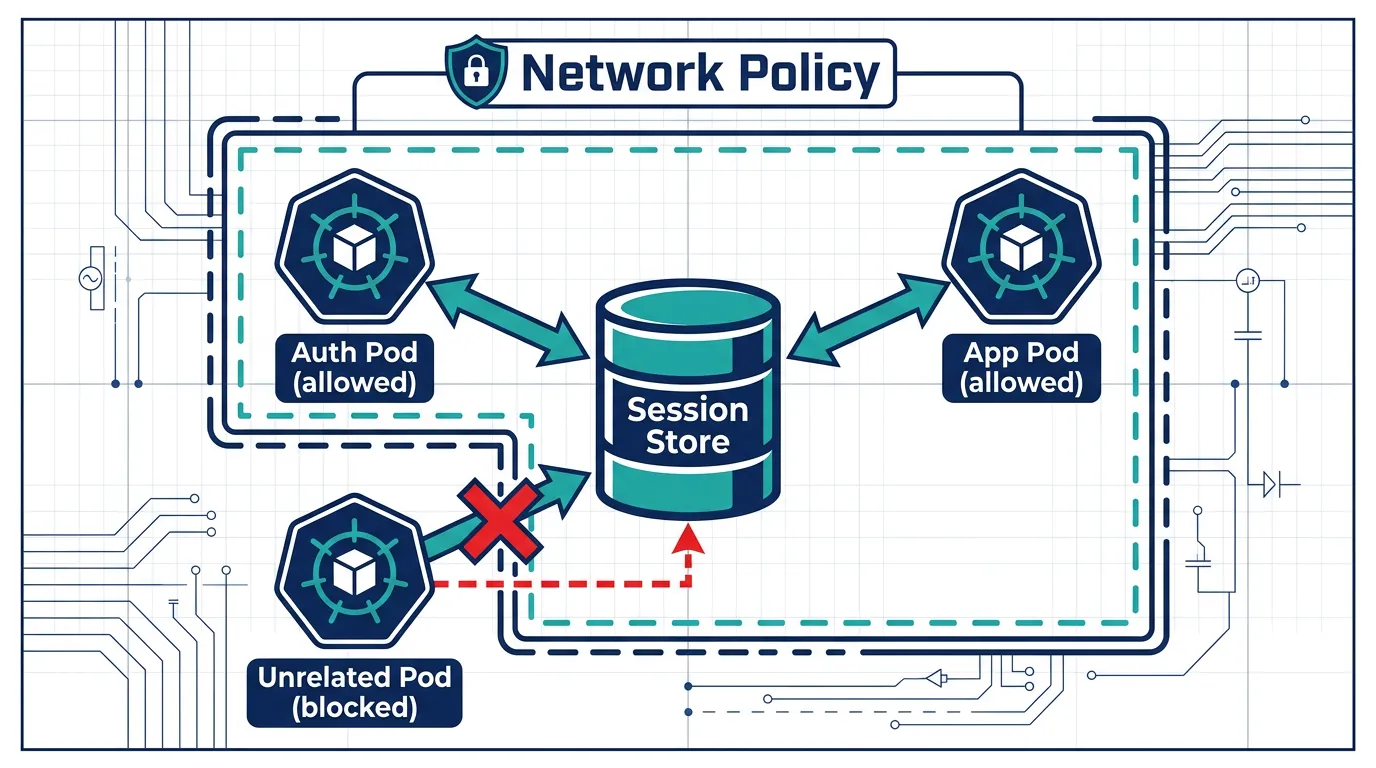
The trade-off is that you've now introduced a stateful dependency that every pod needs to reach, reliably and securely, on every request. A session store that's reachable from the public internet, or reachable from workloads that have no business talking to it, turns an authentication upgrade into a new attack surface. This is precisely the problem Kubernetes network policies exist to solve — restricting which pods can even open a connection to your session store in the first place, rather than relying on the store's own access control as the only line of defense. If you're adding a stateful auth backend to a cluster that doesn't already enforce this, a practical guide to zero-trust network policies is a reasonable next stop before you wire it up.
Cookies, domains, and secure flags behind a proxy
A few smaller issues show up consistently once auth cookies cross a reverse proxy boundary:
- The
securecookie flag requires HTTPS as the browser sees it, not as your app sees it. If TLS terminates at your ingress and traffic reaches the Next.js pod over plain HTTP internally, that's fine — but the app still needs to believe the connection is secure (again, via trusted forwarded headers), or browsers will refuse to send the cookie back. - Cookie domain matters if you run multiple subdomains. A session cookie scoped to
app.example.comwon't be sent toapi.example.comunless you deliberately widen the domain, which has its own security trade-offs. sameSitesettings interact with OAuth redirects. If your sign-in flow bounces through a third-party provider and back, an overly strictsameSitesetting can drop the session cookie on the return trip, and the failure looks like "sign-in redirects back to the login page for no reason."
None of these are Kubernetes- or Kubo-specific — they're the same category of proxy-boundary issue that shows up anywhere you put a load balancer in front of a Next.js app. The difference is that on Vercel, the platform's own edge network makes these decisions for you; self-hosted, they become decisions you have to make explicitly, once, and get right everywhere.
What to check before you ship self-hosted auth
A short list that covers most of what's above:
AUTH_TRUST_HOSTis set, and your proxy forwardsX-Forwarded-Proto/X-Forwarded-Hoston every path, including health checks.AUTH_SECRETand OAuth client secrets are runtime environment variables injected identically into every pod — never baked into an image.- Staging and production have separate secrets and separate OAuth app registrations.
- If you've moved to database or Redis-backed sessions, the session store only accepts connections from the pods that need it.
- Cookie
secure, domain, andsameSitesettings match how traffic actually reaches the browser, not how it reaches the container.
Where this leads
Authentication rarely breaks all at once when you self-host Next.js — it breaks one header, one secret mismatch, or one dropped cookie at a time, usually right after a deploy. Most of the fixes above are configuration, not code, which is also why they're easy to get wrong under time pressure.
If you're already running Kubernetes and want the autoscaling side of this sorted out at the same time — specifically, what happens to session-adjacent state like in-memory rate limits when pods scale up and down — the HPA, VPA, and KEDA autoscaling guide covers how to tune pod scaling without assuming anything is shared between replicas that shouldn't be.