
COLUMN
27/11/2026
Next.js revalidateTag() Only Hits One Pod: Fixing Multi-Instance Cache Drift in Production
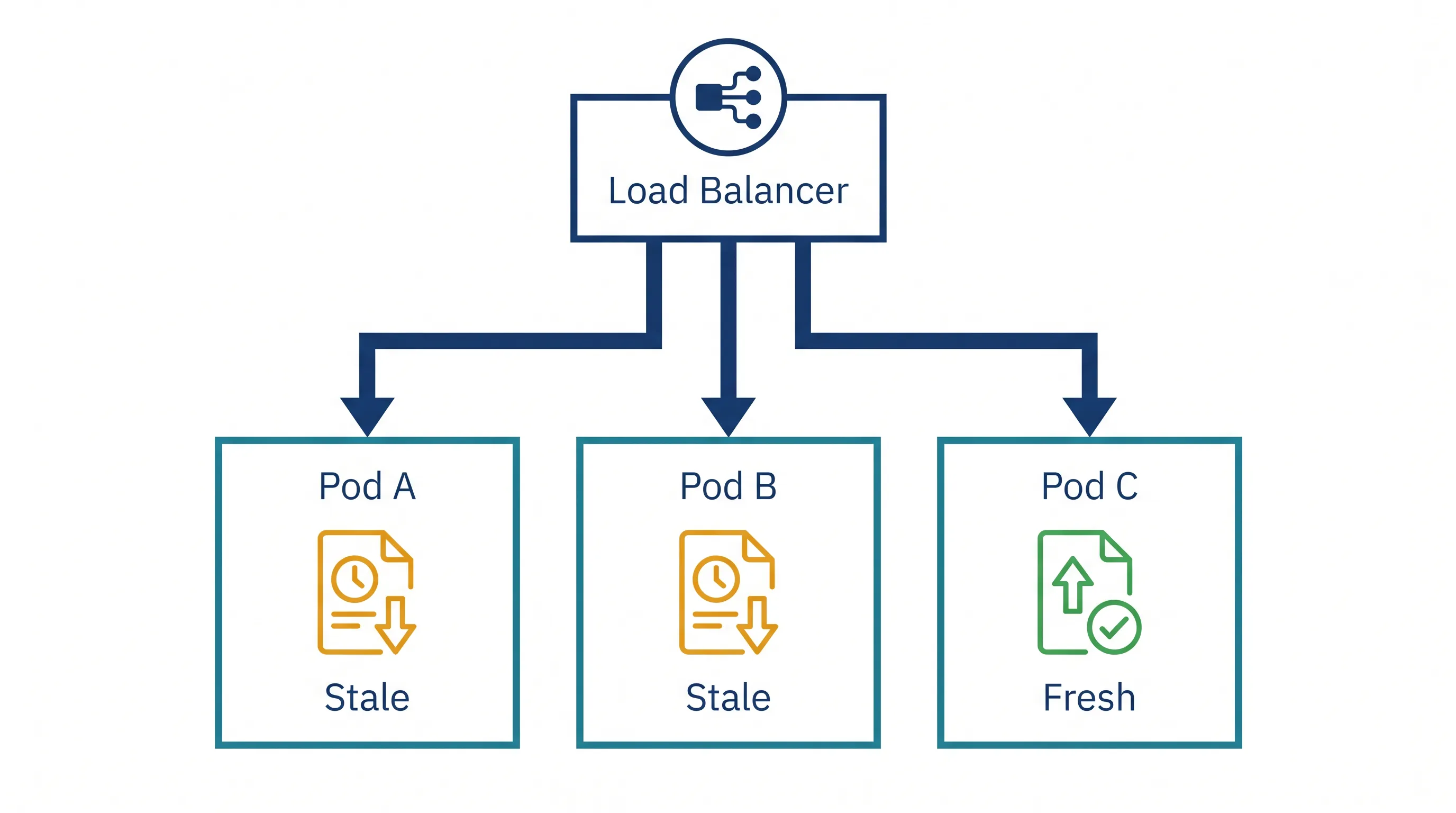
Scale a Next.js app past a single container, and revalidateTag() quietly stops doing what the docs lead you to expect. You call it, the response looks right in your terminal, and then a teammate loads the same page from a different pod and gets the stale version. Nothing errors. Nothing logs a warning. It just serves two different realities depending on which instance the load balancer happened to route you to.
This is one of the first things that breaks when you move a Next.js app off a single Vercel-style deployment and onto your own containers — especially on Kubernetes or K3s, where "more than one replica" is the default, not an edge case.
Why one instance updates and the others don't
Next.js caches rendered pages, fetch results, and route segments using its built-in cache. By default, that cache lives in memory (capped around 50MB) and spills to local disk. That's the whole story for a single next start process with a persistent disk — revalidation just works, because there's only one copy of the cache to invalidate.
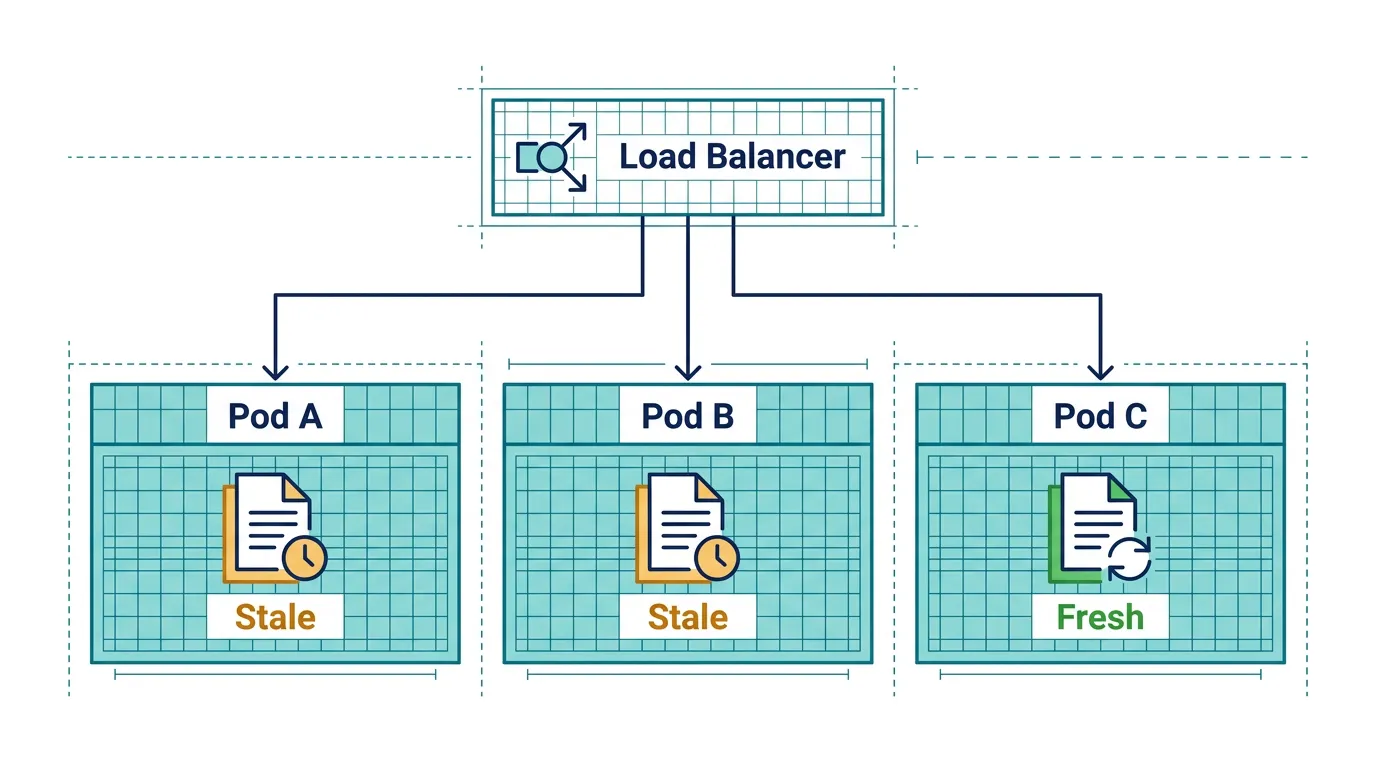
The moment you run more than one instance — multiple containers behind a load balancer, which is exactly what a Kubernetes Deployment with replicas: 3 gives you — each pod gets its own independent copy of that cache. There's no built-in mechanism syncing them. So when revalidateTag() runs inside a request handled by pod A, it updates pod A's in-memory state and nothing else. Pods B and C never hear about it. They keep serving whatever they last rendered until their own cache entries happen to expire on their own schedule.
This isn't a bug you're triggering by accident — Next.js's own self-hosting documentation says this directly: by default, calling revalidateTag() on one instance only invalidates the cache on that instance, and other instances continue serving stale content until they independently discover the change. If you've containerized a Next.js app and put it behind a Kubernetes Service, you've already opted into this problem whether or not you've hit it yet.
The fix has two parts, and skipping either one still leaves you stale
The instinctive fix is "point the cache at Redis instead of memory," and that's necessary — but it's not sufficient on its own. There are two separate problems to solve, and a lot of setups only solve the first one.
Part 1: a shared store for the cached content itself. You configure a custom cache handler in next.config.js so all instances read and write the same backing store instead of their own local memory:
// next.config.js
module.exports = {
  cacheHandler: require.resolve('./cache-handler.js'),
  cacheMaxMemorySize: 0, // disable the default in-memory cache
}
Your handler implements get, set, and revalidateTag against Redis (or another store every pod can reach). A few details matter more than they look like they should:
- Serialize everything. Cache entries can contain values like
BufferandMapthatJSON.stringify/JSON.parsesilently can't round-trip. Skip this and you get cryptic failures likesegmentData.get is not a functionon client-side navigation, not a clean error pointing at the cause. - Bound the store. Nothing deletes old entries for you. Use a TTL or size-based eviction, or Redis quietly becomes an ever-growing dump of pages nobody requests anymore.
- Index by tag. Cache entries carry their tags in the
x-next-cache-tagsresponse header for page/route entries, and inctx.tagsforfetchcalls. Your handler needs that index so a singlerevalidateTag()call can find every entry carrying that tag, across every pod's writes — not just the ones the current instance happens to know about.
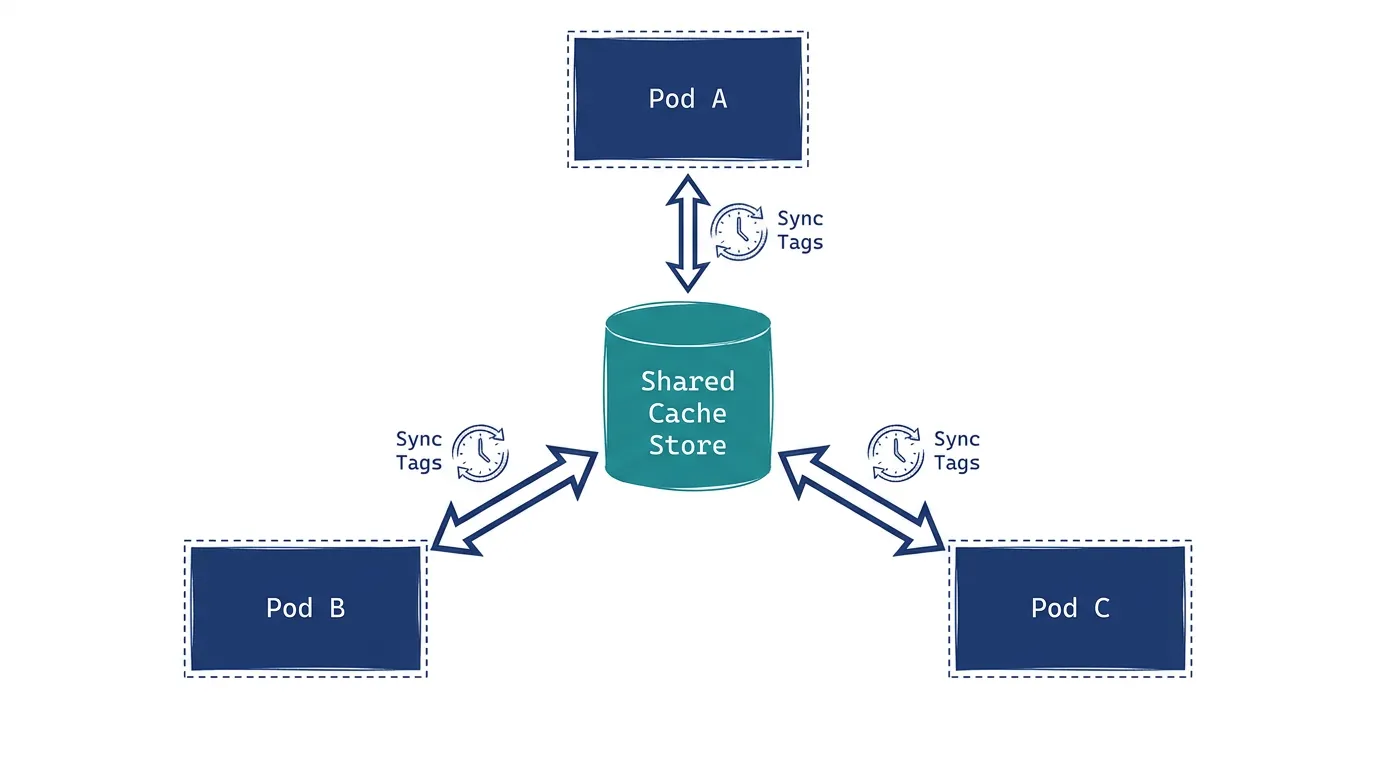
Part 2: coordinating the tag invalidation itself, separately from the stored values. This is the part that gets skipped. Even with Redis holding your rendered pages, each pod still tracks which tags have been invalidated locally unless you wire that up too. Next.js's cache handler interface has a method for exactly this:
// A custom cache handler also implements this
async refreshTags() {
  // Called once per request, before the first cache read.
  // Pull recent invalidation events from shared storage (e.g. Redis)
  // so this pod learns about tags another pod invalidated.
}
refreshTags() runs before a pod serves anything from its own store, specifically so it can catch up on invalidations other pods have made. Pair it with updateTags(), which is what actually records an invalidation when revalidateTag() fires — writing the tag and a timestamp somewhere every pod can read, typically a Redis set plus a per-tag key. Without this half, you can end up in a confusing middle state: the content is shared correctly, but staleness isn't, so pods keep serving entries they haven't yet been told are invalid.
Two more things that bite you at the same moment
Once you're running multiple replicas of a Next.js app, two related issues tend to surface around the same time as the cache problem, because they're all symptoms of the same root cause: nothing about a container orchestrator automatically makes separate processes agree with each other.
Server Actions need a shared encryption key. Next.js encrypts Server Function closure variables, and by default generates a unique key per build. If your pods were built as separate images (or even the same image but the key wasn't pinned), one pod can't decrypt a Server Action payload that originated from another, and you'll see "Failed to find Server Action" errors that look intermittent because they depend on which pod handled which request. Fix it by setting a consistent key at build time:
NEXT_SERVER_ACTIONS_ENCRYPTION_KEY=your-generated-key next build
Rolling deploys need a deployment ID. During a rolling update, old and new pods are serving traffic side by side for a while. A client that loaded the page from an old pod can end up requesting a JavaScript chunk that a new pod no longer has, or invoking a Server Action ID the new pod doesn't recognize. Setting deploymentId in next.config.js lets Next.js detect that mismatch and force a full page reload instead of a broken client-side navigation — turning a silent failure into a clean recovery.
None of this is unique to Kubernetes, but Kubernetes is where you run into it fastest, because it defaults to multiple replicas and rolling updates from day one.
Where this fits into your infrastructure decision
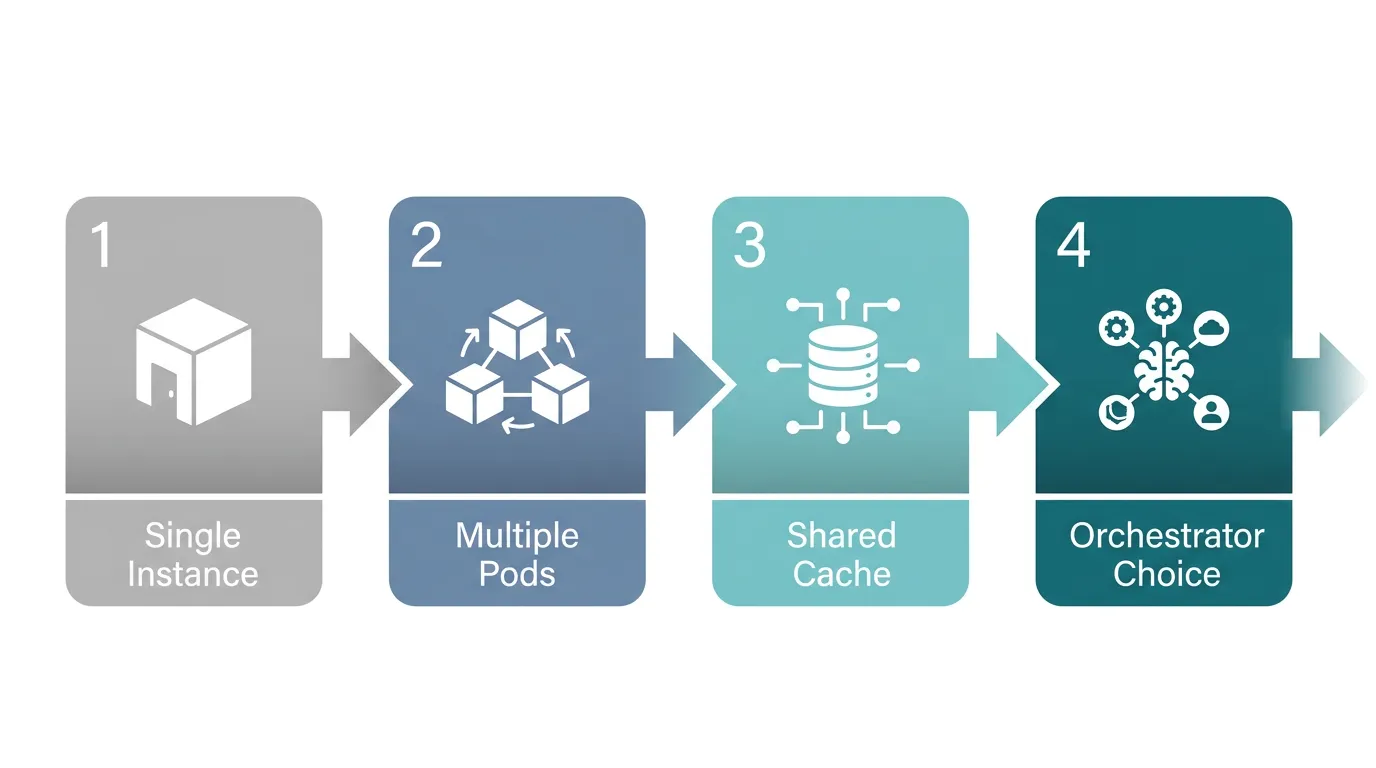
If you're deciding how to run those replicas in the first place, the cache-coordination work above is the same regardless of whether you pick a full Kubernetes distribution or something lighter — but the operational overhead of wiring up a shared Redis instance, managing its credentials, and keeping it available is exactly the kind of plumbing that differs a lot between a minimal setup and a managed one. If you haven't settled on an orchestrator yet, comparing K3s to full Kubernetes is worth doing before you commit, since the answer changes how much of this infrastructure you're maintaining yourself versus getting out of the box.
Deploying the containers themselves is the other half of the puzzle — once your Next.js image is built with a pinned encryption key and a deploymentId, automating the rollout through a CI/CD pipeline keeps rolling updates consistent instead of ad hoc.
And if you do run Redis as a stateful workload inside the same cluster rather than as a managed external service, it needs persistent storage that survives pod restarts — which is its own decision worth getting right rather than defaulting to whatever your cluster shipped with.
The short version
A single Next.js instance makes cache invalidation feel simple, and that simplicity disappears the moment you add a second replica. revalidateTag() still works exactly as documented — it's just scoped to the pod that called it unless you've built a shared cache handler with distributed tag coordination (refreshTags(), updateTags(), and a store every instance can reach). Build that in before you scale out, not after a teammate opens a stale page and files a confusing bug report.
This is exactly the kind of cross-pod coordination problem Kubo is built around — standard Kubernetes underneath, with less of the plumbing left for you to wire up yourself. If you're already running, or about to run, your Next.js containers across more than one node, see how K3s compares to full Kubernetes before you lock in a setup you'll have to coordinate by hand.