
COLUMN
05/11/2026
Next.js API Routes and CORS in Production: Why It Works on localhost and Breaks When You Self-Host
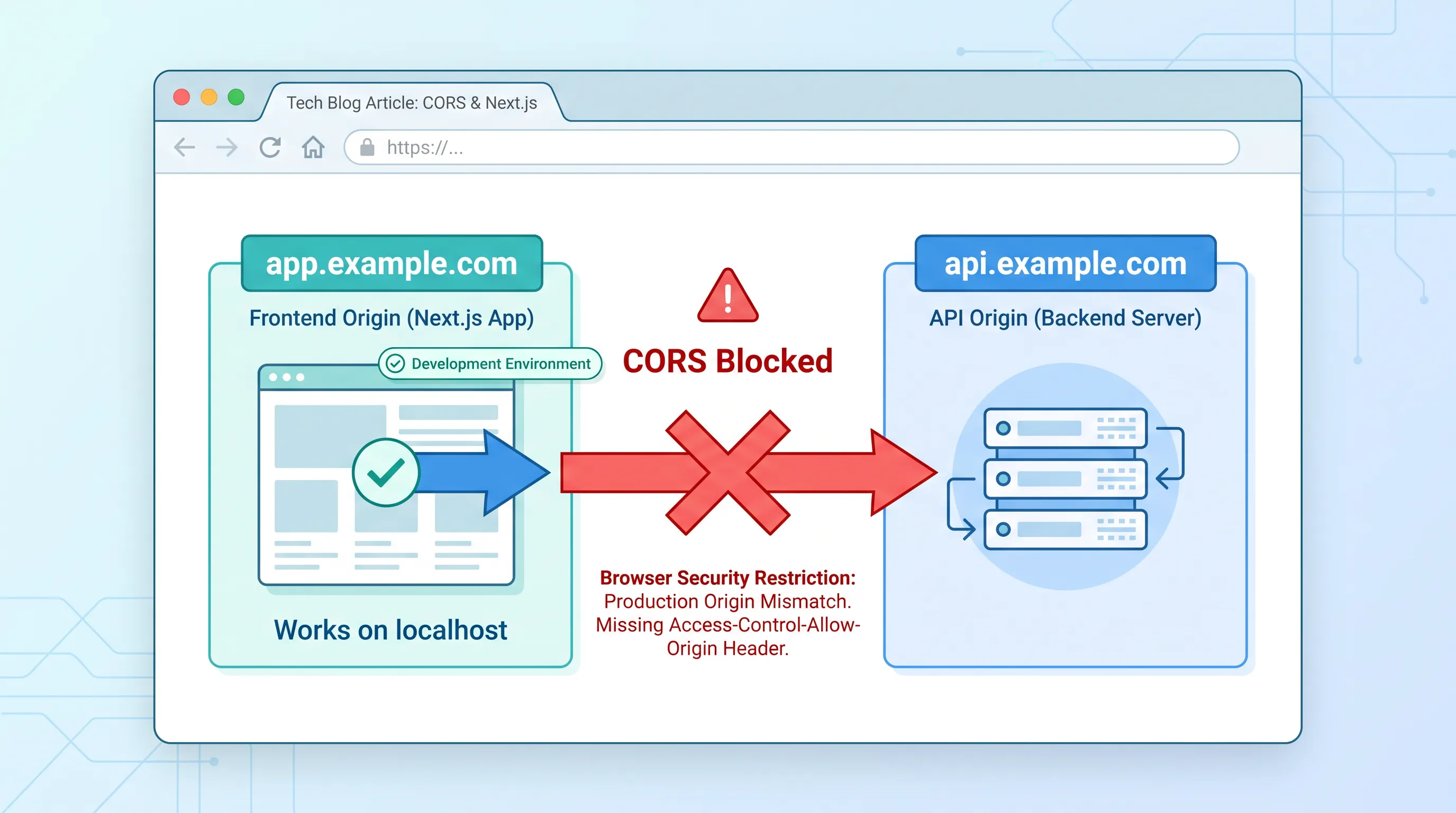
You open the browser console after deploying, and there it is: Access to fetch at 'https://api.example.com/users' from origin 'https://app.example.com' has been blocked by CORS policy. It worked an hour ago on localhost. That's the gap this guide closes.
CORS errors on Next.js are one of the most common "it worked in dev" surprises teams hit the first time they self-host. The root cause almost never changes — it's always about origins quietly becoming different ones — but the fix depends on how your API actually gets deployed.
Why localhost never has this problem
next dev serves your pages and your Route Handlers (or API Routes in the Pages Router) from the same process, on the same host and port. A fetch('/api/users') call from a client component and the handler that answers it share an origin — scheme, host, and port all match — so the browser's same-origin policy never gets involved. There's nothing to configure because there's nothing cross-origin happening.
Vercel's production setup preserves this by default: your app and its API routes are typically served from the same domain, so the same-origin guarantee from next dev carries straight through to production.
Why self-hosting breaks it
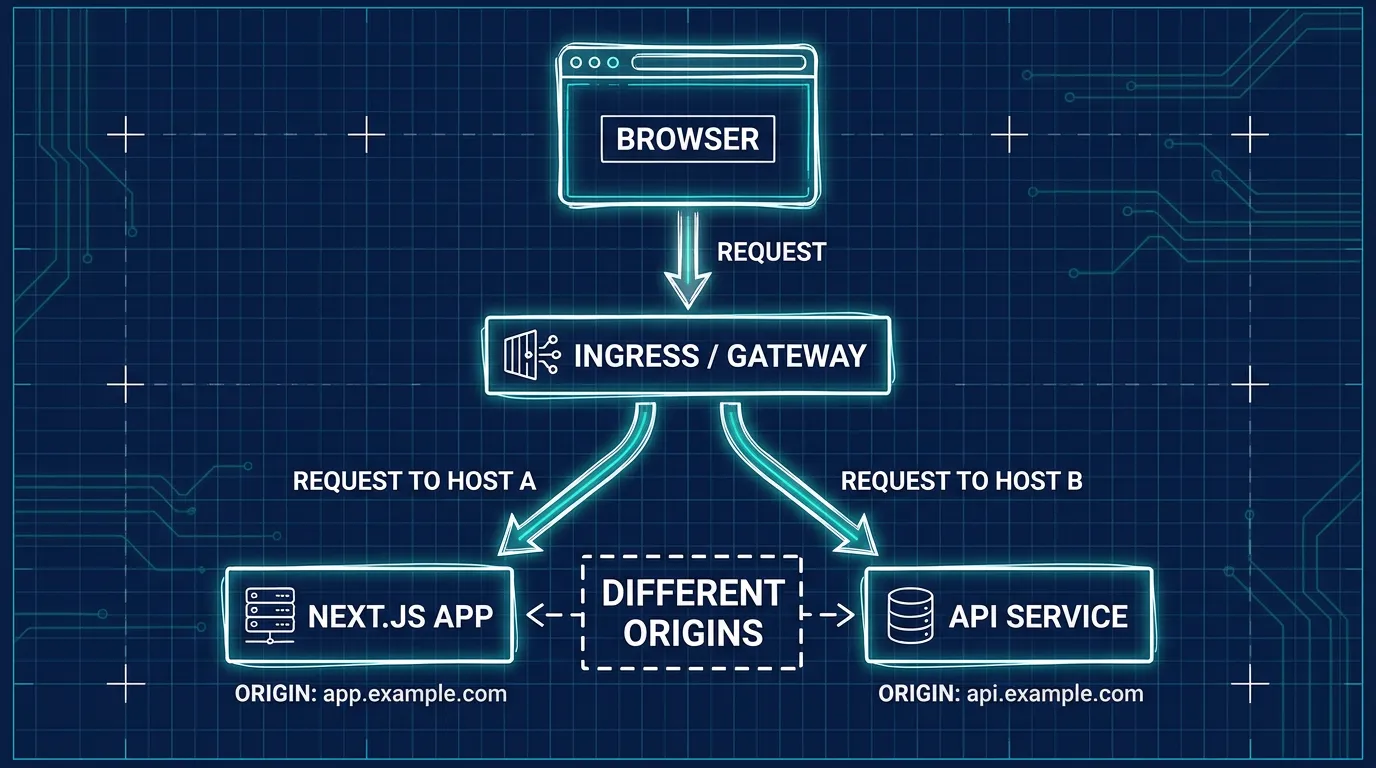
The moment you self-host, that guarantee stops being automatic. A few common setups quietly introduce a second origin:
- A separate API service. If your backend is a standalone service (Express, FastAPI, a different Next.js instance) running as its own pod with its own Service and Ingress host, it's a different origin the instant it gets its own subdomain —
api.example.comversusapp.example.com. - A frontend-only deployment calling an external API. Static or standalone-output Next.js apps that call a backend hosted elsewhere never had same-origin to begin with; it just wasn't visible until you pointed the frontend at a real production API URL instead of a local one.
- Preview or staging environments on generated hostnames. Per-branch preview URLs (
pr-142.staging.example.com) calling a shared staging API (api-staging.example.com) hit the exact same issue, just intermittently — which makes it harder to diagnose because it "works" on the main branch.
In every case, the browser is doing exactly what it's supposed to: blocking a cross-origin response because the server didn't explicitly say it's allowed.
The fix: tell the browser the origin is allowed
CORS is enforced by the browser, but it's the server's response headers that control it. Next.js Route Handlers can set these directly:
// app/api/users/route.ts
const ALLOWED_ORIGIN = process.env.ALLOWED_ORIGIN ?? 'https://app.example.com'

export async function GET(request: Request) {
  const data = await getUsers()
  return Response.json(data, {
    headers: {
      'Access-Control-Allow-Origin': ALLOWED_ORIGIN,
      'Vary': 'Origin',
    },
  })
}

// Preflight requests (sent automatically for non-simple methods/headers)
export async function OPTIONS() {
  return new Response(null, {
    status: 204,
    headers: {
      'Access-Control-Allow-Origin': ALLOWED_ORIGIN,
      'Access-Control-Allow-Methods': 'GET, POST, PUT, DELETE, OPTIONS',
      'Access-Control-Allow-Headers': 'Content-Type, Authorization',
    },
  })
}
A few details that catch people out in production specifically:
Access-Control-Allow-Origin: *and credentials don't mix. If your requests send cookies orAuthorizationheaders (credentials: 'include'), the wildcard is rejected outright — you must echo back a specific, validated origin, plusAccess-Control-Allow-Credentials: true.- Preflight (
OPTIONS) requests need their own handler. Any request with a non-simple method (PUT,DELETE) or custom headers triggers a preflight first. If your Route Handler only exportsGETandPOST, the browser'sOPTIONSrequest has nowhere to land and fails before your real handler ever runs. Vary: Originmatters if you're behind a cache or CDN. Without it, a cached response generated for one origin can be served to a different one, either leaking a CORS header that shouldn't apply or silently breaking a different caller.
If you're centralizing this instead of repeating it per route, next.config.js headers can apply CORS headers by path pattern — useful when you have many Route Handlers under /api/* that all need the same policy.
The other fix: remove the cross-origin request entirely
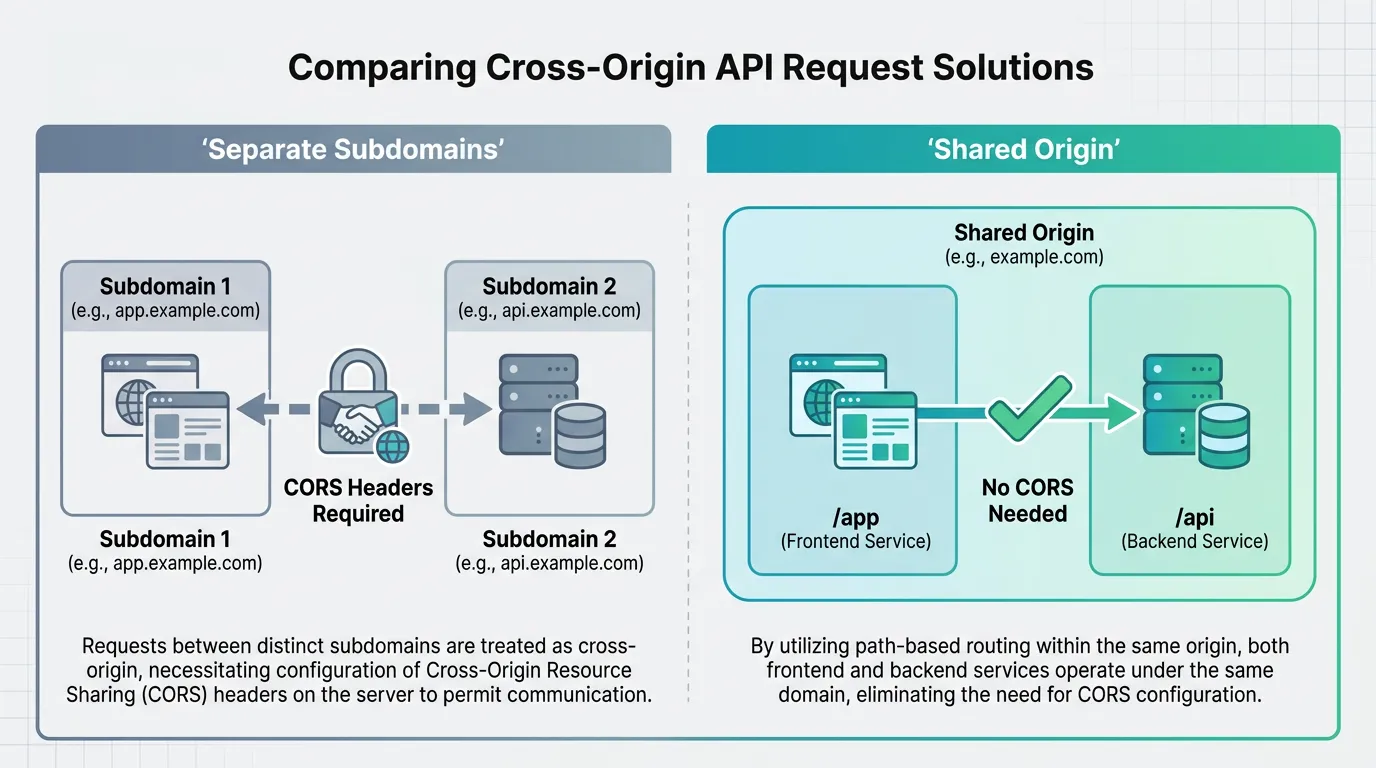
Setting headers correctly works, but it's not the only option, and for an internal API that only your own frontend calls, it's often not the best one. If your Ingress or reverse proxy can route by path instead of by subdomain, you can make the API and the frontend share an origin the same way next dev does:
This Ingress routes /api to the backend Service and everything else to Next.js — both served from app.example.com, so there is no cross-origin request at all:
- path: /api
  pathType: Prefix
  backend:
    service:
      name: api-service
      port: { number: 8080 }
- path: /
  pathType: Prefix
  backend:
    service:
      name: nextjs-service
      port: { number: 3000 }
This is usually the better fix when the API has no other callers: there's no CORS policy to maintain, no preflight overhead on every non-simple request, and no origin allowlist to keep in sync across environments. It only stops working once a second consumer — a mobile app, a partner integration, a genuinely separate frontend — needs to call the same API from a different origin, at which point you're back to configuring CORS headers properly for that caller.
Getting the routing layer right
Whichever direction you take, the decision point is the same: it's made at your Ingress or gateway, not inside Next.js. That's also usually where teams discover they're fighting their ingress controller's own limits — classic Ingress objects don't support rewriting a public path onto two different backend services as flexibly as the newer Gateway API does, which has pushed several teams who hit exactly this cross-origin routing question to reconsider how their Ingress layer handles multi-service routing rather than patching around it with more CORS headers.
It also helps to have a clear picture of how container networking actually connects services before deciding between the two fixes above — same-origin routing and explicit CORS headers solve the same symptom at different layers, and which one is less work depends entirely on how many services are already talking to each other behind your Ingress.
This is where standard Kubo comes in if you're assembling this routing layer from scratch: it's standard Kubernetes underneath, so Ingress and Gateway API configuration work exactly like any other K8s cluster — no proprietary routing rules to learn, and no rewrite needed if you later add Gateway API resources alongside what you already have.
Takeaways
- CORS errors on self-hosted Next.js almost always mean the frontend and API ended up on different origins — a separate subdomain, a standalone backend, or a generated preview hostname
- Route Handlers can set
Access-Control-Allow-Originand handleOPTIONSpreflight requests directly; rememberVary: Originif a cache or CDN sits in front Access-Control-Allow-Origin: *cannot be combined with credentialed requests — echo back a specific, validated origin instead- For an internal API with one caller, routing both through the same Ingress host removes the cross-origin request entirely, which is often simpler than maintaining a CORS policy
- If you're hitting this because your Ingress can't route a path to two backends the way you need, that's usually an Ingress-layer limitation worth solving directly, not something to patch around with more headers