
COLUMN
06/11/2026
Website Caching Without Vercel: Self-Hosting a CDN and Cache Layer for Next.js
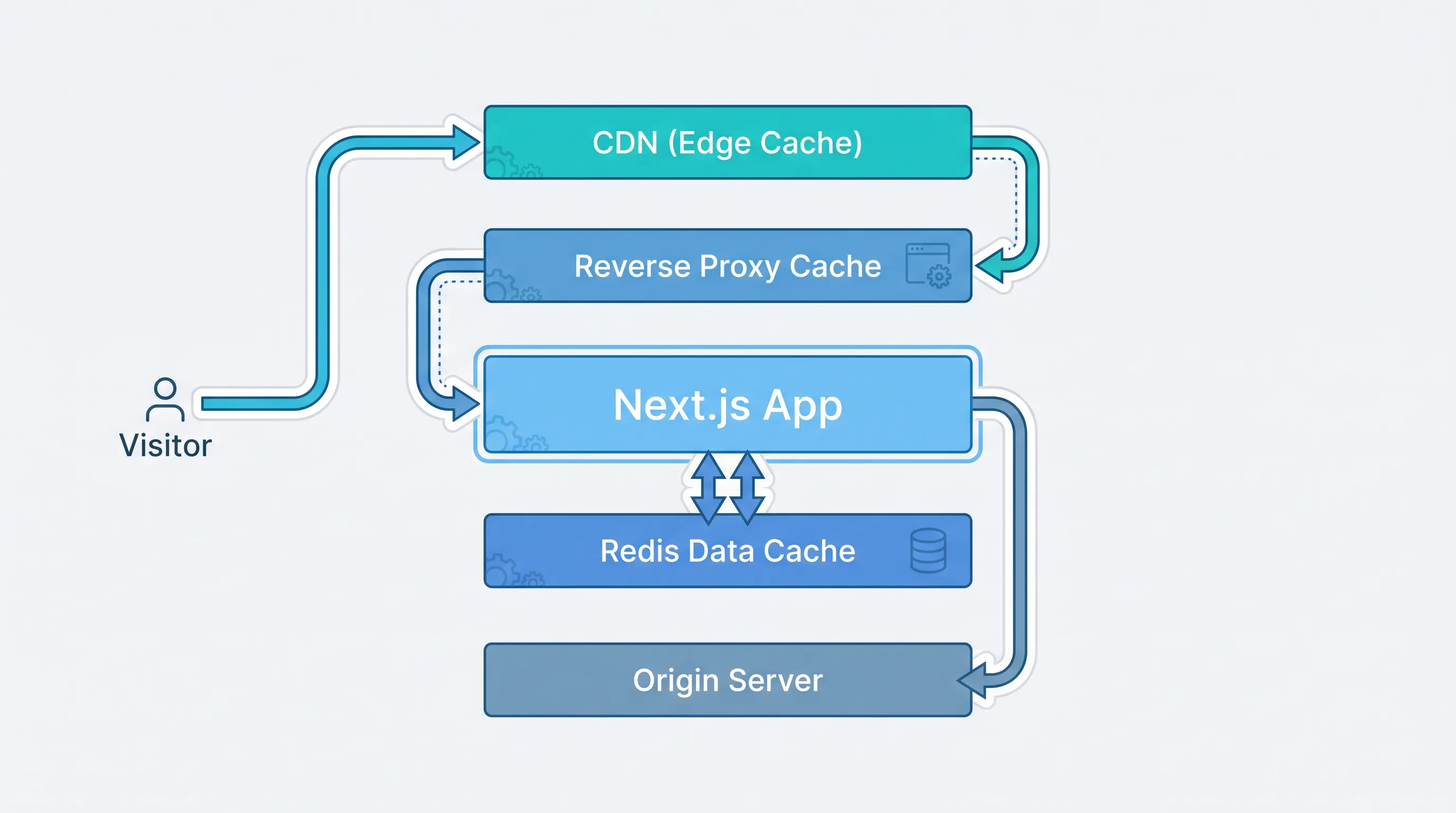
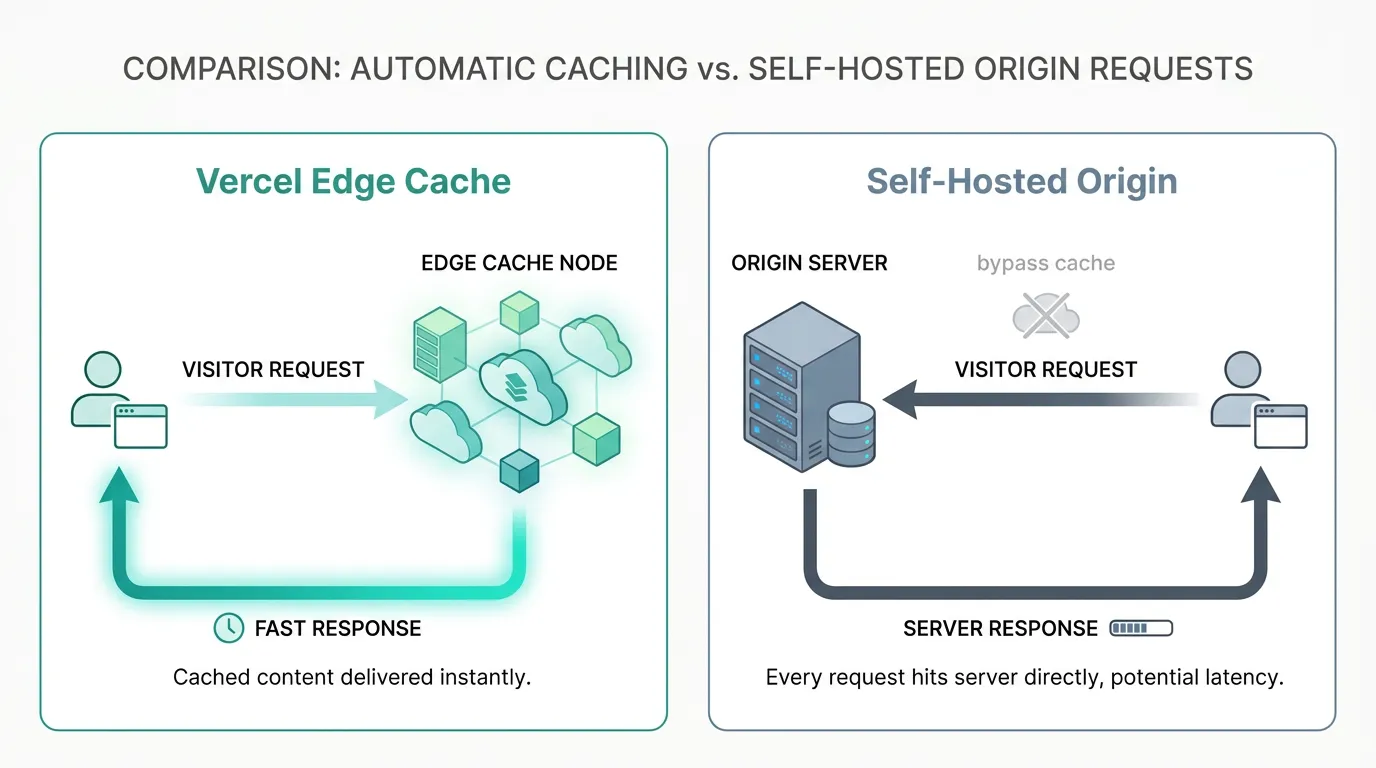
Vercel's edge network does a lot of invisible work. Static assets, ISR pages, and fetch responses get cached close to the visitor automatically, and most teams never think about it — until they move the app off Vercel and the caching disappears along with the platform. The app still runs, but every request now round-trips to a single origin server, and pages that used to feel instant start to drag.
This isn't a Next.js bug. It's a gap in the self-hosting checklist that rarely gets attention until traffic exposes it. This guide covers what Vercel's cache layer was actually doing, and how to rebuild the pieces you need — CDN, reverse proxy cache, and application-level cache — once you're running your own infrastructure.
What Vercel's Cache Was Actually Doing
Three distinct layers disappear when you leave Vercel, and conflating them is why self-hosted caching setups often miss half the problem:
- CDN / edge cache — static assets (
_next/static, images, fonts) served from edge locations instead of your origin. - ISR and Full Route Cache — pre-rendered HTML for static and incrementally revalidated pages, stored and served without re-running React on every request.
- Data Cache — the result of
fetch()calls inside Server Components, deduplicated and reused across requests until revalidated.
On Vercel, all three are managed infrastructure. Self-hosted, Next.js's Data Cache and Full Route Cache default to in-memory storage per server instance, which doesn't survive a restart and isn't shared across replicas. The CDN layer doesn't exist at all unless you add one.
Rebuilding the CDN Layer
For static assets, you don't need anything Next.js-specific — any CDN that can front an origin server works. Two realistic options:
- A general-purpose CDN (Cloudflare, Fastly, CloudFront) in front of your origin, caching
/_next/static/*and public assets using standardCache-Controlheaders. Next.js already sets long-livedimmutableheaders on hashed static files, so most CDNs cache them correctly with default settings. - A reverse proxy cache (nginx, Varnish, or Traefik with a cache plugin) sitting directly in front of your app servers, inside the same cluster. This is lower-latency to set up than a third-party CDN and keeps cache invalidation entirely under your control, at the cost of not having edge points-of-presence close to every visitor.
Most teams end up running both: a CDN for geographically distributed static assets, and a reverse proxy cache in front of the app for dynamic HTML responses.
Rebuilding ISR and the Full Route Cache
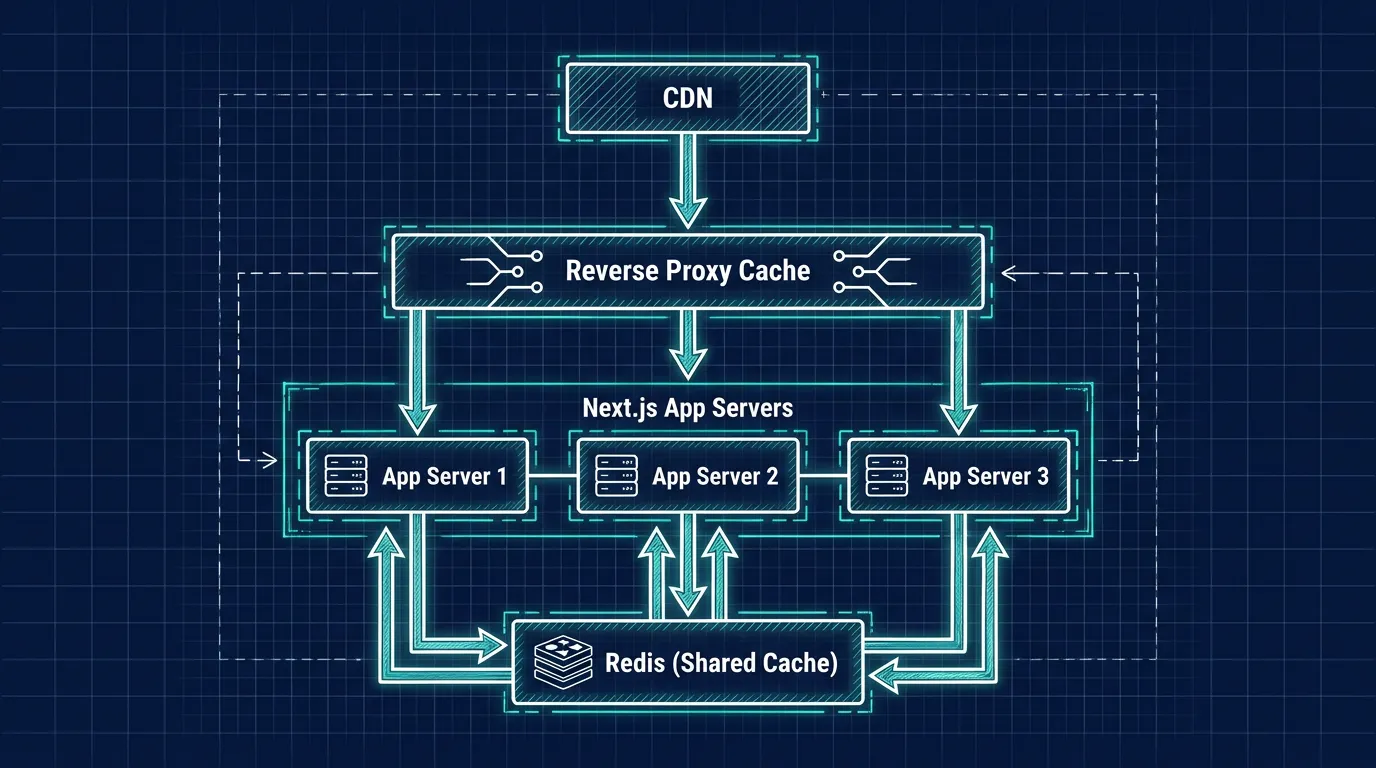
If you're using the standalone output and running next start across multiple replicas, each instance has its own in-memory Full Route Cache. That means an ISR page revalidated on one pod won't be reflected on another until it also gets a request past its own cache window — visitors can see stale content depending on which pod answers.
Next.js supports a custom cache handler through the incrementalCacheHandlerPath config option (or cacheHandler in newer versions), which lets you point ISR and the Full Route Cache at shared storage instead of per-instance memory. Redis is the common choice here, since it already needs to be in your cluster for sessions or rate limiting in most production setups. There are open-source cache handlers for Redis that implement this interface, or you can write a thin one yourself — the interface is small (get, set, revalidateTag).
Without a shared cache handler, horizontal scaling and ISR are fundamentally at odds: adding replicas multiplies the number of independent caches instead of sharing one.
Rebuilding the Data Cache
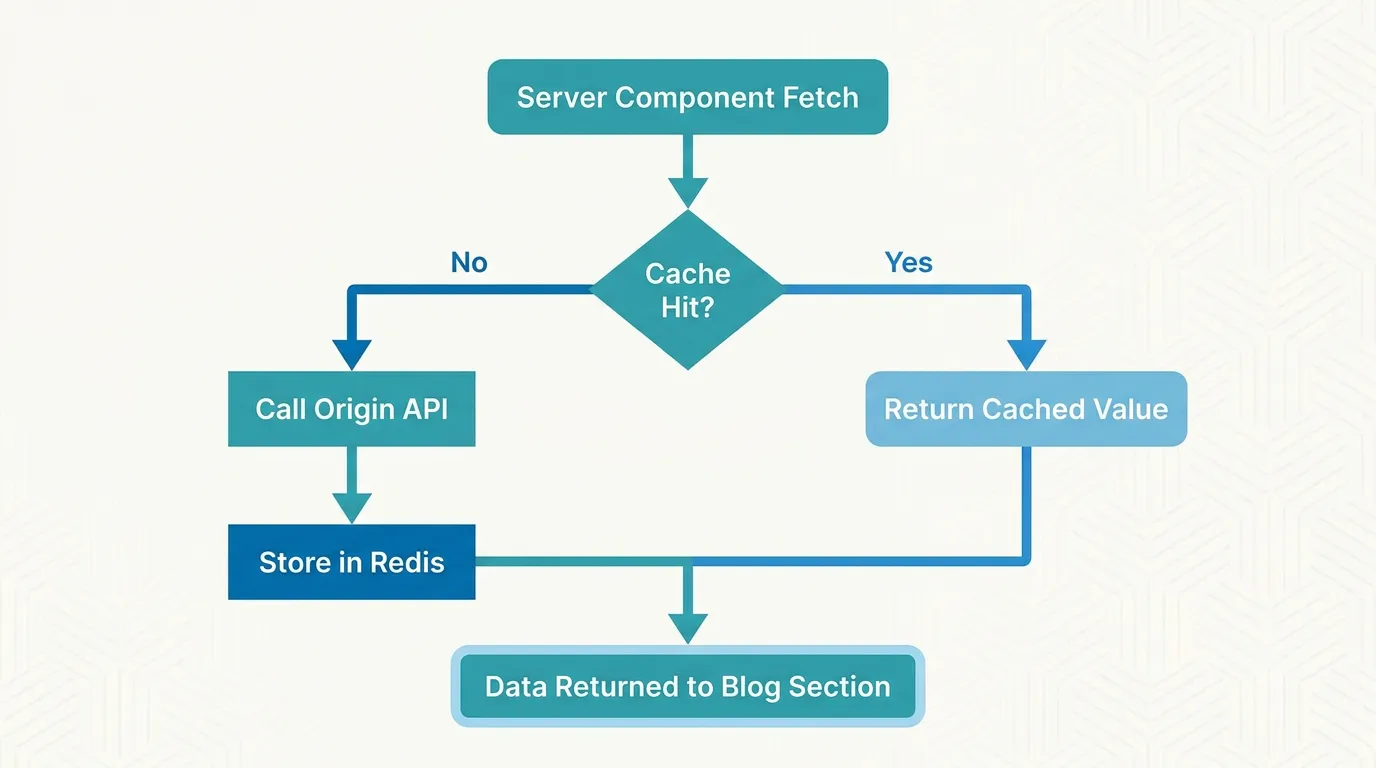
The Data Cache (fetch deduplication inside Server Components) has the same per-instance problem. Two replicas calling the same API won't share cached results unless you point them at shared storage.
In practice, most self-hosted teams handle this one layer up rather than fighting the Data Cache directly: cache the underlying API or database query result in Redis with a short TTL, and let Next.js's request-level fetch deduplication handle the rest within a single render. This is less elegant than Vercel's managed Data Cache, but it's far more predictable to operate and debug — you can inspect cache keys and TTLs directly instead of relying on framework internals.
What to Actually Cache First
Not every page benefits equally from a caching layer, and over-engineering this on day one wastes effort. A reasonable order of priority:
- Static assets — highest traffic volume, cheapest to cache correctly, almost zero downside.
- Fully static pages (marketing pages, docs) — cache at the CDN or reverse proxy layer with a long TTL.
- ISR pages with predictable revalidation (product listings, blog posts) — needs the shared cache handler described above once you run more than one replica.
- Personalized or authenticated pages — usually shouldn't be cached at the CDN layer at all; cache the underlying data fetch instead, scoped per user.
Once you're running this kind of layered caching setup, the infrastructure around it — ingress rules, TLS for internal services, monitoring for cache hit rates — starts to look a lot like the plumbing Kubo is built to handle. It's standard Kubernetes with that operational layer already wired in, so adding a Redis instance or a reverse proxy cache in front of your app doesn't mean standing up new infrastructure patterns from scratch each time.
When This Becomes a Kubernetes Decision
A single VM with nginx and Redis is enough for a lot of self-hosted Next.js apps, and there's no reason to reach for Kubernetes just to run a cache. The decision point is usually scaling: once you need multiple app replicas for traffic or redundancy, the "per-instance cache" problem described above stops being theoretical, and you need orchestration to manage shared Redis, cache warm-up on deploy, and rolling restarts without cold-cache dips.
That's also where the cost conversation tends to start. Teams that assumed "Kubernetes" meant a fully managed EKS or AKS bill are often surprised by the real cost of running "full" managed Kubernetes once node pools, load balancers, and data transfer are added up — and it's worth checking that math before assuming self-hosting + Kubernetes is automatically cheaper than what you were paying Vercel. If cost is the open question, this breakdown of optimizing Kubernetes costs across EKS, AKS, and GKE is a reasonable next read before you commit to a specific setup.
Closing
Vercel's caching is convenient precisely because it's invisible — which is exactly why it's easy to forget when planning a migration. The fix isn't complicated: a CDN or reverse proxy for static and fully static content, a shared cache handler for ISR once you scale past one instance, and Redis for data-level caching. None of it requires Vercel-specific tooling, but all of it needs to be planned for, not discovered in production.
If you're already weighing the move, see the real cost of running "full" managed Kubernetes before you commit to a platform — it's a cheaper check than finding out after your cache layer is already in production.