
COLUMN
15/10/2026
Next.js Cron Jobs Without Vercel: Scheduling Background Tasks When You Self-Host
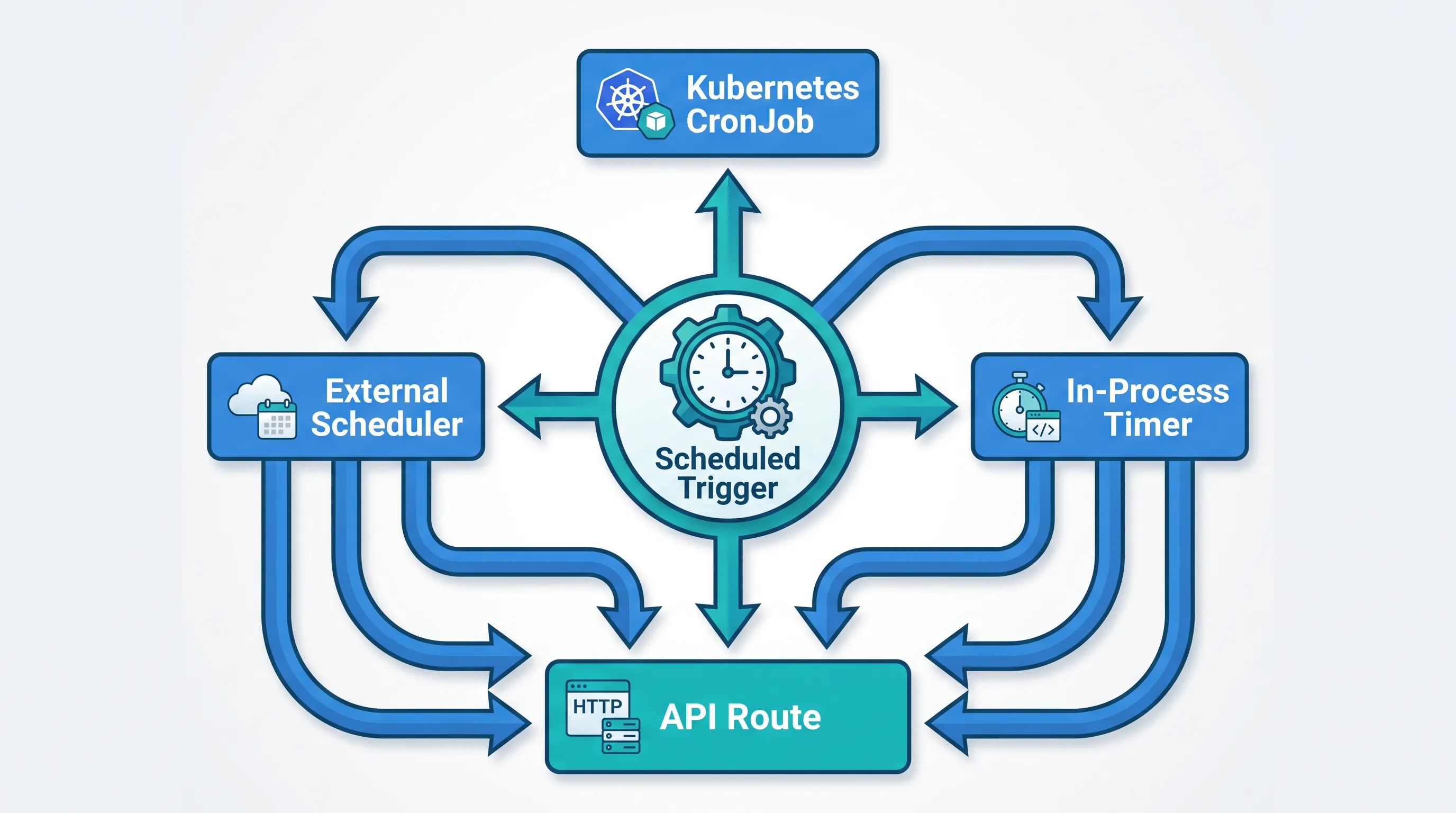
Vercel's Cron Jobs are one of those features you don't think about until it's gone. You add a crons array to vercel.json, point it at an API route, and Vercel handles the trigger, the retries, and the dashboard that tells you it ran. The moment you self-host — on a VM, a container platform, or Kubo — that trigger vanishes, and nothing in Next.js itself replaces it. This guide covers what to put in its place.
How Vercel's Cron Jobs actually work
Vercel's cron feature is deliberately simple. In vercel.json you declare a schedule and a path:
{
  "crons": [
    { "path": "/api/cron/nightly-report", "schedule": "0 5 * * *" }
  ]
}
Vercel's own infrastructure sends a GET request to that path on the schedule you define (standard five-field cron syntax), and your API route runs like any other request — it just happens to be triggered by Vercel instead of a browser. To stop random callers from hitting it, Vercel sets a CRON_SECRET environment variable and sends it as a bearer token, which your route is expected to verify (see Vercel's Cron Jobs documentation for the exact header format and plan-based invocation limits).
Two things matter for what comes next: the job is just an HTTP call, and something outside your application process owns the schedule. Neither of those goes away when you self-host — you just have to own them yourself.
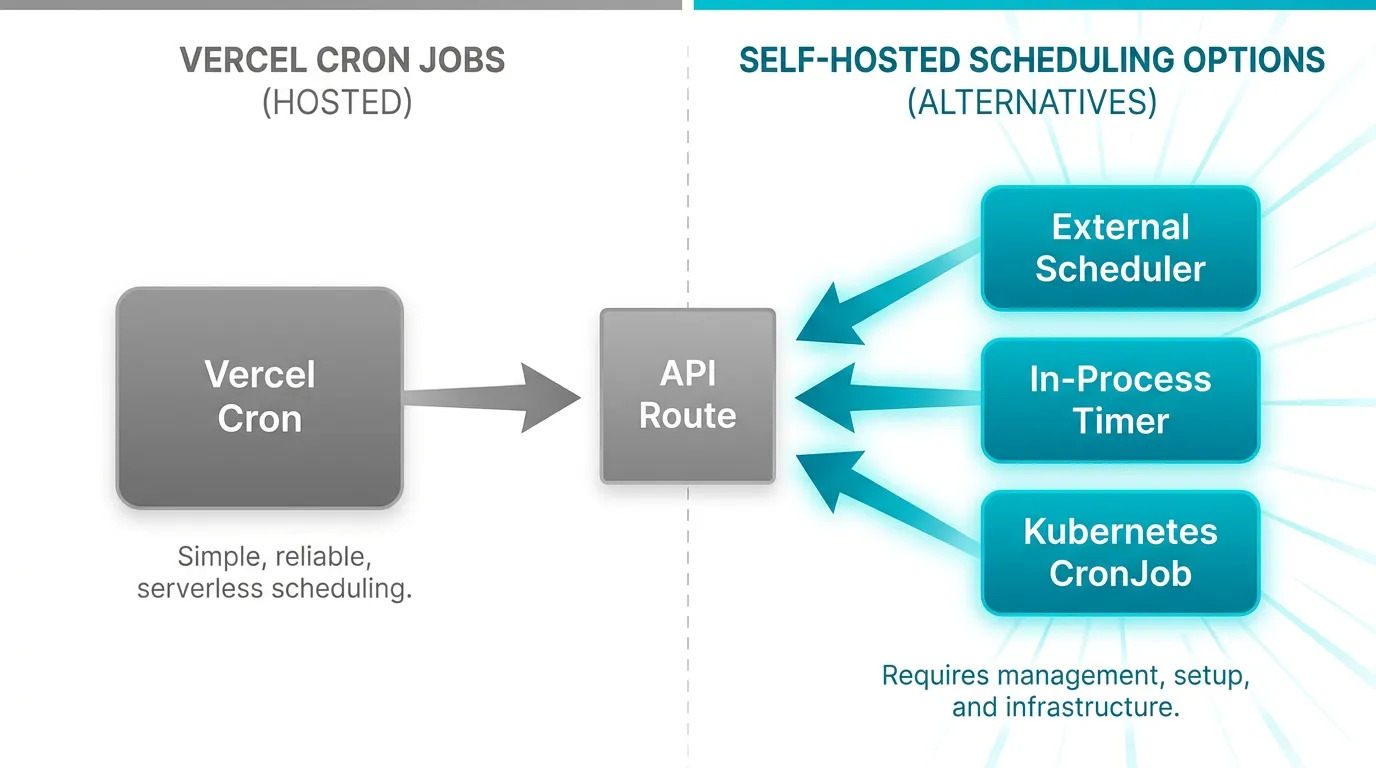
Option 1: An external scheduler calling the same route
The closest equivalent to what Vercel does is also the least disruptive to your code: keep the API route exactly as it is, and point a scheduler outside your app at it.
- System cron on the host, if you're running on a single VM:
0 5 * * * curl -fsS -H "Authorization: Bearer $CRON_SECRET" https://app.example.com/api/cron/nightly-report - A scheduled CI workflow (GitHub Actions'
scheduletrigger, GitLab's scheduled pipelines) if you don't want to manage a cron daemon at all. - A dedicated scheduler service like a managed cron product, if you want retries and alerting without building them yourself.
This approach changes nothing about your Next.js app — the route still just handles a GET request and checks a secret. The tradeoff is that your schedule now lives in a separate system you have to remember exists, which is easy to lose track of once you have more than two or three jobs.
Option 2: An in-process timer — and why it breaks the moment you scale
The other common instinct is to add a library like node-cron and call setInterval-style logic directly inside your Next.js server process. It works the first time you try it, in development, with one instance running. It stops working the moment you run more than one instance of your app — which is the normal state for anything self-hosted behind a load balancer or an autoscaler.
With n replicas of your app, you now have n independent timers, and your "nightly report" runs n times. Nothing in Next.js or in the timer library knows about the other replicas, so there's no coordination unless you add a distributed lock yourself (a Redis SETNX-style lock, or a row in your database with a unique constraint). That's solvable, but it's extra infrastructure to maintain a job that Vercel gave you for free.
Running the scheduler as a Kubernetes CronJob
This is where the external-scheduler approach and your deployment platform can do the coordination for you instead of your application code. A Kubernetes CronJob creates exactly one Job per scheduled run, regardless of how many replicas of your Next.js Deployment are running — the scheduling problem from Option 2 disappears because the trigger lives outside your app's replica count entirely:
apiVersion: batch/v1
kind: CronJob
metadata:
  name: nightly-report
spec:
  schedule: "0 5 * * *"
  jobTemplate:
    spec:
      template:
        spec:
          containers:
            - name: cron-caller
              image: curlimages/curl:8.11.0
              args:
                - -fsS
                - -H
                - "Authorization: Bearer $(CRON_SECRET)"
                - https://app.internal/api/cron/nightly-report
          restartPolicy: OnFailure
The CronJob controller is part of the core batch/v1 API (see the Kubernetes CronJob documentation for concurrencyPolicy, startingDeadlineSeconds, and history-limit fields that control what happens when a run takes longer than the interval). Your API route doesn't need to change at all — it's the same GET handler checking the same secret, just called by a one-off Job pod instead of Vercel's infrastructure.
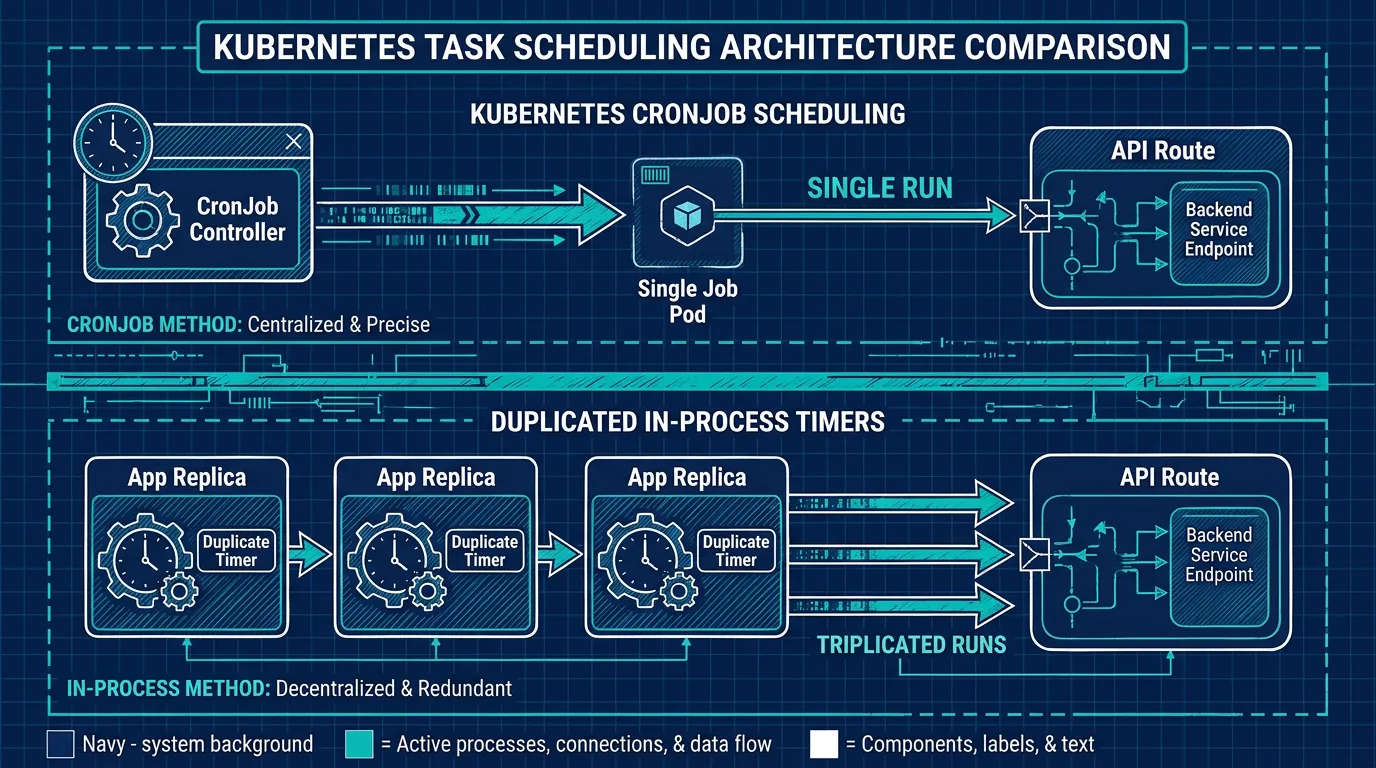
This is usually where teams running Next.js outside Vercel stall: the scheduling logic is a five-minute YAML file, but getting a cluster, an ingress, and TLS in place before that YAML means anything is the part that eats a week. Kubo gives you a standard Kubernetes cluster — the same CronJob object, the same kubectl commands — with that plumbing already wired up, so the YAML above is usable on day one instead of after a setup project.
Long-running jobs: the limit you're trading away
Serverless functions have a hard execution timeout, so anything Vercel's cron triggers is implicitly bounded by that limit — if your report generation or data export can run long, you've probably already split it into smaller steps or offloaded it to a queue. Once you self-host, that ceiling disappears, which is good news for genuinely long jobs but a trap if you relied on the timeout to catch something hanging. A CronJob's activeDeadlineSeconds field lets you set your own cutoff on the Job template, so a stuck run gets killed instead of occupying a pod indefinitely — worth setting explicitly rather than assuming the absence of a platform limit means you don't need one.
Testing the schedule before you trust it
Whichever option you pick, don't wait for the real schedule to fire to find out the request is malformed. The route itself is just a GET handler, so you can call it directly with the same header your scheduler will send:
curl -fsS -H "Authorization: Bearer $CRON_SECRET" https://app.example.com/api/cron/nightly-report
For the Kubernetes option, kubectl create job --from=cronjob/nightly-report test-run-1 triggers an on-demand Job from the existing CronJob definition, which is the fastest way to confirm the YAML and the secret are both correct before the 5am schedule is the first time it actually runs.
Monitoring: how do you know a run failed silently
Vercel's dashboard tells you when a cron invocation failed. Once you own the trigger, you own that visibility too. At minimum:
- Have the called route log a structured success/failure line your existing log pipeline already collects.
- For Kubernetes,
kubectl get jobsandkubectl logs job/<name>show you the last run's exit status, andconcurrencyPolicy: Forbidstops overlapping runs from masking each other's failures. - If the job matters (billing runs, data exports), have it report completion to something that pages you on silence — a dead man's switch — rather than only alerting on explicit failure, since a scheduler that stops firing entirely produces no error at all.
Choosing your path
If you have one or two jobs and a single server, an external scheduler calling your existing API route (Option 1) is the least work. If you're already running more than one instance of your app — which most self-hosted setups eventually are — an in-process timer will quietly duplicate work until you notice, so it's worth moving the schedule out of your application and into your deployment platform instead. If you're evaluating K3s vs. a full Kubernetes cluster for other reasons already, the CronJob object is identical on both, so it's not a factor in that choice — pick based on your other workloads, and let the scheduler come along for free. And since a CronJob's pod only exists for the seconds it takes to run, keeping an eye on the cost side of running Kubernetes matters more for your always-on app pods than for the cron workload itself.