
COLUMN
09/10/2026
Faster Next.js Builds in CI/CD: Turbopack and Docker Layer Caching
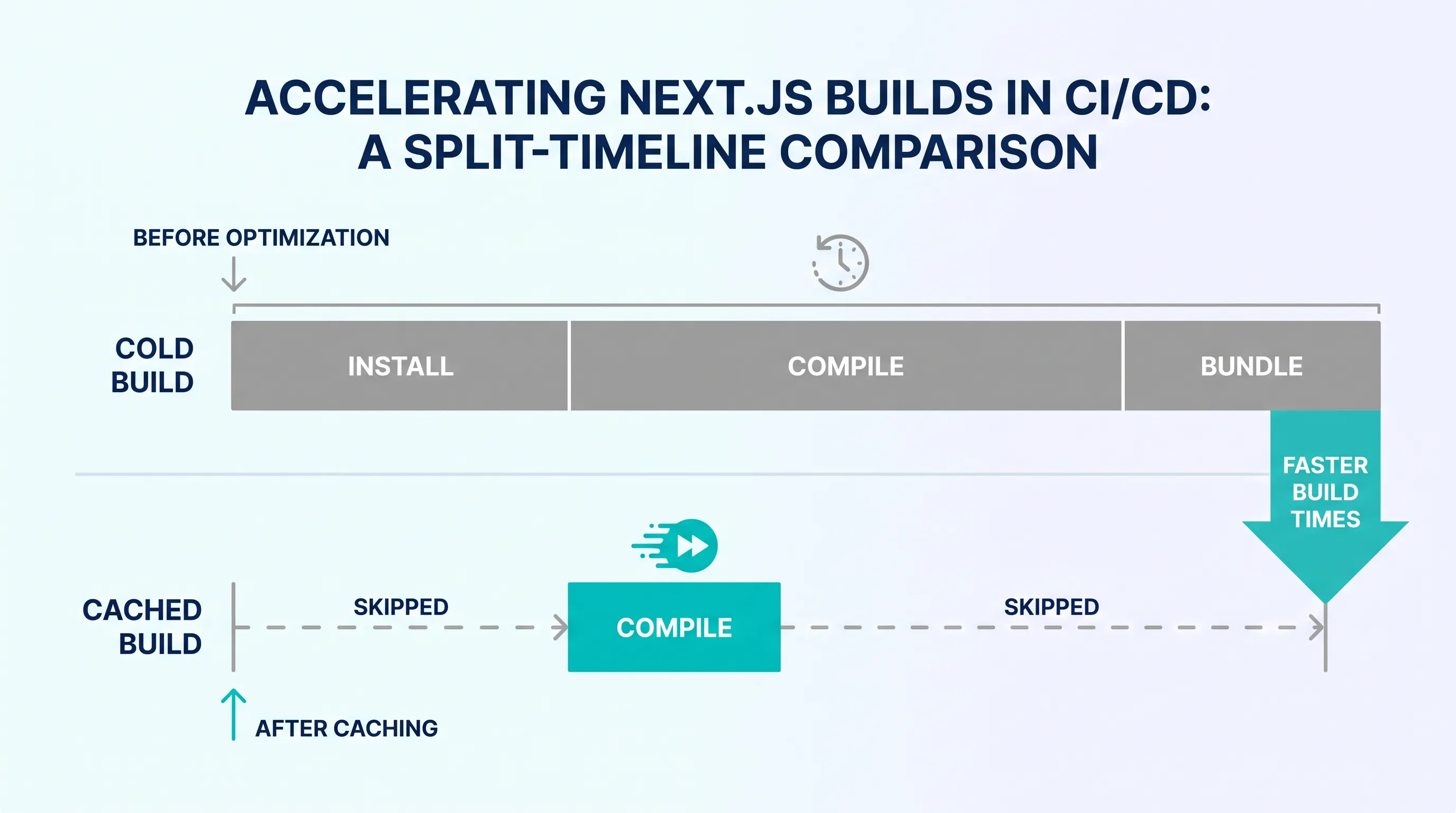
A slow CI pipeline doesn't just burn build minutes — it's the difference between shipping a hotfix in two minutes or twenty. If your Next.js build takes longer in CI than it does on your laptop, the cause is almost always the same: every run starts from zero. No cached dependencies, no cached .next output, no cached Docker layers. This guide walks through what actually makes Next.js builds slow in CI/CD, and how Turbopack and Docker layer caching fix it.
Why Next.js builds get slow in CI
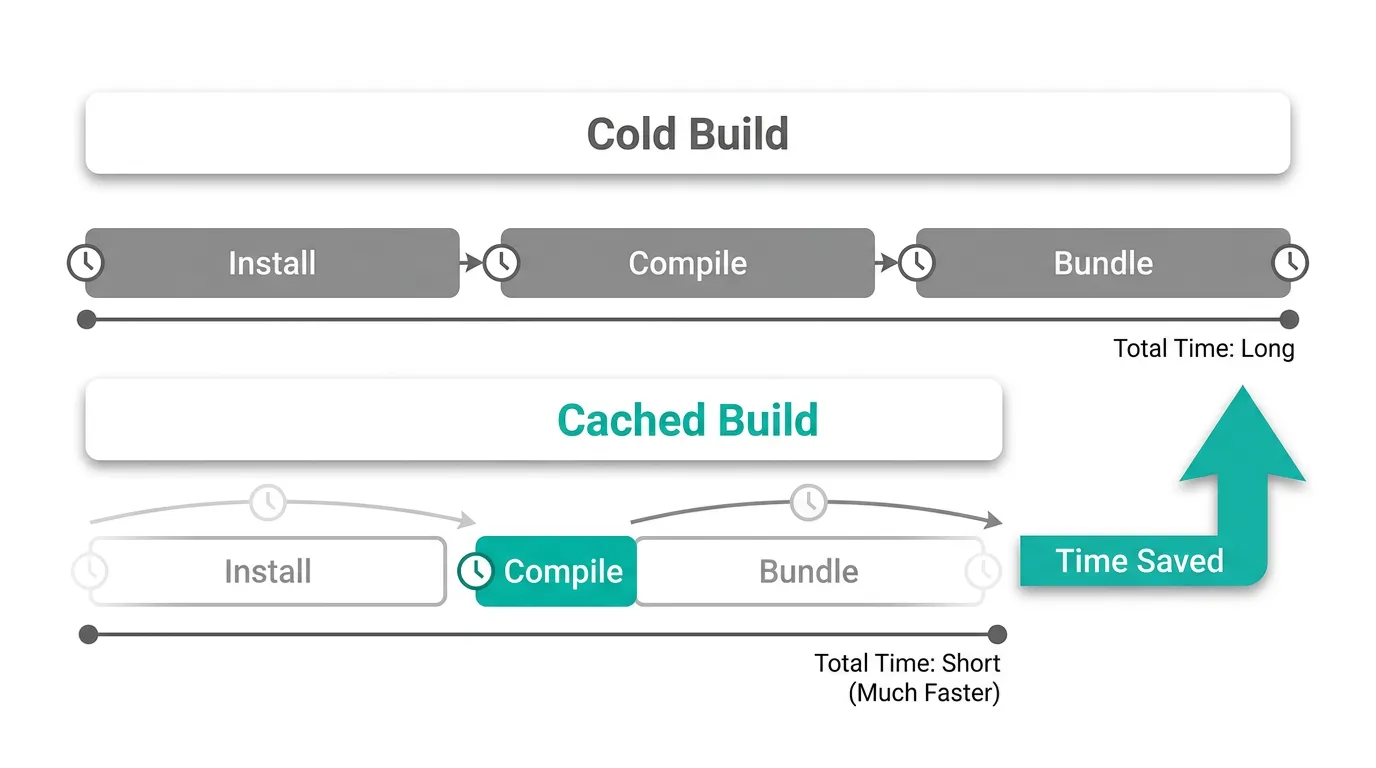
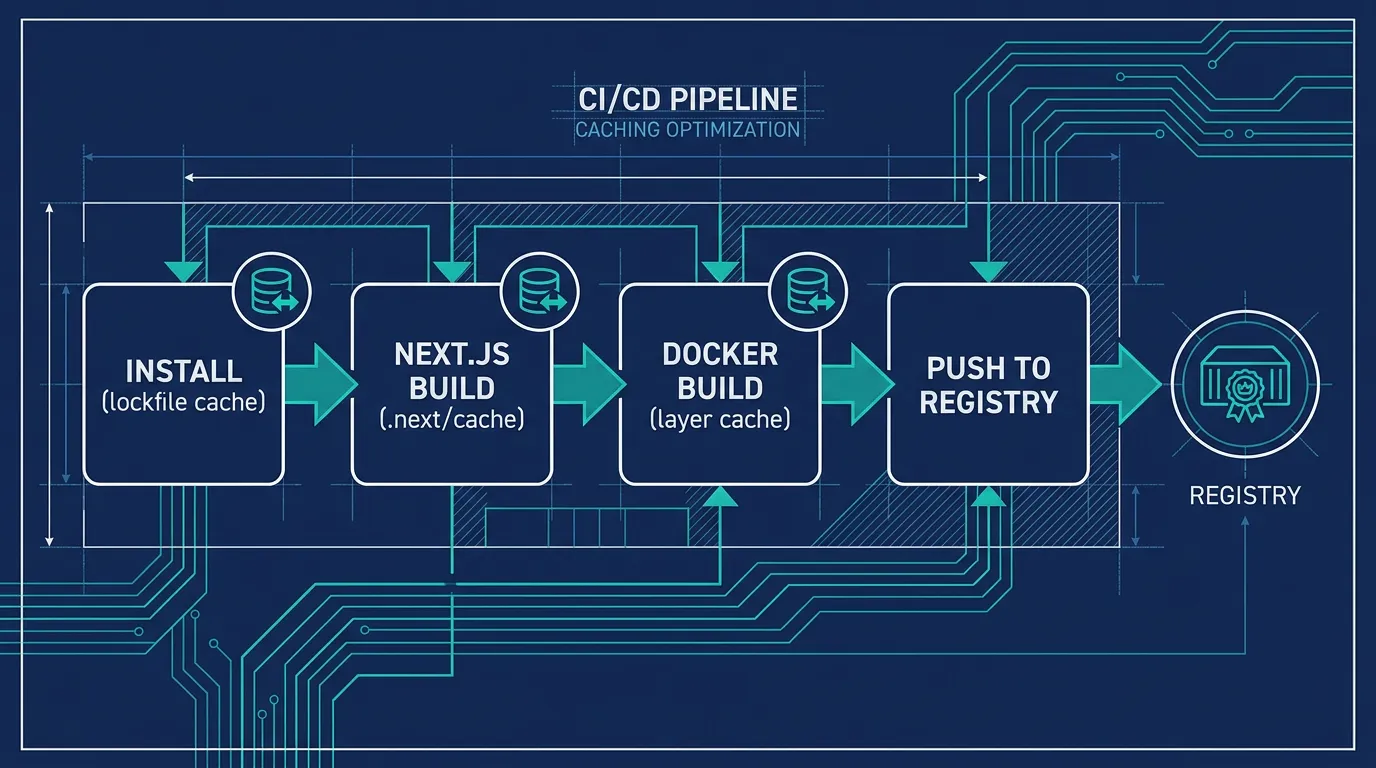
A typical CI job for a Next.js app does three expensive things in sequence: install dependencies, compile and bundle the app, and build a container image. None of these are cheap on their own, and most CI runners start each job in a fresh, empty environment — so none of the work from the previous run carries over unless you explicitly tell the pipeline to keep it.
That's the core problem. Locally, next build benefits from an on-disk cache in .next/cache that speeds up incremental builds. In CI, that directory is usually discarded the moment the job ends, so every single build recompiles every route and page from scratch — the same as a developer's very first build on a brand-new clone of the repo.
Turbopack: a faster compiler, not a cache
Next.js's Rust-based bundler, Turbopack, is available for production builds via next build --turbopack (see the Next.js Turbopack documentation for current platform support and setup). It speeds up the compilation step itself — parsing, transforming, and bundling your code — independent of whether anything is cached between runs.
That distinction matters for CI/CD specifically. Turbopack reduces the time a cold build takes, which helps on pull-request checks where you can't reuse anything from a previous run. But it doesn't eliminate the dependency-install step, and it doesn't carry state between separate CI jobs — that's a caching problem, not a compiler problem. The fastest pipelines use both: a quicker compiler for the work that must happen anyway, and caching for the work that doesn't need to happen again at all.
Caching dependency installs and the Next.js build cache
Most CI providers support keyed caching: you give it a cache key (usually a hash of your lockfile) and a set of paths to save and restore. Here's what that looks like in GitLab CI, caching two paths that matter for a Next.js project:
cache:
  key:
    files:
      - package-lock.json
  paths:
    - node_modules/
    - .next/cache/
The node_modules cache avoids re-downloading every package on every run. The .next/cache directory is the one teams forget — it holds Next.js's own incremental build artifacts, and restoring it before next build runs means only the files that actually changed get recompiled. Next.js's own docs on CI build caching document this pattern for GitHub Actions, CircleCI, Travis CI, and GitLab CI, with the cache key tied to your lockfile hash so a dependency change invalidates stale caches automatically.
The gain compounds: a cold next build on a mid-sized app can take several minutes, while a build with a warm .next/cache and unchanged dependencies often finishes in a fraction of that time, because Next.js only has to process the pages that actually changed.
Docker layer caching for the container build
If you're self-hosting — building a container image to deploy instead of handing a Git push to a managed platform — there's a third layer of caching to get right: the Docker image build itself.
Docker caches each instruction in a Dockerfile as a layer, and reuses a layer if nothing above it in the file has changed. The most common mistake is copying the entire project before installing dependencies, which busts the cache on every single code change, even when package.json didn't move. Cache-unfriendly: any file change invalidates the install layer below.
COPY . .
RUN npm ci
RUN npm run build
Reordering so dependency files are copied — and installed — before the rest of the source code lets Docker reuse the install layer whenever only application code changes. Cache-friendly: npm ci only reruns when the lockfile changes.
COPY package.json package-lock.json ./
RUN npm ci
COPY . .
RUN npm run build
BuildKit's --mount=type=cache takes this further by giving the npm ci step a persistent cache directory across builds, even when the layer itself is invalidated — documented in Docker's build cache guide. Combined with Next.js's standalone output, which produces a minimal node_modules subset for the final image, this keeps both the build and the resulting image small.
Once your build is fast, the next bottleneck is usually where the built image ends up living. Self-hosting means you also own that piece of infrastructure instead of relying on a platform's built-in registry — a private container registry is where cached image layers actually get reused between deploys, not just between CI runs. Kubo gives you standard Kubernetes with that plumbing already wired, closer to Vercel's workflow without locking you into one vendor.
Putting it together
A CI/CD pipeline that doesn't start from zero every time combines all three layers: a lockfile-keyed cache for node_modules and .next/cache, a Dockerfile ordered so dependency installation is cache-friendly, and BuildKit cache mounts for the install step itself. None of these require replacing your CI provider — they're configuration changes to the pipeline you already have, whether that's GitHub Actions, GitLab CI, or something else.
The same caching principles apply regardless of which CI platform runs the job. Teams building a Kubernetes CI/CD pipeline with GitHub Actions hit the exact same install-then-build-then-push sequence, and the cache keys and layer ordering described above carry over directly.
Conclusion
Slow Next.js builds in CI are rarely a Turbopack problem — they're a caching problem. Turbopack speeds up the compile step itself; keyed caching for dependencies and .next/cache avoids redoing work that hasn't changed; and a cache-friendly Dockerfile keeps the container build from starting over on every commit. Fix the caching first, and the compiler speed-up becomes a bonus on top of an already fast pipeline.
If you're ready to wire this into an actual deploy step, see how automating container deployment with GitLab CI/CD ties build caching into a pipeline that ships the image somewhere real.