
COLUMN
08/10/2026
Real-Time Event Notifications for Self-Hosted Apps: Polling, Pub/Sub, or a Message Queue?
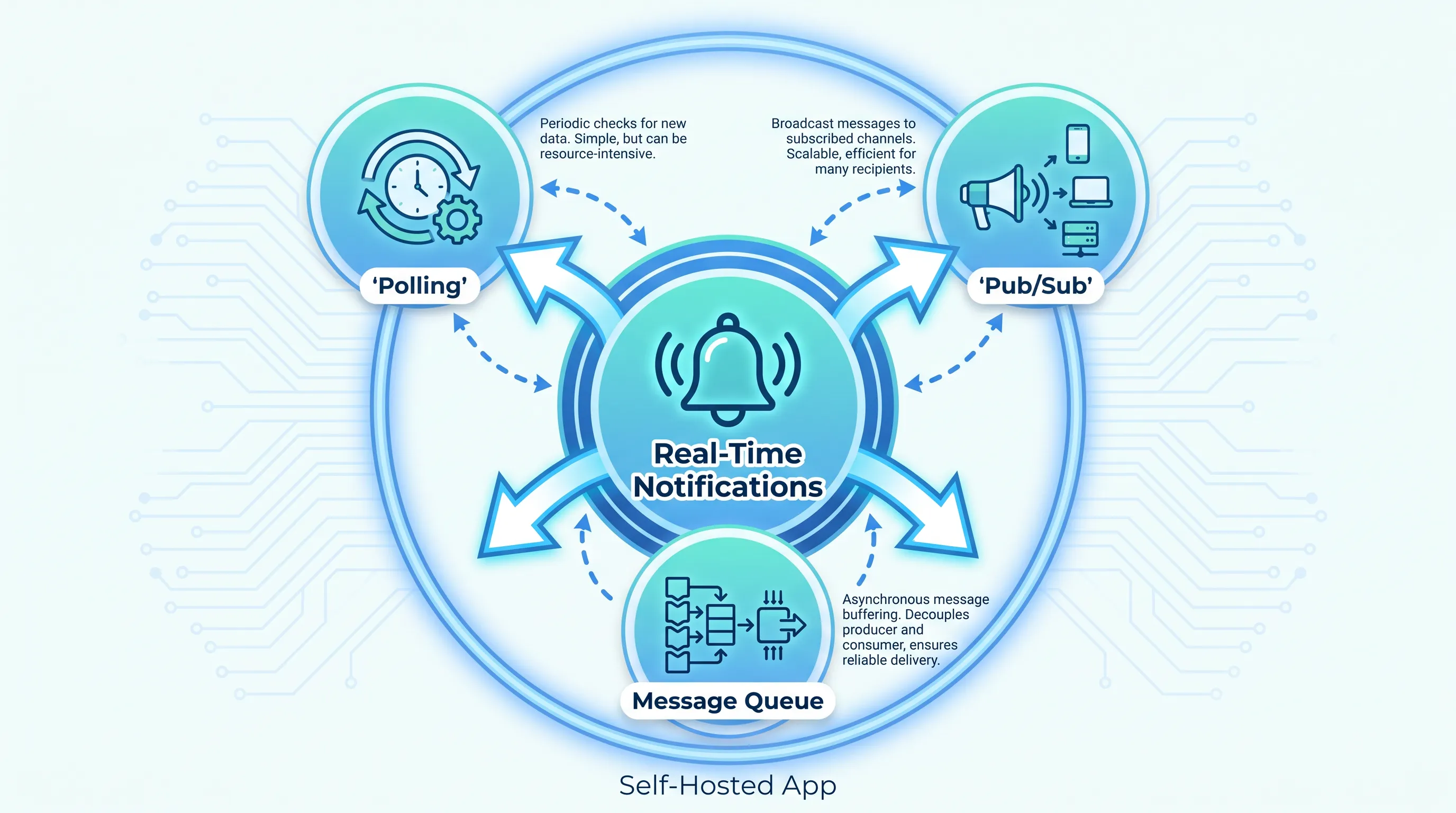
Polling an API every few seconds, opening a WebSocket per browser tab, or dropping events onto a queue — each of these can deliver "real-time" notifications in a self-hosted Next.js app, and each one fails differently once traffic grows. The right choice depends on how fast events need to arrive, how many consumers you have, and whether you can tolerate losing a notification if a server restarts. This guide walks through the three approaches and gives you a way to decide, rather than a single "best" answer.
Why this decision looks different once you self-host
On a managed platform, "real-time" is often a feature you buy rather than build: a hosted service like Pusher or Ably handles the long-lived connections because your own compute (serverless functions) can't hold them open. Once you move the app to a server or cluster you control, that constraint disappears — but so does the service that was hiding the complexity. You now have to run the connection layer, the broker, or the queue yourself, and pick which one actually fits your traffic.
This matters because the three options below have very different operational costs, and picking the wrong one early is expensive to undo once clients depend on it.
Option 1: Polling
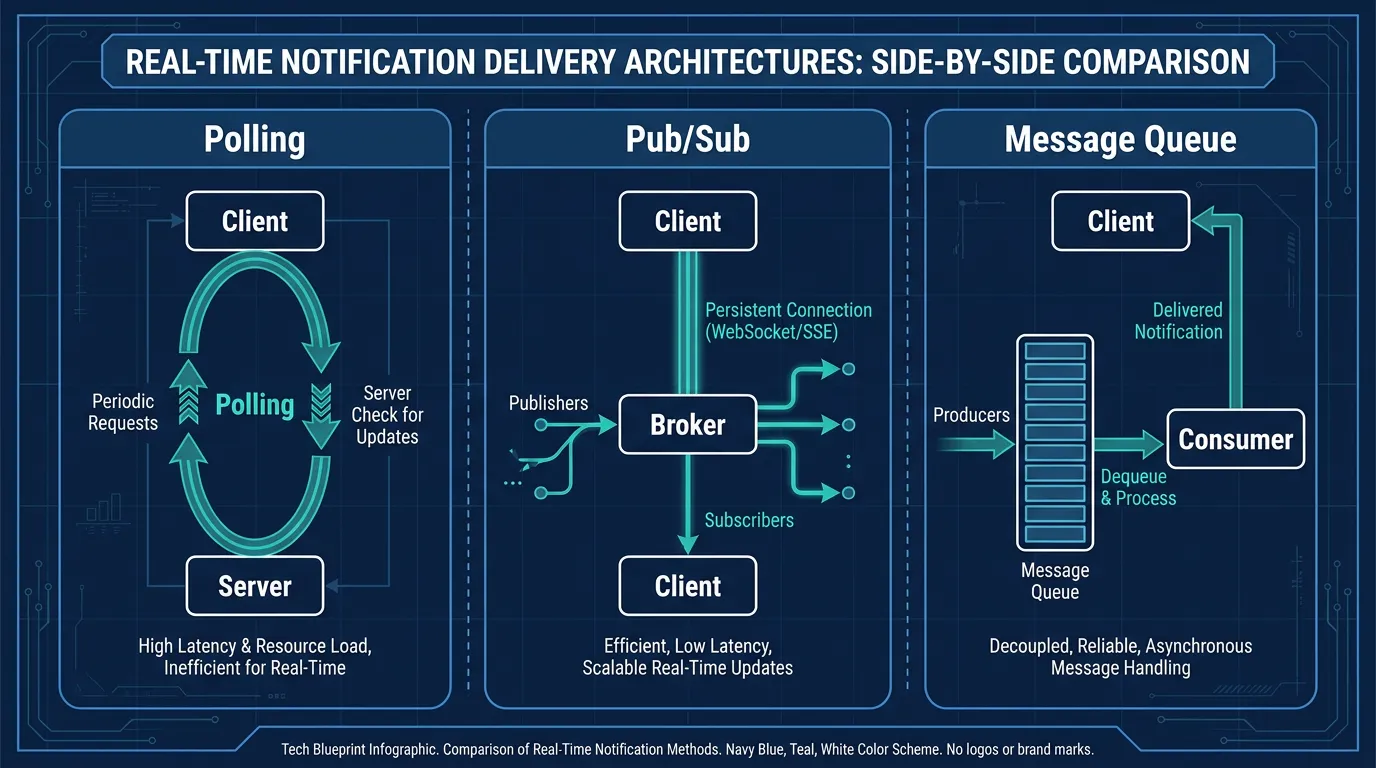
Polling means the client asks "anything new?" on an interval, using a normal REST or Next.js Route Handler. It needs no persistent connections and no new infrastructure:
// app/notifications/poll/route.js
export async function GET(request) {
  const since = request.nextUrl.searchParams.get('since')
  const events = await db.notification.findMany({
    where: { userId: getUserId(request), createdAt: { gt: new Date(since) } },
  })
  return Response.json({ events })
}
Polling is the right default when notifications are infrequent (minutes apart, not seconds) and a few seconds of delay is acceptable — billing updates, background job status, or daily digest-style alerts. It breaks down past a few hundred concurrent users: every poll is a database query, and shortening the interval to feel "real-time" multiplies load linearly. If you're already seeing database CPU climb with polling traffic, that's the signal to move to one of the next two options, not to poll faster.
Option 2: Pub/sub over WebSockets or SSE
Pub/sub keeps a live connection open — a WebSocket or Server-Sent Events stream — and pushes events the moment they happen, through a broker like Redis Pub/Sub or NATS that fans messages out to every connected server process. This removes polling delay and database load entirely, but it introduces a new category of operational concerns: you're now running stateful connections that need sticky routing or a shared broker across every replica, and a client that reconnects after a network blip can simply miss whatever was published while it was offline, because pub/sub doesn't retain messages for anyone who wasn't listening.
That trade-off makes pub/sub a good fit for things where missing one update doesn't matter because the next one supersedes it — live cursors, "user is typing" indicators, dashboard metrics that refresh anyway. It's a poor fit for anything that must be delivered exactly once, like "your payment failed" or "your export is ready."
Option 3: A message queue
A message queue (RabbitMQ, SQS, or similar) sits between the event and the notification: something publishes a message, the queue holds it durably, and one or more consumers process it at their own pace. Unlike pub/sub, a message that arrives while no consumer is running is still there when one comes back — RabbitMQ's tutorials are a good primer on the durability and acknowledgment model this relies on. That durability is exactly what you want for notifications that represent something that actually happened and must not be silently dropped: payment confirmations, failed job alerts, compliance events.
The cost is latency and operational weight. A queue adds a processing hop, so it's rarely the right tool for sub-second interactions, and you're now responsible for keeping consumers running, scaled to the backlog, and monitored. KEDA can scale consumer pods based on how deep the queue actually is, which is more directly useful here than CPU-based autoscaling — this guide to autoscaling consumers against queue depth with KEDA covers the setup.
This is usually also the point where the real cost question shows up. A message queue plus its consumers is a long-running workload, not a request handler, so it keeps running (and billing) whether or not events are flowing — this breakdown of the real cost of running managed Kubernetes yourself is a useful gut-check before committing compute budget to a queue that might be oversized for your actual event volume.
Deciding between the three
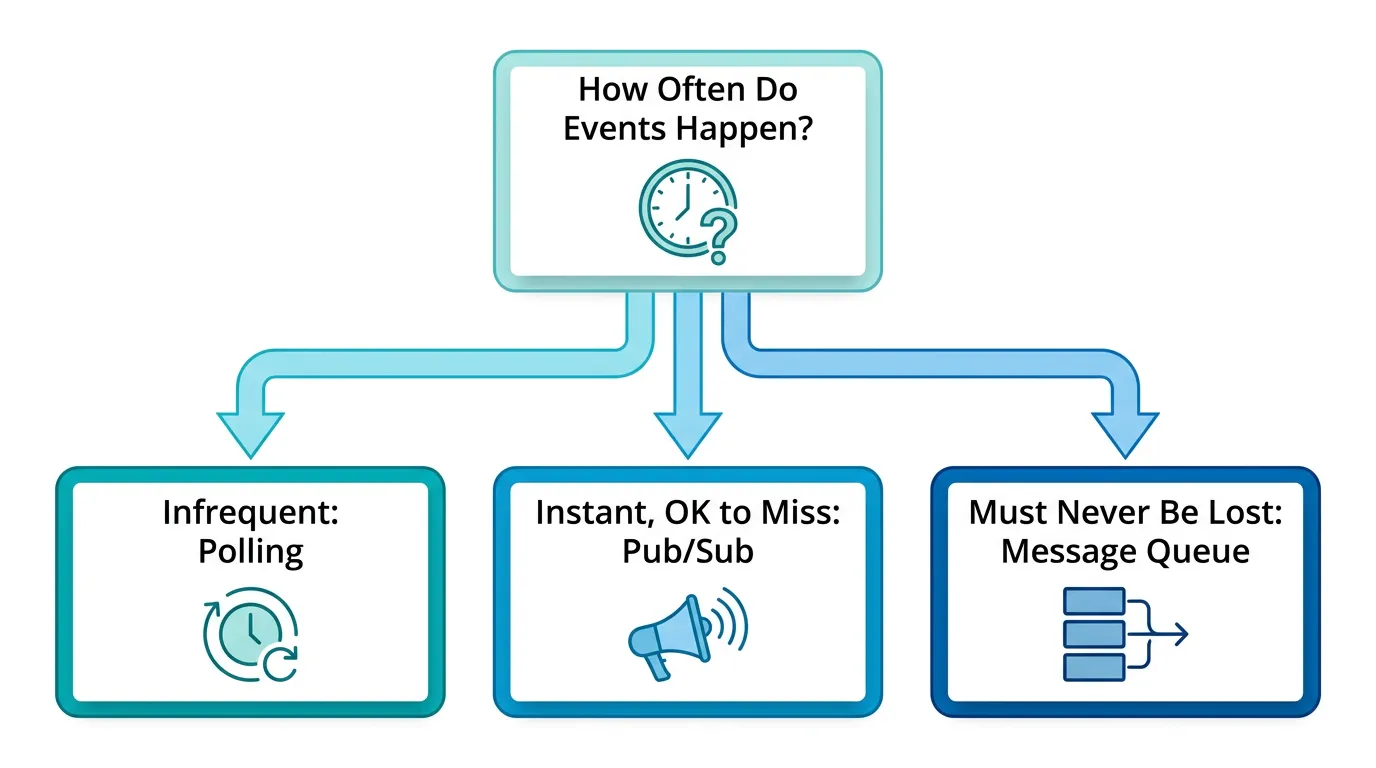
A short gut-check before you pick:
| Question | Points toward |
|---|---|
| Is a few seconds of delay fine? | Polling |
| Is it OK to lose an update if the client was briefly offline? | Pub/sub |
| Must every event be delivered, even if a consumer was down? | Message queue |
| Do you have more than a few hundred concurrent listeners? | Pub/sub or queue |
| Is sub-second delivery required? | Pub/sub |
Most apps don't pick one and stop — they start with polling, add pub/sub for the interactions that need instant feedback, and add a queue for the events that must not be lost. Trying to force one mechanism to do all three jobs is usually what makes the system fragile.
This is also where self-hosting starts to feel heavier than it did on day one: a queue and its consumers need their own deployment, scaling, TLS, and monitoring before the first notification ships, on top of whatever you already run for the app itself. Kubo packages that plumbing — standard Kubernetes, ingress and TLS already wired, autoscaling built in — so adding a queue or a pub/sub broker doesn't mean standing up a second platform from scratch.
From a Docker Compose prototype to something that scales
Most teams prototype this on a single box: a docker-compose.yml with the app, a broker, and a worker, which is the right way to validate the approach before committing to more infrastructure. The friction shows up when that prototype needs to survive a restart, scale past one consumer, or run across more than one machine — at that point you're rebuilding the same compose file as Kubernetes resources one service at a time. this migration guide for moving your notification stack from Docker Compose to Kubernetes walks through that transition without a full infrastructure rewrite.
Where to start
If you're not sure which of the three to build first, build the cheapest one: polling, with a short interval, shipped behind a feature flag. Move to pub/sub only once you can point at a specific interaction that needs sub-second updates, and add a queue only once you have an event that must never silently disappear. Each step is a real infrastructure decision, not just a config change, so it's worth making it on evidence rather than guessing ahead of actual load.
If you're weighing whether to build and run that infrastructure yourself, Kubo's entry plan (Ashigaru, from ¥8,800/month) gives you a standard Kubernetes cluster — ingress, TLS, and autoscaling already configured — to run a broker or queue alongside your Next.js app without first becoming a Kubernetes administrator.