
COLUMN
07/10/2026
Real-Time Next.js on Vercel: Why WebSockets and SSE Don't Work
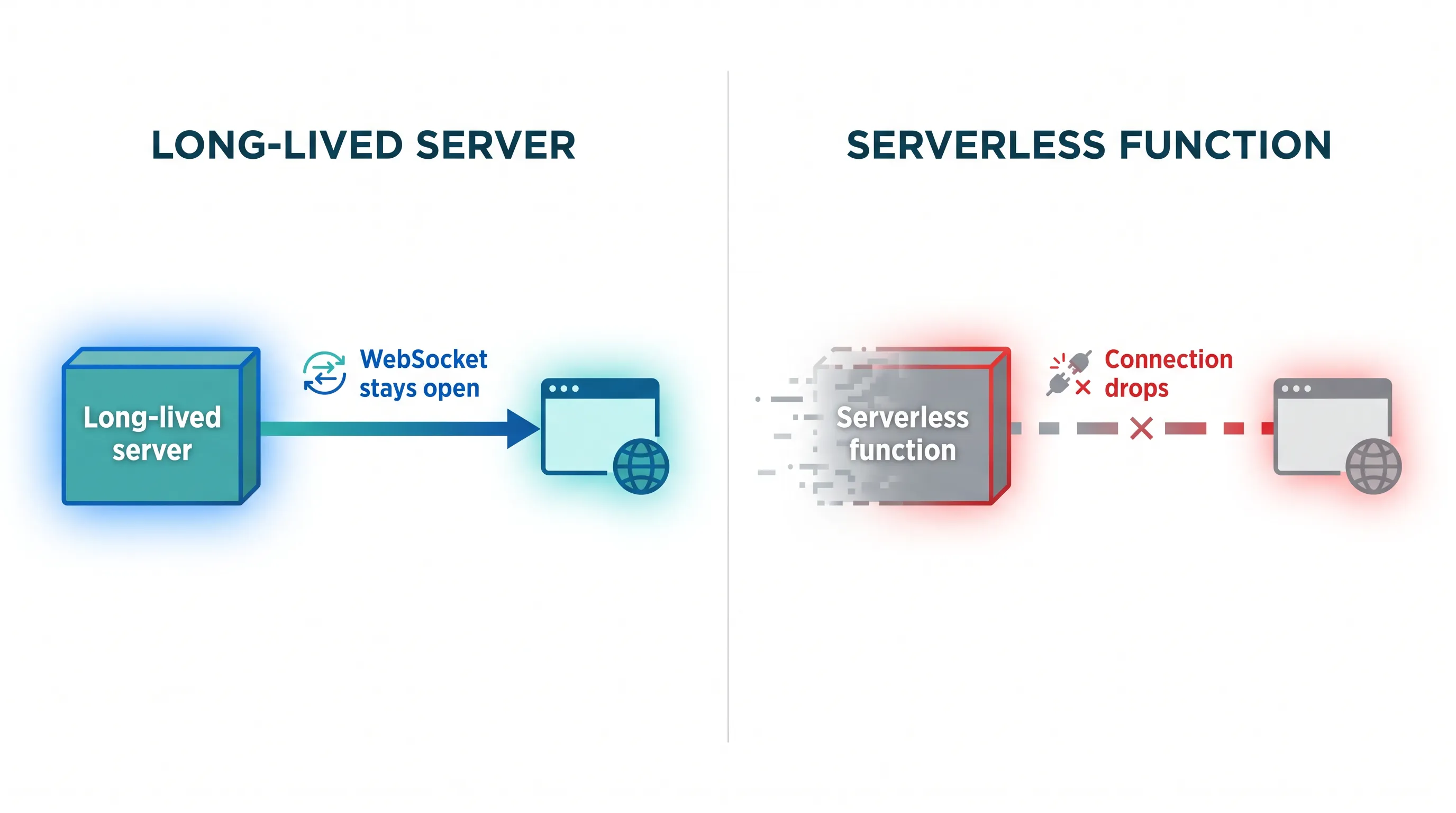
Your Next.js app works fine in every environment you've tested — until a customer opens two browser tabs and your live notification feature silently stops updating in one of them. On Vercel, that's not a bug in your code. It's a boundary you've hit, and no amount of debugging your React components will move it.
Real-time features — live notifications, collaborative editors, chat, presence indicators — all depend on a connection that stays open between client and server. Vercel's platform is built around the opposite assumption: a request comes in, a function runs, a response goes out, and the function disappears. That mismatch is the gap this guide covers.
Why Vercel can't hold a WebSocket open
A WebSocket connection is a single long-lived, bidirectional socket. The server has to keep a process alive and attached to that socket for as long as the client is connected — minutes, hours, sometimes a full session.
Vercel Functions don't work that way. Each invocation is a short-lived, stateless unit that starts, does its job, and exits (Vercel Functions limitations). Even with Fluid Compute, which lets a function keep running to stream a response, Vercel's own community has confirmed WebSockets specifically are still not supported — streaming a response and holding a bidirectional socket open are different problems, and Fluid Compute only solves the first one (Vercel Community: does Vercel support WebSockets now that we have fluid compute?).
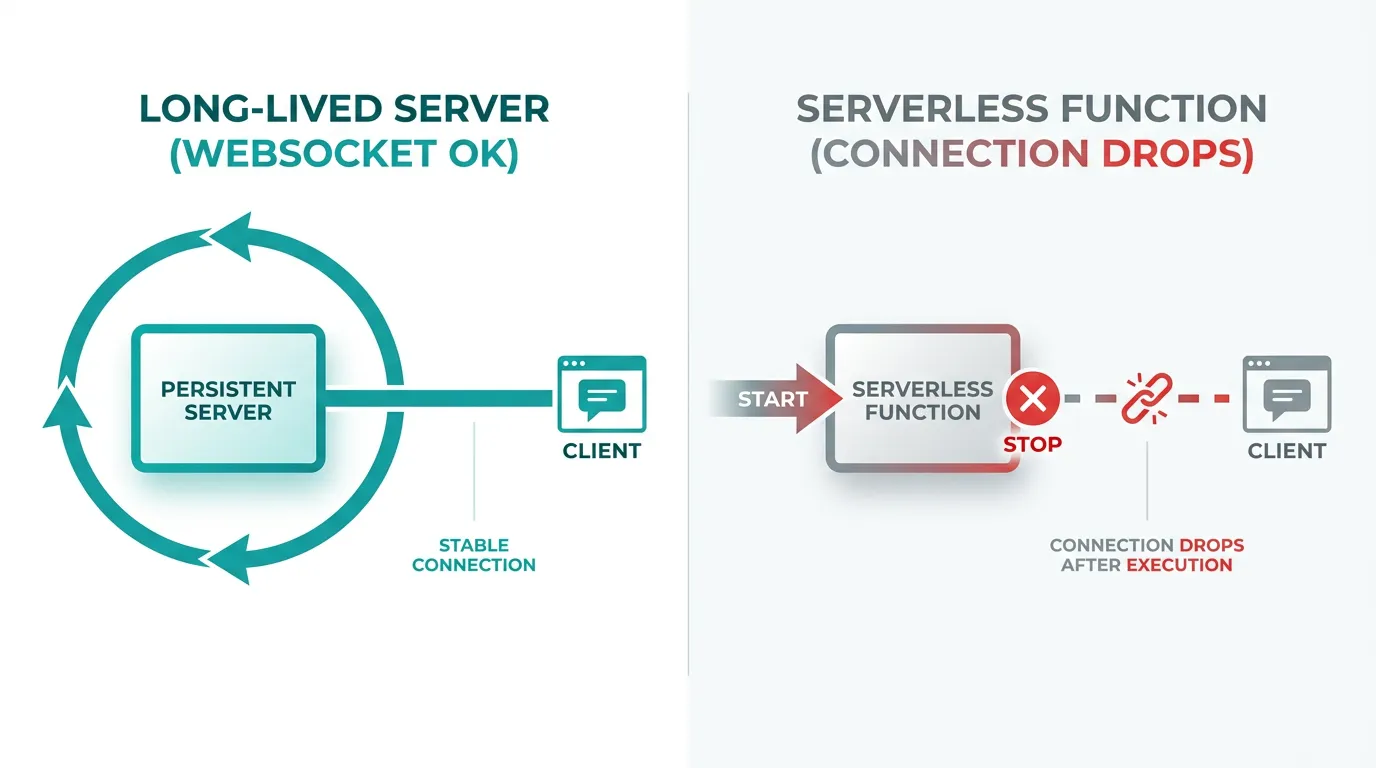
Function duration limits make the picture worse. On Vercel's Hobby and Pro plans with Fluid Compute, a function defaults to a 300-second maximum, and even the extended ceiling on Pro tops out at 1800 seconds before Vercel forcibly ends it with a FUNCTION_INVOCATION_TIMEOUT (Configuring Maximum Duration for Vercel Functions). A chat session or a dashboard a user leaves open overnight will outlive that window regardless of plan.
Server-Sent Events (SSE) are one-directional and lighter weight than WebSockets, but they have the identical problem: the server still has to keep the HTTP response stream open indefinitely, which is exactly what a serverless function is designed not to do.
What actually breaks in practice
Three patterns show up repeatedly in Next.js apps that hit this wall on Vercel:
- Live notifications and in-app alerts that rely on a persistent subscription silently stop delivering after the function recycles, so users only see updates on the next page load or manual refresh.
- Presence and collaboration features (who's online, live cursors, shared editing) need a process that tracks connection state across many clients at once — state a stateless function can't hold between invocations.
- Long-running dashboards or chat widgets left open in a background tab accumulate reconnect attempts as the underlying function cycles, which shows up as flaky delivery that's hard to reproduce locally.
Vercel's own guidance acknowledges the gap: for anything that needs a persistent connection, the recommendation is to route that traffic to infrastructure that isn't a Vercel Function at all (Socket.IO: how to use with Next.js — Socket.IO's own docs walk through why a custom, long-running server process is required alongside a Next.js app, not instead of serverless functions for everything else).
The two ways teams close the gap
Bolt on a managed real-time service. Pusher or Ably sit outside your Vercel deployment entirely — your Next.js app calls their API to publish events, and their infrastructure holds the client connections. This works, and it's the fastest fix, but you're now paying per-connection to a third party for something your own infrastructure could do, and your real-time logic lives in someone else's dashboard instead of your codebase.
Run the persistent part yourself. A small Node.js process — a custom server alongside your Next.js app, or a dedicated WebSocket service — holds the connections, while Vercel (or anywhere else) continues to serve the rest of your app. This is a standard pattern, but it means you now need somewhere to run a process that doesn't start and stop per request: ingress, TLS, and a process that's actually allowed to stay alive.
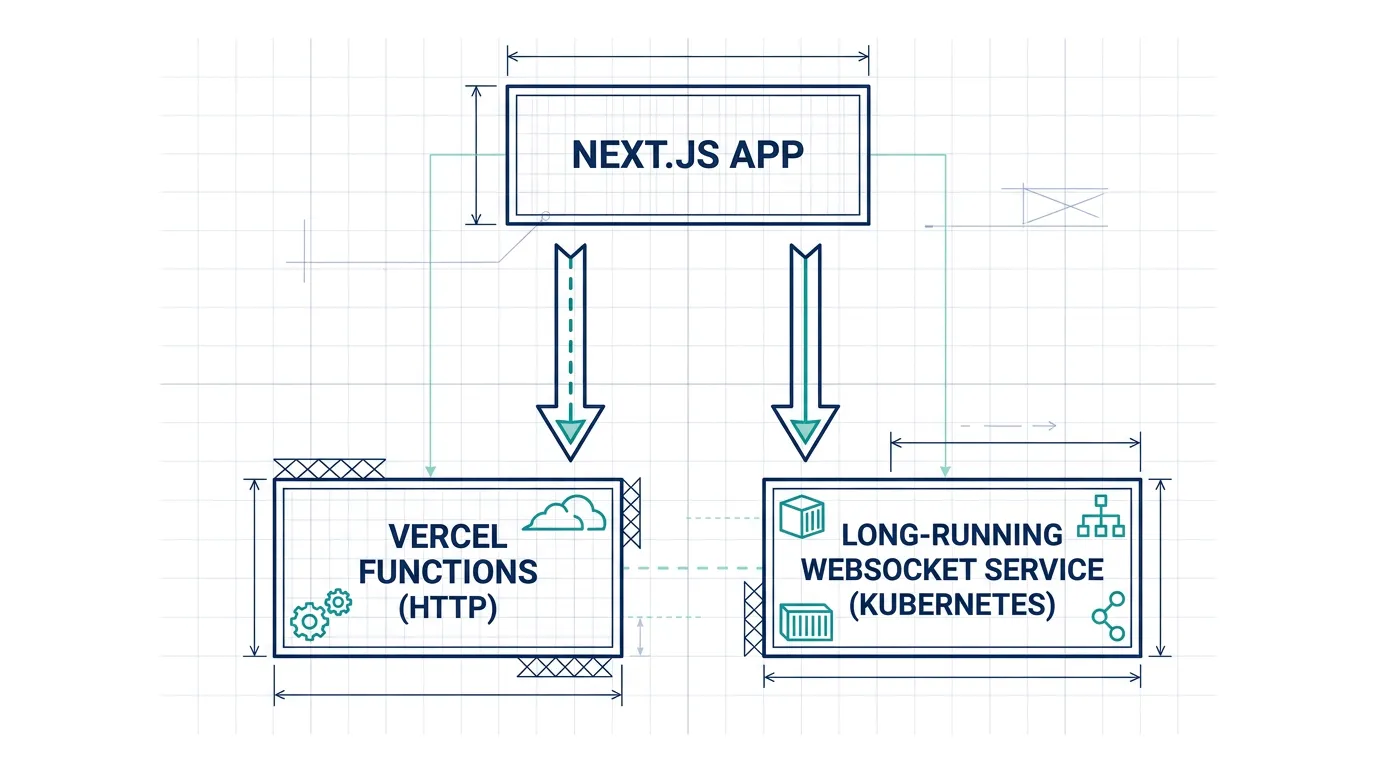
Once you're running one long-lived process, the question stops being "how do I add real-time to Vercel" and becomes "where do I run stateful, persistent workloads in general" — which is a question Kubo exists to answer. Kubo gives you standard Kubernetes, so a long-running WebSocket pod, a Next.js deployment, and whatever else your app needs can sit on the same cluster, with ingress and TLS already wired up instead of something you configure by hand for every new persistent service.
This isn't an either/or decision made overnight. Most teams that need real-time features at any meaningful scale end up running the persistent connection layer on their own infrastructure — somewhere that lets a process live for as long as a client needs it to. The underlying question is the same one that pushes teams toward self-hosting generally: when you need standard Kubernetes rather than Vercel's function model, do you build and run it yourself, or run it on something designed for exactly that?
Where to run the persistent layer
If you're choosing infrastructure for a long-running WebSocket or SSE service, the decision looks a lot like any other self-hosting choice: start with the use cases that actually call for full Kubernetes versus K3s, since a single small real-time service rarely needs the complexity of a full multi-node cluster.
Networking matters more here than for a typical stateless API, because a persistent connection has to survive load balancer timeouts, pod restarts, and reconnect logic. How container networking modes handle long-lived connections is worth understanding before you pick a deployment topology for a WebSocket service — bridge and host networking behave differently under reconnects, and the wrong choice shows up as dropped sessions under load.
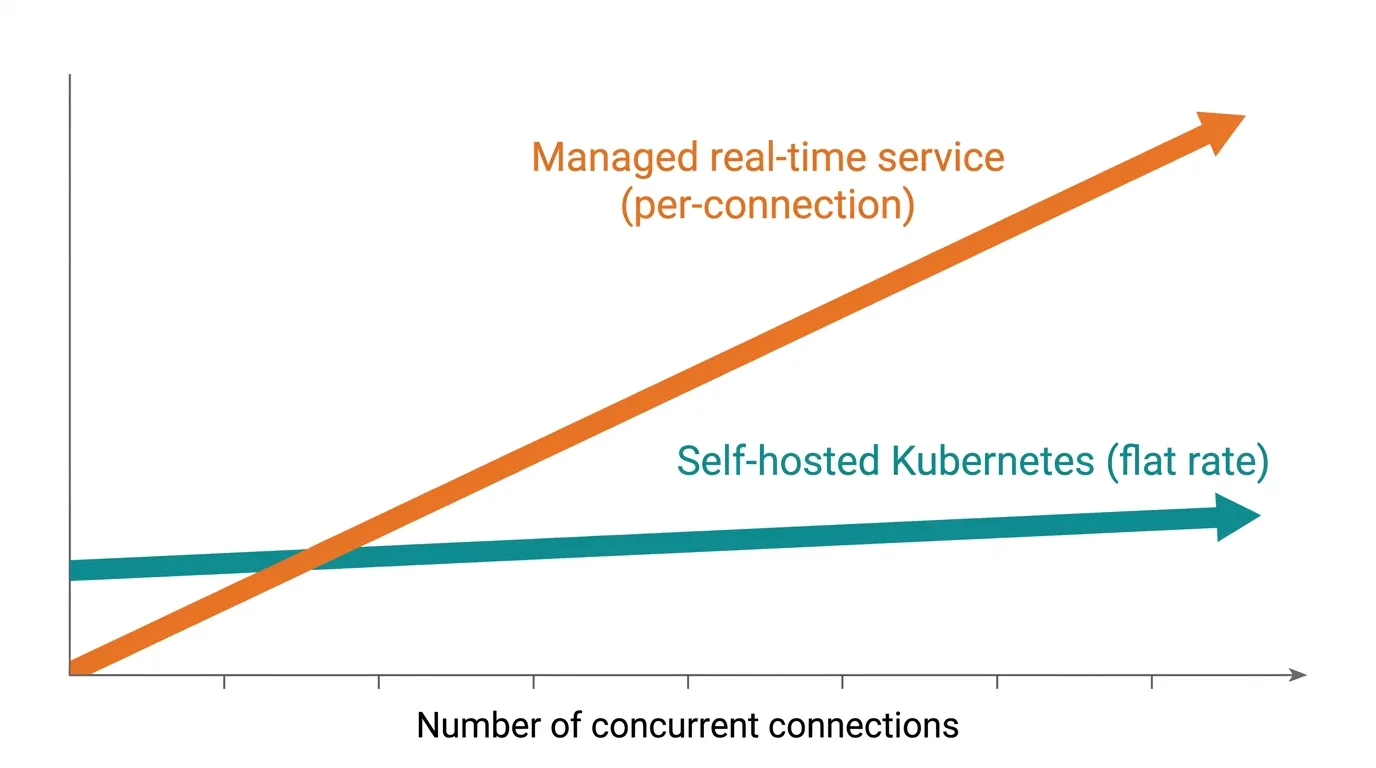
Cost is the other half of the decision. A managed real-time service bills per connection or per message, which scales directly with your user count. Running the same workload on your own cluster has a flat cost that doesn't grow with connections — and comparing the real cost of managed Kubernetes against the alternatives is the right next step once you know roughly how many concurrent connections you're planning for.
The takeaway
Real-time features don't fail on Vercel because of a bug — they fail because WebSockets and SSE need a process that stays alive, and Vercel Functions are built to do the opposite. If you're weighing whether to bolt on a managed service or run the persistent layer yourself, the decision usually comes down to how many connections you expect and how much control you want over that infrastructure.
If you're a solo developer or running a side project, Kubo's Ashigaru plan starts at ¥8,800/month; most small teams land on the Ronin plan at ¥17,600/month. Compare the plans and start with the one that matches how many persistent connections your app actually needs to hold.