
COLUMN
11/11/2026
Kubernetes Benefits That Only Pay Off at a Certain Scale: A Threshold Guide
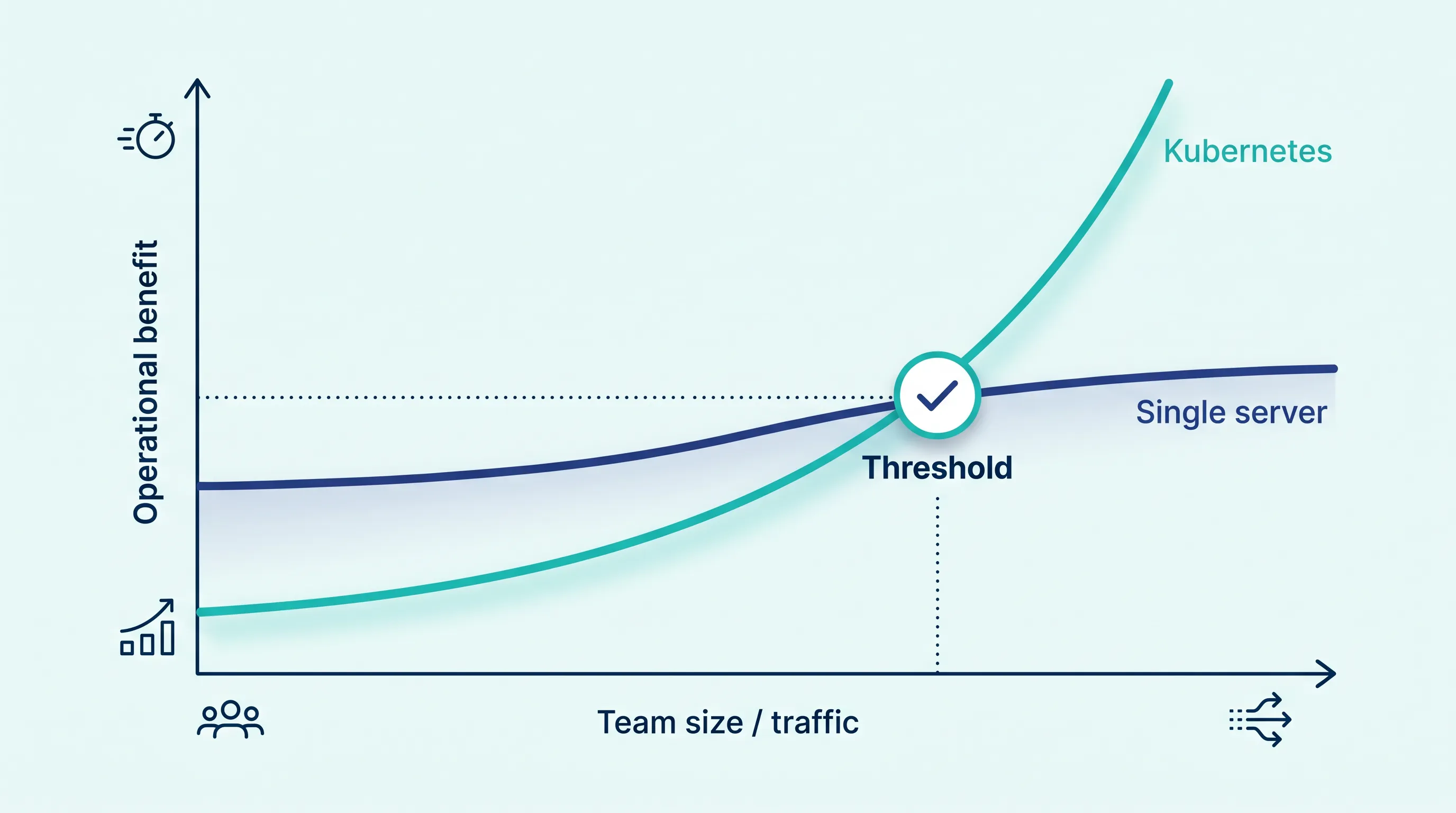
Kubernetes keeps promising the same three things: self-healing, scaling, and portability across clouds. But complexity has a cost too, and almost nobody tells you where the line is — the point at which that complexity stops being overhead and starts paying for itself. That's the gap this guide covers.
The listicle version of "Kubernetes benefits" doesn't tell you when
Most articles about Kubernetes benefits read like a feature list: self-healing restarts failed containers, the Horizontal Pod Autoscaler adds capacity under load, and the same manifests run on any conformant cluster, so you're not locked into one cloud's proprietary APIs. All of that is true, and Kubernetes's own documentation backs it up feature by feature.
What that kind of list leaves out is cost. Running Kubernetes well means someone owns upgrades, certificate rotation, network policy, and the muscle memory to read kubectl describe output during an incident at 2 a.m. For a single Next.js app serving modest traffic, a process manager and a reverse proxy on one VM gets you most of the uptime for a fraction of the operational load. The benefits of Kubernetes are real, but they only start outweighing that load past a particular point — and that point is about scale, not about the technology being "better."
Signal 1: you've stopped fitting on one box
The first honest signal is resource, not ambition. If a single well-sized VM can still hold your app, your database, and your background workers with headroom to spare, you don't have a scheduling problem yet — you have a provisioning problem, and Kubernetes doesn't solve provisioning. Where it starts to help is when you're running enough independent services, or enough replicas of the same service, that bin-packing them onto fixed VMs by hand becomes its own part-time job. A scheduler that can place dozens of pods across a handful of nodes based on actual CPU and memory requests is solving a problem that genuinely gets harder as the number of moving pieces grows, not one that exists by default.
A useful gut check: count your independently deployable services and multiply by your target replica count for availability. Once that number is comfortably above ten, manual placement starts costing more engineering time than the cluster would.
Signal 2: downtime during deploys has become unacceptable
Self-healing and rolling updates are the most-cited Kubernetes benefits for good reason, but they only pay off once a few seconds of downtime per deploy is a problem worth solving. An internal admin tool redeployed twice a week can tolerate a short blip. A customer-facing API processing live traffic around the clock cannot, and that's where a rolling update strategy with readiness probes earns its complexity: traffic only shifts to new pods once they report healthy, and a bad rollout gets rolled back automatically before most users notice.
If you're self-hosting a Next.js app, the standalone output build matters here too — it determines how fast a new pod can start serving traffic, which in turn determines how short you can make that rollout window.
Signal 3: "it works on my cluster" keeps happening across clouds
Portability is the benefit that's hardest to value until the day you need it — a contract renegotiation, a region outage, a compliance requirement that rules out a specific provider. Kubernetes's win here is that the same deployment manifests run against the Kubernetes API regardless of which cloud is underneath, so the migration work is mostly about data and DNS, not about rewriting how your app is deployed. Teams that build on a single cloud's managed compute product (not Kubernetes) tend to discover this the hard way: the day they need to leave, the deployment layer has to be rebuilt from scratch, not just repointed.
This is also where the K3s-versus-full-Kubernetes decision shows up. K3s vs K8s: A Use-Case Driven Selection Guide walks through when the lighter-weight, CNCF-conformant K3s distribution gets you the same portability without the control-plane overhead full Kubernetes assumes you have staff to manage.
Signal 4: the bill from "someone else runs it for you" has started to sting
A fully managed Kubernetes offering from a hyperscaler solves the staffing problem, but it introduces a cost problem of its own: control-plane fees, premium node pricing, and cross-zone data transfer charges that aren't obvious until the invoice arrives. Managed Kubernetes is Too Expensive. The Reality of 'Full K8s' Cost breaks down where that spend actually goes, and it's rarely the compute itself — it's the managed layer wrapped around standard Kubernetes primitives you could run yourself.
This is where most teams stall: the app is ready to scale, but self-hosting standard Kubernetes means ingress, TLS, monitoring, and a managed control plane before a single feature ships, and the managed options from the big three clouds price that convenience at a premium. Kubo gives you standard, unmodified Kubernetes with that plumbing already wired — closer to the workflow you had on Vercel, without the per-zone transfer fees or the vendor lock-in that comes with a proprietary control plane.
Signal 5: one namespace isn't enough anymore
A quieter signal: you've started provisioning separate staging, QA, and per-feature preview environments, and each one needs its own ingress rules, secrets, and resource limits. Namespaces exist specifically to make that cheap — logically separate environments sharing one cluster's control plane, rather than a full VM (or a full managed cluster) per environment. How Many Environments Do You Really Need? covers the cost design side of this: how many environments actually earn their keep versus how many exist out of habit, and how namespace-level quotas keep a busy preview environment from starving production of resources.
If you're still manually spinning up a VM per environment, this is usually the signal that arrives before the scheduling signal does — because environment sprawl shows up in the billing dashboard well before raw traffic does.
Weighing the signals together
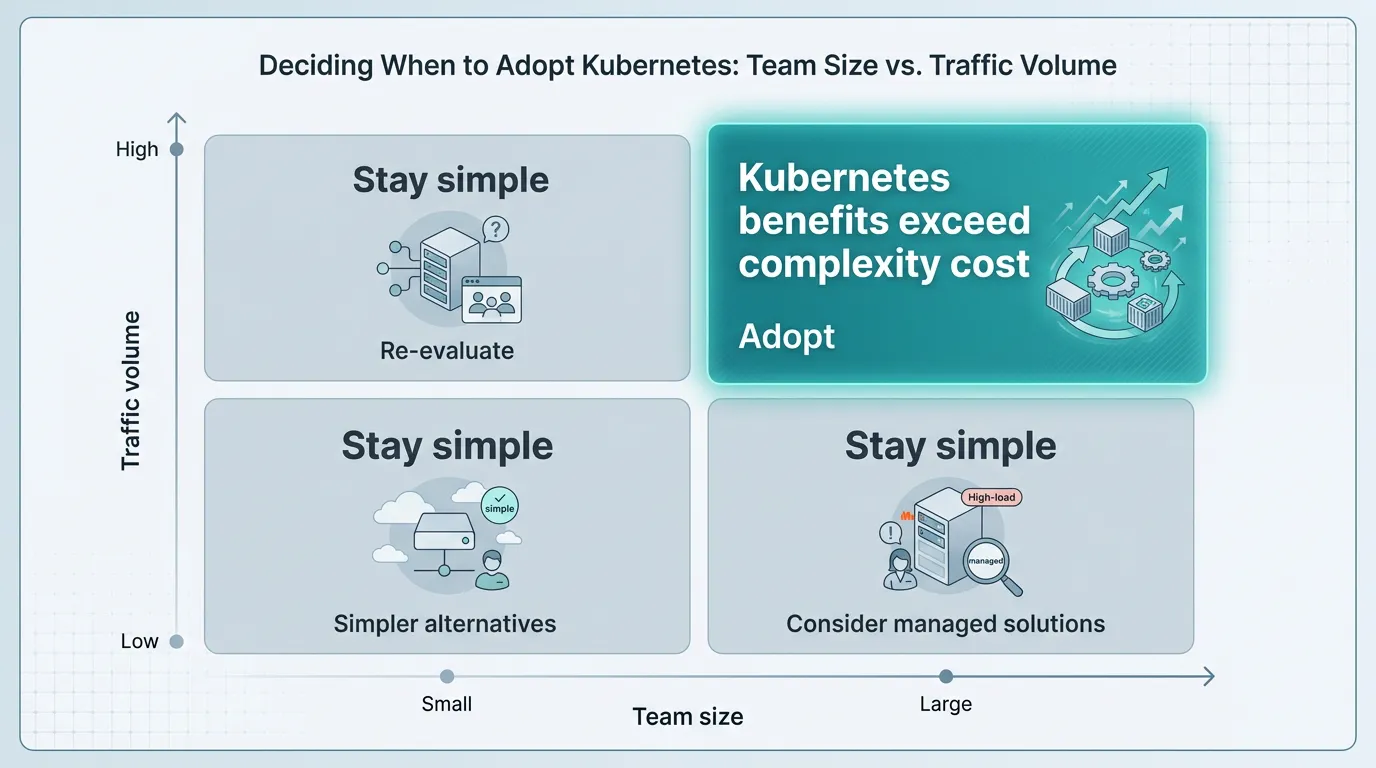
No single signal above is decisive on its own. A team with ten services but low traffic may still be fine on managed VMs with a process supervisor. A team with heavy traffic to one monolith may get more mileage from vertical scaling than from a scheduler. The pattern worth watching for is two or more of these signals showing up at once: enough services to make manual placement a chore, deploys frequent enough that a few seconds of downtime adds up, and environment or compliance needs that are starting to multiply. That combination is what "the benefits outweigh the complexity" actually looks like in practice, rather than as a slogan.
Where to go from here
If you're weighing this today, the honest first step is counting services and replicas, not reading another feature comparison. If the numbers above put you past the threshold, Compare the plans and start with the one that matches your current workload rather than the one you expect to need in a year. The Ashigaru plan starts at ¥8,800/month and fits individual developers and small projects; most small-to-mid-size teams land on Ronin at ¥17,600/month once they're running production traffic across a few services. Either way, you get standard Kubernetes underneath — so moving up a plan, or off Kubo entirely, never means rewriting how your app deploys.