
COLUMN
22/10/2026
Next.js Server Actions Behind a Reverse Proxy: Fixing the Origin Check
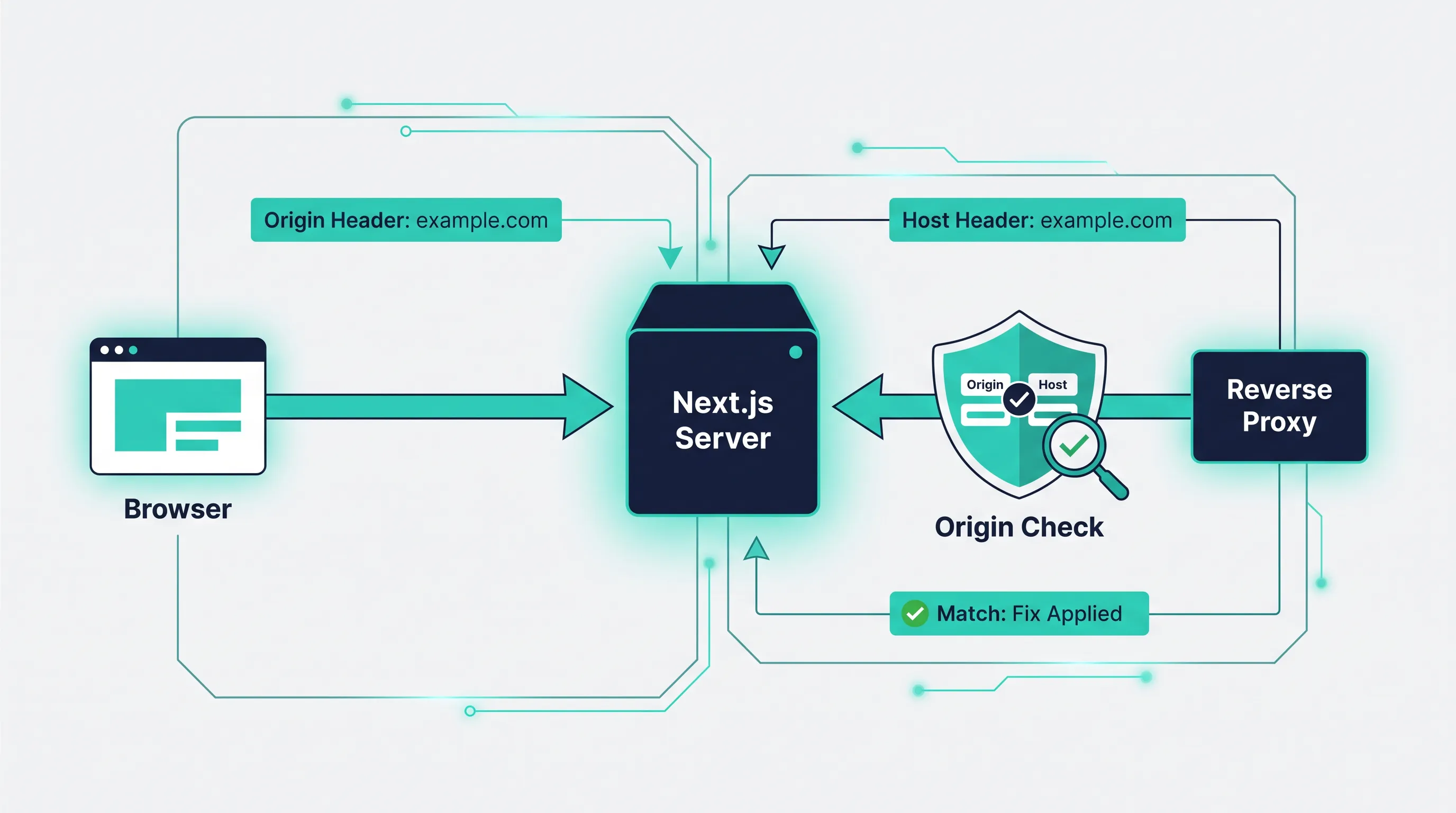
Next.js ships Server Actions with a built-in check that compares the request's Origin header against the host the app thinks it's running on, specifically to stop cross-site form submissions from triggering your mutations. On Vercel this check just works, because Vercel controls the whole request path and always hands Next.js the correct host. The moment you put the same app behind your own nginx or Traefik in front of a container, that assumption stops holding, and a Server Action that worked fine in next dev starts failing in production with no obvious cause.
What the Origin Check Actually Does
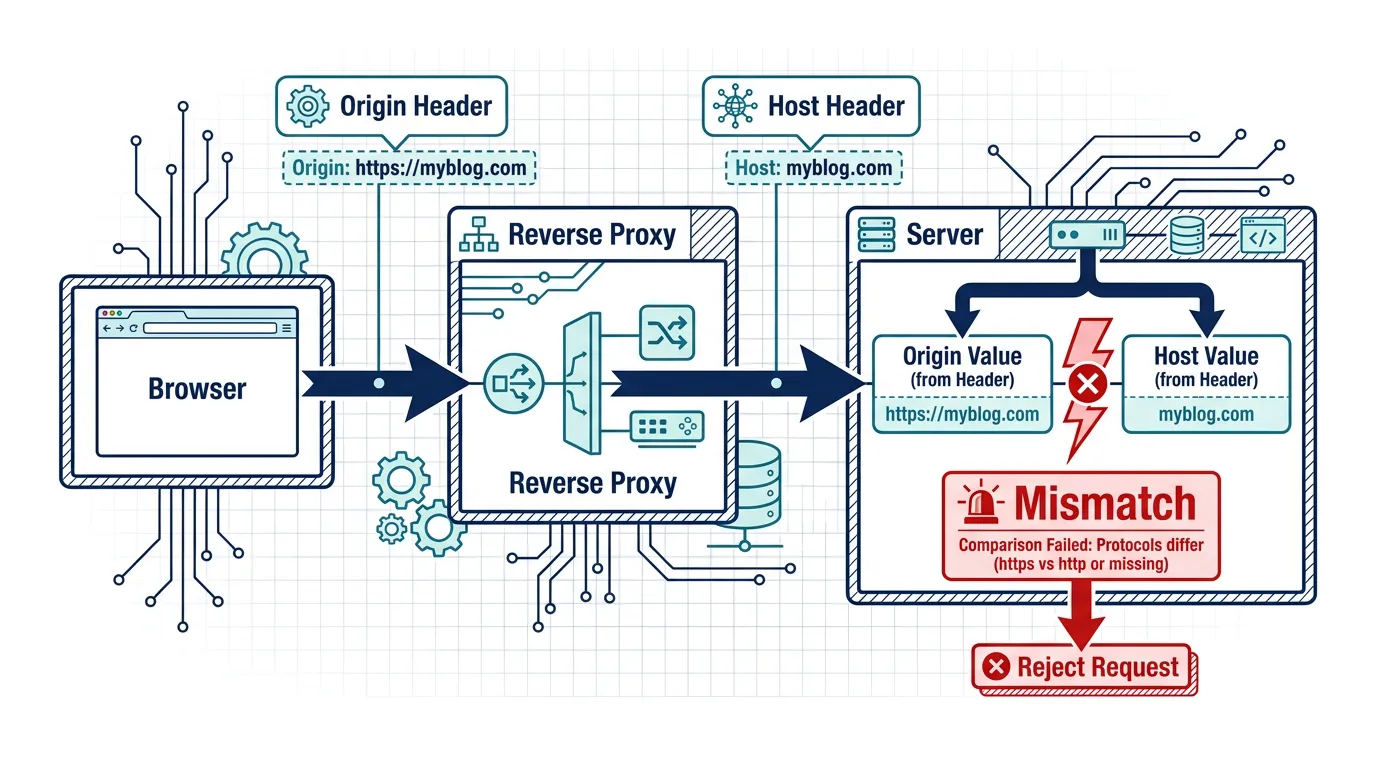
When a Server Action runs, the browser sends a POST request carrying an Origin header set to the page's own origin (scheme + host + port). Next.js's server-side runtime independently works out what it believes the app's origin should be, using the incoming Host header, and rejects the request if the two don't match. This is a legitimate CSRF defense: without it, a malicious page on another domain could submit a form straight at your Server Action and have the browser attach the user's cookies automatically.
The important detail for self-hosting is which Host value Next.js actually sees. If your reverse proxy terminates TLS and forwards the request to the Next.js container, whatever ends up in the Host header of that forwarded request is what gets compared — not the domain the visitor typed into their browser.
Why a Reverse Proxy Breaks It
Most reverse-proxy setups are built around proxy_pass or a Traefik router rewriting the request on its way to the backend. Depending on how that's configured, the Host header forwarded to Next.js can end up being the container's internal address, a load-balancer hostname, or simply whatever the proxy's own default upstream naming is — anything other than the public domain. Next.js then computes an origin like http://nextjs-app:3000, compares it against the browser's https://app.example.com, finds a mismatch, and rejects the action.
This is distinct from problems covered by general reverse-proxy header guides: getting TLS, basePath, and redirect handling right doesn't automatically fix this, because the Origin check is specific to Server Actions and isn't exercised by a normal page load — it only shows up once a user submits a form or calls a Server Action, which is often well after a deployment has already been marked "working."
Fix 1: Forward the Real Host
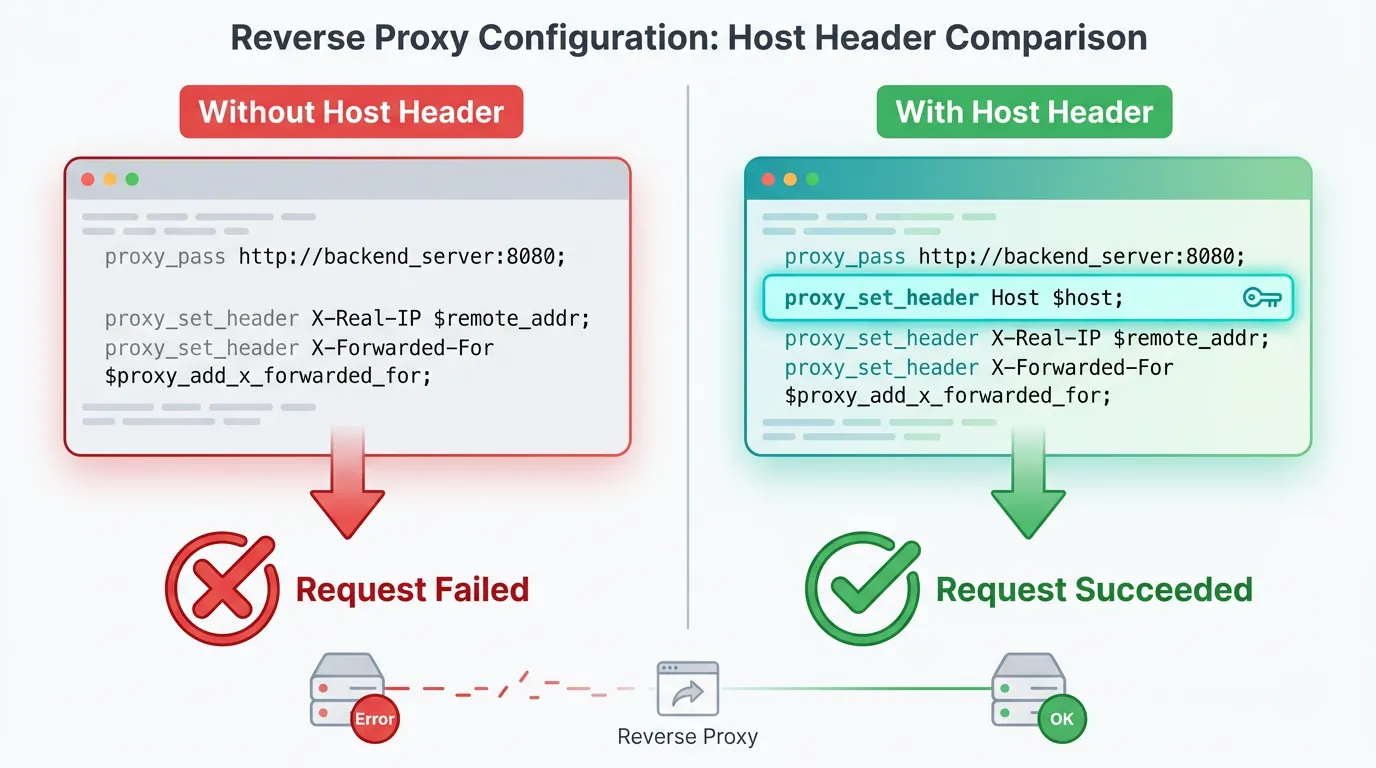
The first fix happens entirely in the proxy, before Next.js is involved at all. The proxy needs to pass through the hostname the client actually requested, not a default or internal name.
For nginx:
location / {
    proxy_pass http://nextjs_upstream;
    proxy_set_header Host $host;
    proxy_set_header X-Forwarded-Host $host;
    proxy_set_header X-Forwarded-Proto $scheme;
    proxy_set_header X-Forwarded-Port $server_port;
}
proxy_set_header Host $host; is the line that matters most here: it tells nginx to forward the Host header exactly as the client sent it, rather than letting it default to the upstream's own address. Without this line, some nginx configurations fall back to $proxy_host, which resolves to your upstream definition, not the public domain.
For Traefik, when you're running the official Next.js container behind a router, the router config needs the service to receive the original host rather than an internal one:
http:
  routers:
    nextjs:
      rule: "Host(`app.example.com`)"
      service: nextjs-service
      tls: {}
  services:
    nextjs-service:
      loadBalancer:
        servers:
          - url: "http://nextjs-app:3000"
        passHostHeader: true
passHostHeader: true is Traefik's equivalent of the nginx line above — it's actually the default in recent Traefik versions, but it's worth setting explicitly so a future config change doesn't silently flip it off.
Fix 2: Tell Next.js Which Origins Are Allowed
Forwarding the right host fixes most single-domain deployments, but it isn't always enough on its own — multi-domain setups, staging environments behind a shared proxy, or internal health checks that hit the container directly will still produce an origin Next.js doesn't recognize. For those cases, next.config.js lets you explicitly allow additional origins for Server Actions:
// next.config.js
module.exports = {
  experimental: {
    serverActions: {
      allowedOrigins: ['app.example.com', 'staging.example.com'],
    },
  },
};
allowedOrigins takes a list of hostnames (no scheme, no trailing slash) that Next.js will accept alongside whatever it infers from the request itself. Check the Next.js serverActions config reference for your installed version before copying this verbatim — the option has lived under experimental for several releases, and Next.js does periodically graduate experimental config out of that namespace.
Treat this as a second layer, not a replacement for Fix 1. Getting the proxy to forward the correct host keeps your origin list short and predictable; relying on allowedOrigins alone to paper over a misconfigured proxy means every new environment (a preview deploy, a second region, a renamed internal service) needs another manual entry before Server Actions will work there.
Verifying the Fix
Before trusting a deploy, confirm the proxy is actually forwarding what you expect. From inside the container (or a debug route), log the incoming headers for a real request and check that host matches your public domain rather than an internal name:
curl -v -X POST https://app.example.com/some-page \
  -H "Content-Type: application/x-www-form-urlencoded" \
  --data "key=value"
Then exercise an actual Server Action from the browser — a plain curl won't reproduce the Origin mismatch, because the browser is the one attaching that header automatically. Watch your Next.js server logs for a rejected action; if the fix worked, it should complete normally instead.
Where This Fits Once the App Is Running
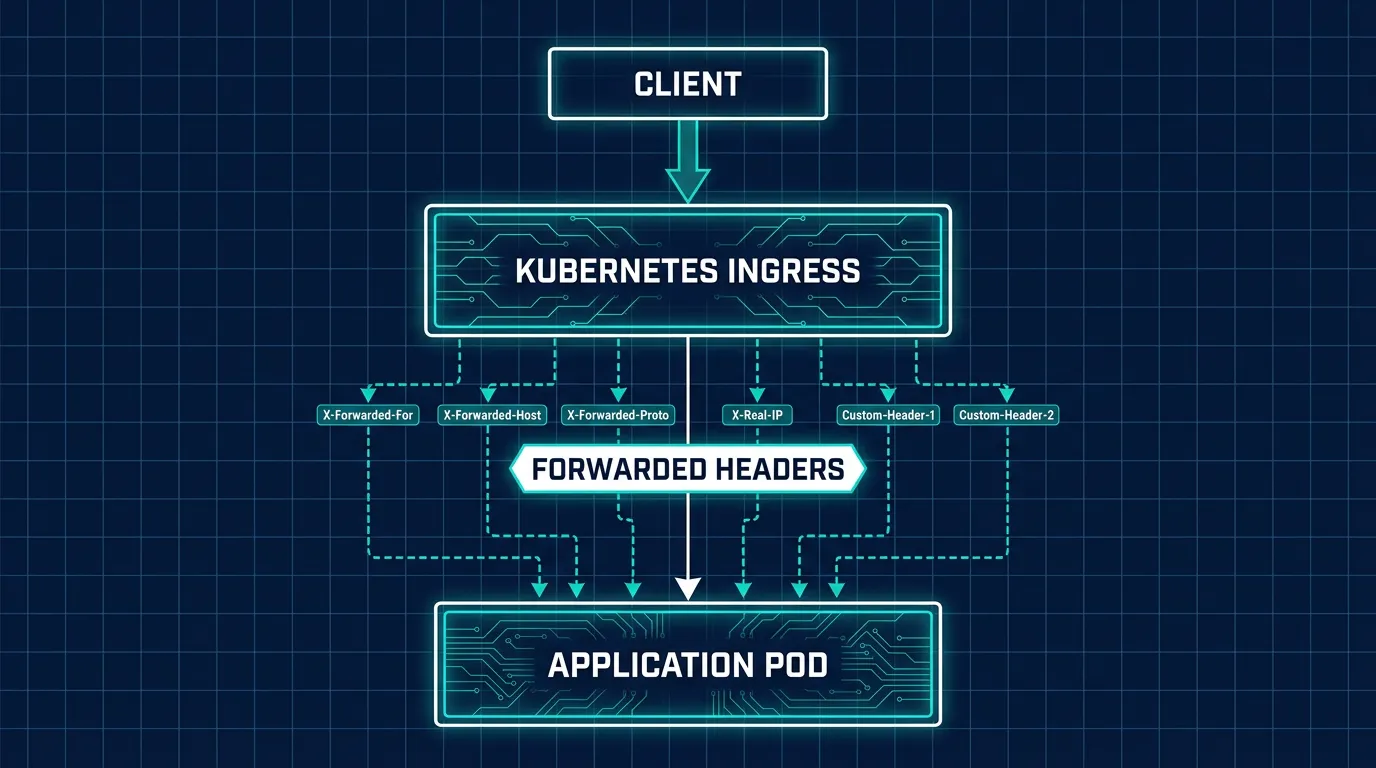
This problem only shows up once Next.js is already deployed somewhere other than Vercel, which is usually the point where the rest of the production checklist — TLS, logging, restarts, scaling — becomes the team's responsibility instead of the platform's. Kubo is built around that handoff: standard Kubernetes underneath, with the proxy, TLS, and deployment plumbing already wired up, so the Host-header behavior described above is something you configure once in an ingress definition rather than re-discovering per environment.
Origin validation is one check happening at the application layer. Once you're running on a cluster, it's worth deciding what happens at the network layer too — restricting which pods can even reach your Next.js service in the first place matters more as soon as you have more than one app sharing a cluster.
Keeping Proxy Config Consistent Across Environments
If you're running staging, preview, and production behind separate proxy configs, it's easy for the allowedOrigins list and the proxy's header rules to drift out of sync between them — someone fixes production and forgets staging exists. Managing that configuration declaratively, so every environment is generated from the same source instead of hand-edited, is exactly the problem GitOps tools are meant to solve. Keeping per-environment config — ingress rules included — in version control instead of in someone's memory is what a tool like ArgoCD is for.
Conclusion
A Server Action failing with no client-side error and no obvious stack trace is almost always this: the proxy is forwarding a Host header Next.js doesn't recognize as the page's real origin. Fix the proxy first — proxy_set_header Host $host in nginx, passHostHeader in Traefik — then use experimental.serverActions.allowedOrigins for the environments a header fix can't reach on its own. If you're setting this up for the first time on Kubernetes rather than a single VPS, locking down traffic at the network layer below the application check is a reasonable next stop once the Origin check itself is passing.