
COLUMN
21/10/2026
What Kubernetes Actually Gives You Over a Single VPS: Self-Healing, Scaling, and Portability Explained
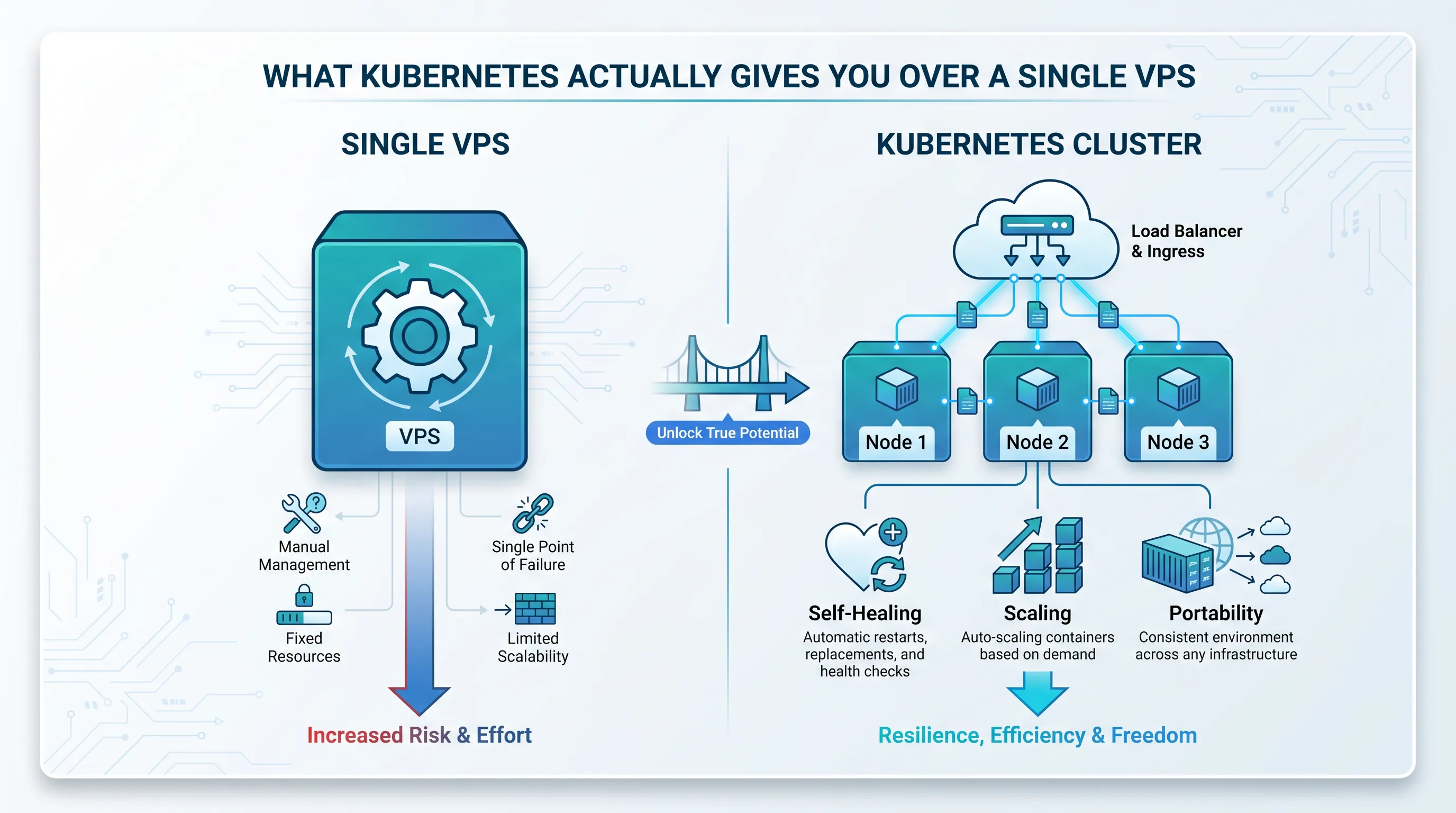
Kubernetes gets credited with self-healing, scaling, and multi-cloud portability — but half of that is marketing copy repeated without context for a team running one self-hosted Next.js app on a VPS. If your deploy process is rsync, pm2 restart, and a cron job that checks whether the process is still alive, you've probably wondered whether any of those benefits actually apply to you, or whether they only kick in once you have fifty microservices and a platform team.
This is the gap worth closing before you touch a single YAML file: what Kubernetes gives you concretely, what it costs you to get there with vanilla Kubernetes, and where the line is for a small Next.js deployment.
Self-healing: what it replaces, and what it doesn't
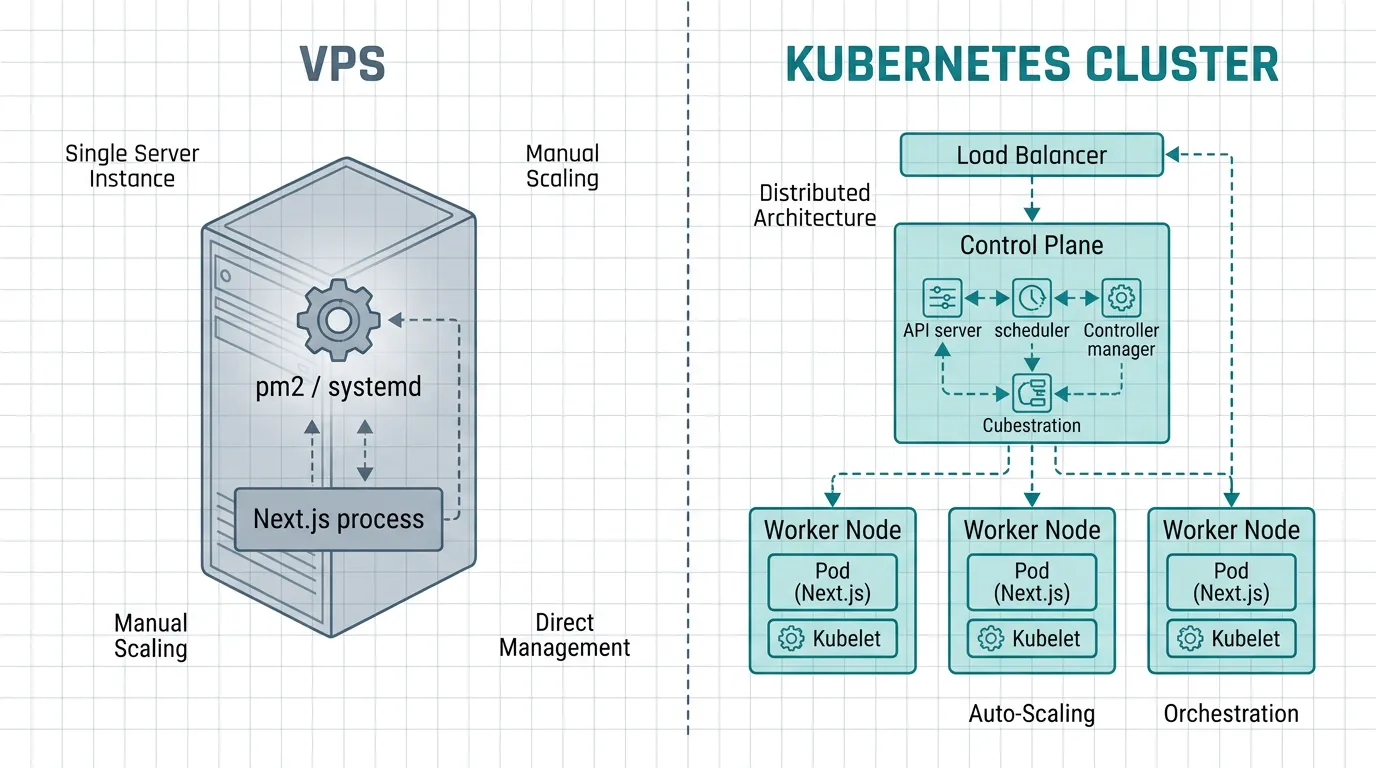
On a single VPS, "self-healing" usually means a supervisor like pm2 or systemd restarting a crashed process, plus a human checking logs when restarts loop. That covers process crashes. It doesn't cover a dead disk, a kernel panic, or a provider-side host failure — all of which take your one server down with no automatic recovery path.
Kubernetes' self-healing comes from the combination of a ReplicaSet continuously reconciling the number of running Pods against a desired count, and liveness, readiness, and startup probes that tell the scheduler when a Pod is unhealthy and should be replaced or temporarily removed from traffic. If a node itself goes down, the control plane reschedules the Pods it was running onto healthy nodes — something no process supervisor on a single host can do, because there is no second host to fail over to.
That's the real benefit: it's not "restarts your app faster," it's "survives losing an entire machine without you being paged at 3am." For a single Next.js instance on one VPS, you get the first kind of recovery already. The second kind is the one that requires more than one node to even be possible.
Scaling: horizontal, not just "bigger instance"
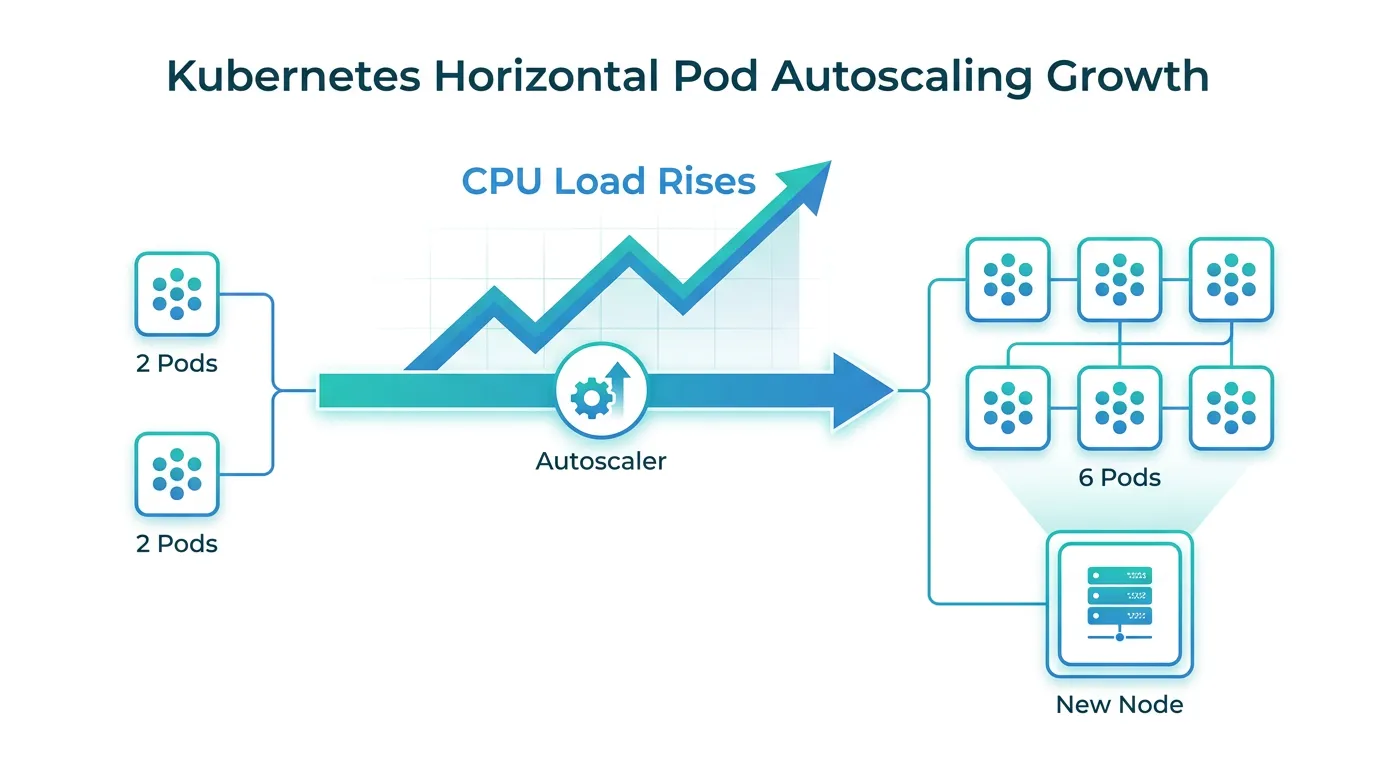
Scaling a VPS deployment usually means resizing the instance — more vCPUs, more RAM — and restarting. That's vertical scaling, and it has a ceiling: at some point you're on the largest instance type your provider offers, and the next step is a rewrite of your deployment model, not a config change.
Kubernetes' Horizontal Pod Autoscaler adds and removes replicas of your Next.js app based on CPU, memory, or custom metrics, spreading load across however many nodes your cluster has. Combined with a cluster autoscaler that adds nodes when existing ones fill up, this gives you a scaling path that doesn't dead-end at "biggest box available." For a Next.js app specifically, this matters most for traffic spikes that are uneven across time — a product launch, a Hacker News front page — rather than steady, predictable load, where a correctly-sized single VPS is genuinely fine.
Portability: the one that's easy to overstate
"Runs anywhere" is the most-repeated Kubernetes claim, and the most conditional one. The API is standardized — a Deployment, Service, and Ingress manifest will behave the same whether the cluster is EKS, AKS, GKE, or a self-managed K3s install. That part is real, and it's why the Cloud Native Computing Foundation's conformance program exists: to certify that a "Kubernetes" labeled as conformant actually implements the same API surface.
What doesn't move for free is anything provider-specific you've wired in: a managed load balancer's annotations, a cloud-specific storage class, IAM roles tied to a specific cloud's identity system. Portability in Kubernetes means your application workload definition travels cleanly — not that your entire infrastructure configuration does. If you're currently locked into a single IaaS provider for your VPS and want out, Kubernetes gets you most of the way there; it doesn't get you all the way there automatically.
This is where most teams stall: the app is containerized and the manifests are written, but getting from zero to a working cluster still means wiring up ingress, TLS certificates, a container registry, and monitoring before a single feature ships — and vanilla Kubernetes doesn't ship any of that configured for you. Kubo gives you standard, conformant Kubernetes with that plumbing already wired — closer to the deploy-and-forget workflow you're used to from a single VPS, without locking you into one cloud's non-standard extensions.
Declarative deployments: the part that's easy to miss
The benefits above get most of the attention, but the operational shift that actually changes your day-to-day is moving from imperative deploy scripts to a declarative model: you describe the desired state, and a controller continuously drives the cluster toward it rather than running a one-off script and hoping nothing drifts afterward. Paired with Git as the source of truth, this is what GitOps tooling builds on — a useful next step once you've moved past manual kubectl apply commands, covered in this walkthrough of declarative GitOps deployments.
Do you actually need this yet?
None of the above is free. A production-grade Kubernetes setup means running (or paying someone to run) a control plane, configuring networking between nodes, setting up persistent storage, and building monitoring that tells you when something in that stack — not just your app — has failed. For a single Next.js app with predictable traffic and one engineer on call, that overhead can easily cost more time than the single VPS it replaces.
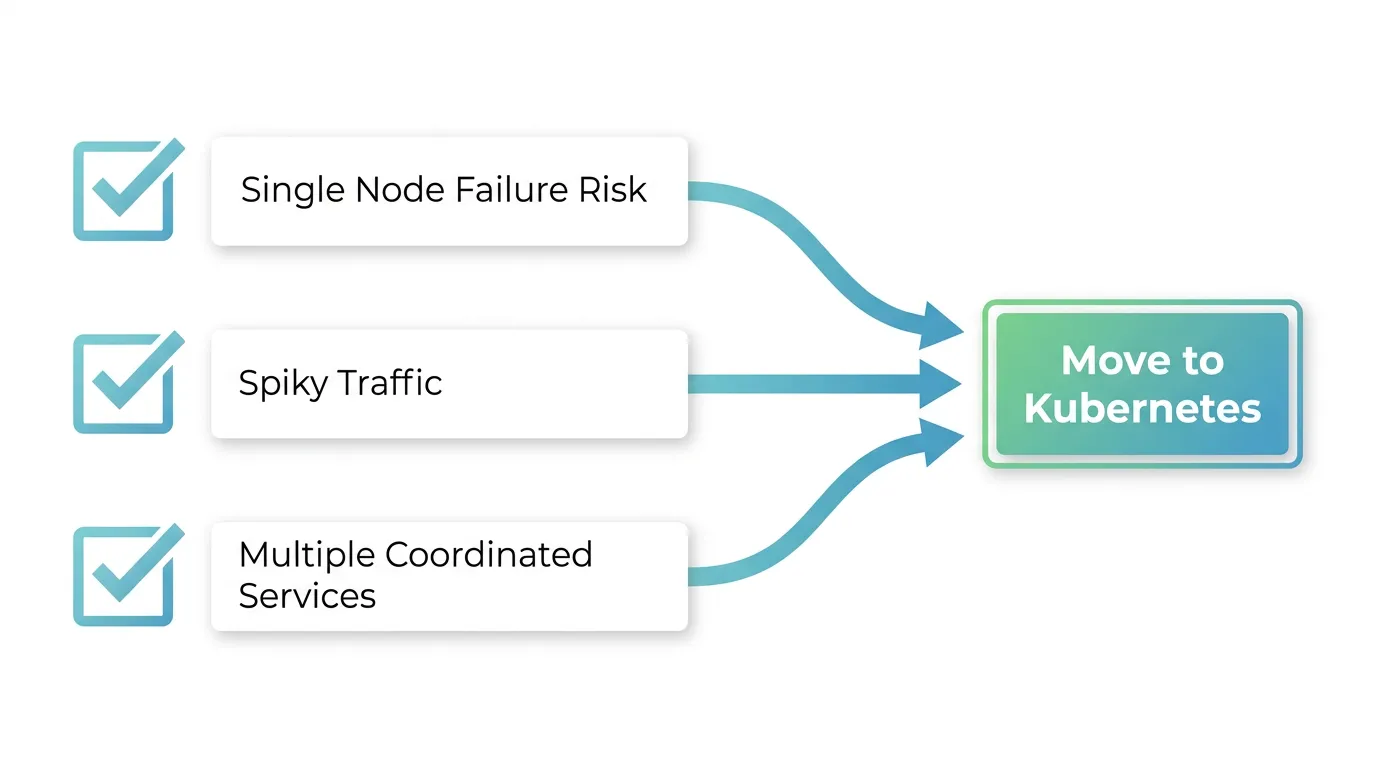
The honest trigger points are: you're losing sleep over single-node failures with no fallback, your traffic is spiky enough that vertical scaling can't keep up, or you're running more than one service that needs to share infrastructure and coordinate deployments. If none of those are true yet, the benefits in this article are real but not yet worth their operational cost. Before provisioning a cluster "for one app," it's worth working through how many environments you actually need — the answer is often fewer than teams assume, and it changes how much cluster you need to provision in the first place.
If the triggers above do apply, the next useful read is a production best practices for K3s guide, since it covers the baseline configuration — resource limits, upgrade strategy, backup — that turns "a cluster" into "a cluster you can rely on."
If you decide to move
Vanilla Kubernetes doesn't come with a price tag — you assemble the control plane, networking, and storage yourself, and the cost shows up later as engineering time. Managed offerings turn that into a plan you can pick from. The Ashigaru plan starts at ¥8,800/month and fits a single Next.js app with light traffic; most small teams moving off a VPS land on the Ronin plan at ¥17,600/month, sized for a handful of coordinated services in production. Compare the plans and start with the one that matches your current workload, not the one sized for where you might be in two years.