
COLUMN
23/10/2026
Is Next.js the Right Choice for Your Web App? A Decision Guide Before You Start Building

Next.js shows up in every "best framework" list, but "popular" and "right for this project" aren't the same question. Before you scaffold create-next-app, it's worth asking what you're actually optimizing for — because the answer changes how you build, deploy, and eventually scale.
Next.js Solves Specific Problems, Not Every Problem
Next.js was built to answer a real gap in the React ecosystem: React alone gives you components, not routing, data fetching, or a rendering strategy. Next.js bundles those decisions for you — file-based routing, the App Router, server components, and built-in support for static, server-rendered, and incrementally regenerated pages.
That bundling is the whole value proposition. If your app needs SEO-friendly pages, mixed rendering strategies, or a team that doesn't want to assemble a router, a data-fetching library, and a bundler by hand, Next.js removes that decision fatigue. If you're building something that doesn't touch the browser's address bar in a meaningful way — an internal dashboard behind auth, a single-page tool, a Chrome extension — you're paying for routing and rendering machinery you'll never use.
When Next.js Is the Right Call
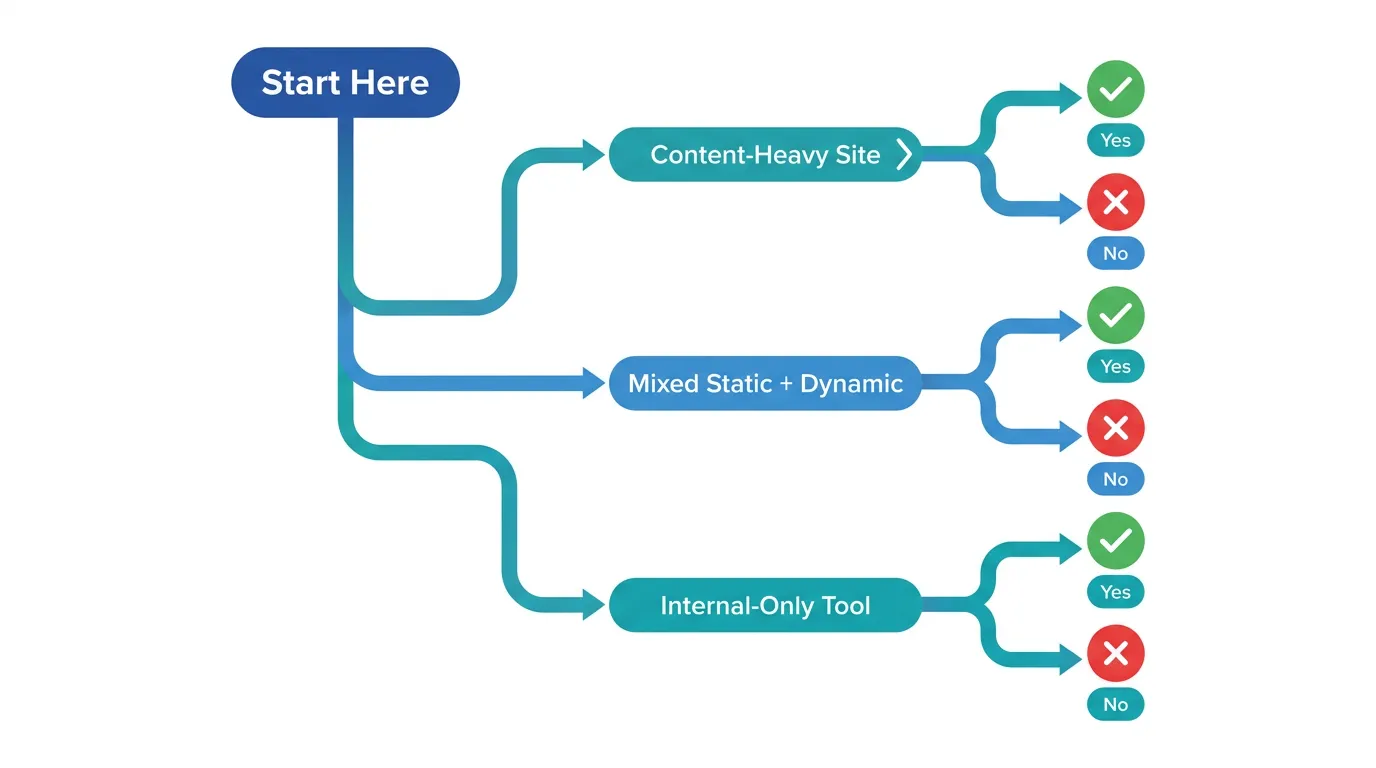
Content-heavy, public-facing sites are the clearest fit. Marketing pages, blogs, documentation, and e-commerce storefronts benefit directly from server rendering and static generation: search engines get fully rendered HTML, and users get fast first paint without shipping a client-side router for every page.
Teams that need both static and dynamic content in the same app are the second clear case. A product site with a static marketing homepage and a logged-in dashboard used to mean two separate projects or an awkward hybrid. The App Router lets both live in one codebase, rendered differently per route, without a second build pipeline.
When Next.js Adds Complexity You Don't Need
If your app is entirely behind a login wall with no SEO requirement, server rendering buys you little. A client-rendered React app with a lighter router can ship faster and with less to reason about. The same is true for teams building a thin CRUD interface over an existing API — Next.js's data-fetching and caching layers solve problems you may not have yet.
Watch for this specific trap: adopting Next.js because of its reputation, then fighting its conventions to make the app behave like a plain SPA. If every route uses "use client" and fetches data the way you would in Create React App, you've taken on the framework's build complexity without using the rendering model it was designed around.
Three Quick Litmus Tests
If you're still undecided, these three questions tend to settle it faster than a feature-by-feature comparison:
- Does a search engine or social media crawler ever need to see this page's content? If yes, server-rendered HTML matters, and Next.js is a strong fit. If every route lives behind a login, it doesn't.
- Will the same codebase need both a fast marketing site and an authenticated dashboard? Next.js handles that split well. A single-purpose internal tool doesn't need the extra machinery.
- Does your team want rendering and routing decisions made for them, or do they want to assemble that stack themselves? Next.js is opinionated by design — that's a feature for teams who want fewer decisions, and friction for teams who want full control over every layer.
Two "yes" answers out of three is a reasonable signal to proceed.
The Production Questions Nobody Asks Until Launch Week
This is where most "should we use Next.js" conversations stop too early. The framework decision is only half the story — the other half is what happens when the app needs to actually run in production, under real traffic, for real users.
A few questions worth answering before you commit:
- Where will this run — a platform like Vercel, or infrastructure you manage yourself?
- Who owns security patching, TLS certificates, and dependency updates once the app ships?
- What does your deployment pipeline look like, and who maintains it under load?
None of these are Next.js-specific, but they determine your actual cost and operational burden more than the framework choice does. This is where most teams stall: the app is ready, but production means thinking through CI/CD, security scanning, and cost control before a single feature update ships. Kubo gives you standard Kubernetes with that plumbing wired in — closer to Vercel's workflow, without locking you into one vendor. If you're weighing how much of that to own yourself, this practical DevSecOps guide to securing your CI/CD pipeline is a useful look at what "production-ready" actually requires.
What Changes If You Deploy Outside Vercel
Next.js is developed by Vercel, and the defaults line up cleanly with Vercel's platform: image optimization, incremental static regeneration, and edge functions are all tuned for it. None of that is a lock-in requirement — Next.js ships a standalone output mode specifically for running it anywhere Node runs — but it does mean self-hosting takes a bit more setup work upfront.
The two costs that catch teams off guard are compute spend at scale and the operational surface area of running your own container platform. If cost is the trigger, a cost optimization guide for EKS, AKS, and GKE is worth reading before you commit to a specific cloud's managed Kubernetes offering — the pricing differences between providers are larger than most teams expect. And once you're running containers in production, you'll need a deployment pipeline; building a CI/CD pipeline with GitHub Actions covers the mechanics without assuming you've already picked a platform.
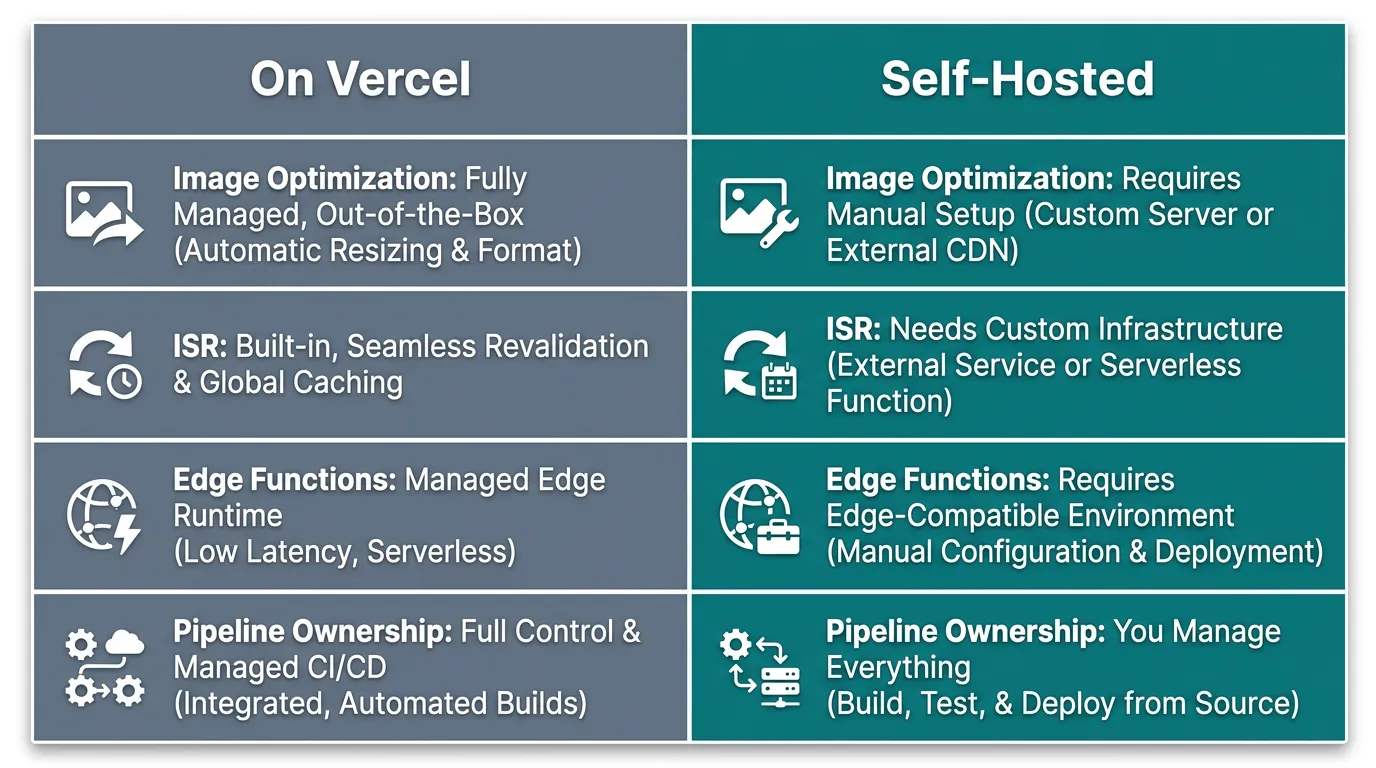
In practice, preparing a Next.js app to run outside Vercel starts with one config change. The output option in next.config.js produces a minimal, self-contained build that doesn't assume Vercel's runtime:
// next.config.js
module.exports = {
  output: 'standalone',
};
This traces the exact dependencies your app needs at runtime and copies them into .next/standalone, which is what makes a Next.js app portable into a plain Node container or a Kubernetes pod in the first place. It's a small change, but it's the line between "built for one platform" and "built to run anywhere Node runs."
Making the Call
Choose Next.js when your app genuinely needs mixed rendering, SEO-visible pages, or a team that wants routing and data fetching decided for them. Skip it when you're building something that lives entirely behind authentication with no rendering requirements — a lighter tool will serve you better.
Either way, the framework decision is the easy 20%. The harder 80% is what happens after next build succeeds: where it runs, who keeps it patched, and what it costs at your actual traffic. If you've made the call to build with Next.js and are now facing that second question, this guide to CI/CD pipeline security is a reasonable next stop — it covers the production concerns that come due regardless of which framework got you there.